
Help & FAQs
How can we help?
What is CLIQ?
CLIQ helps you find clubs and events near you, and meet people who are into the same things.
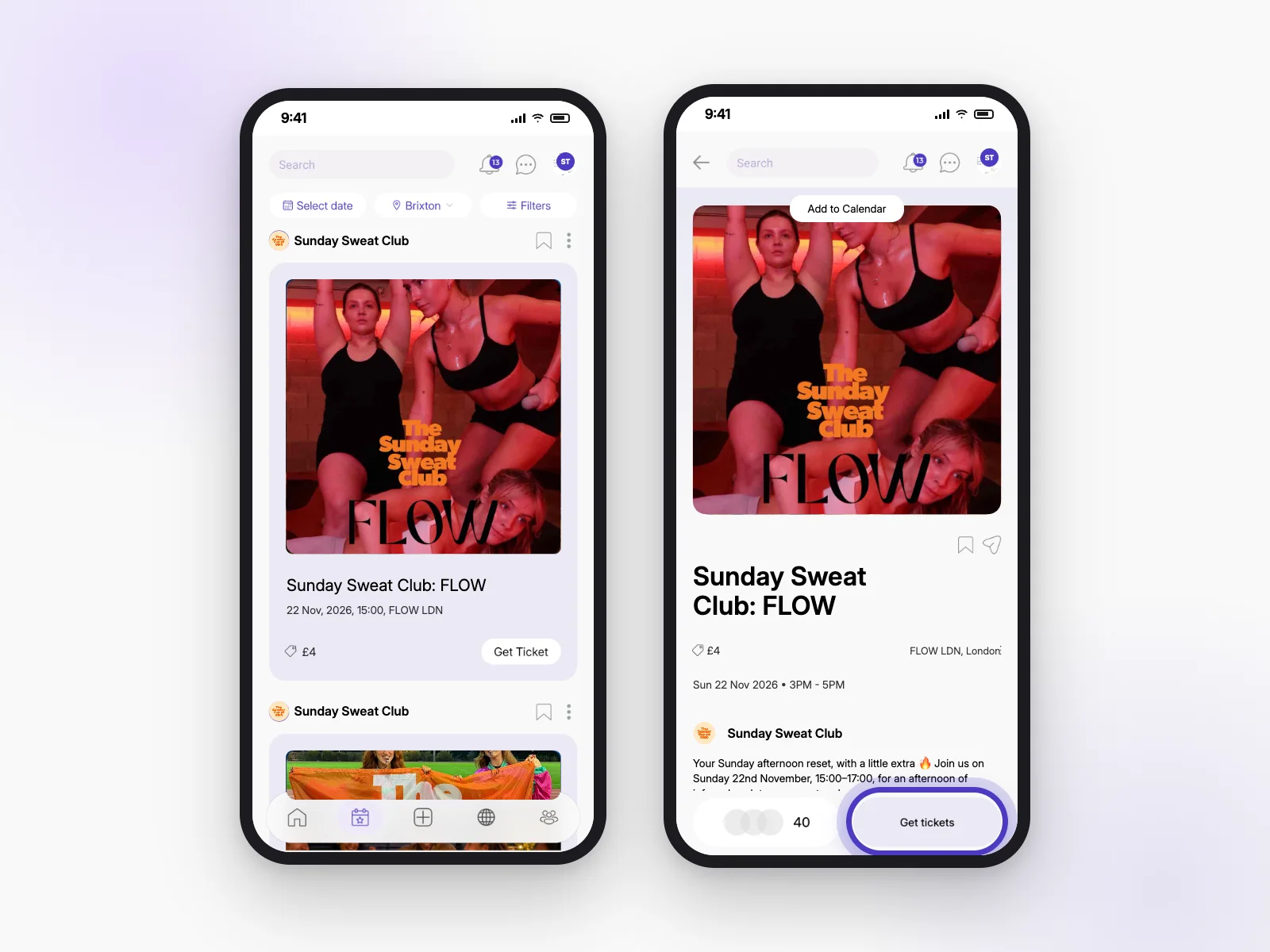
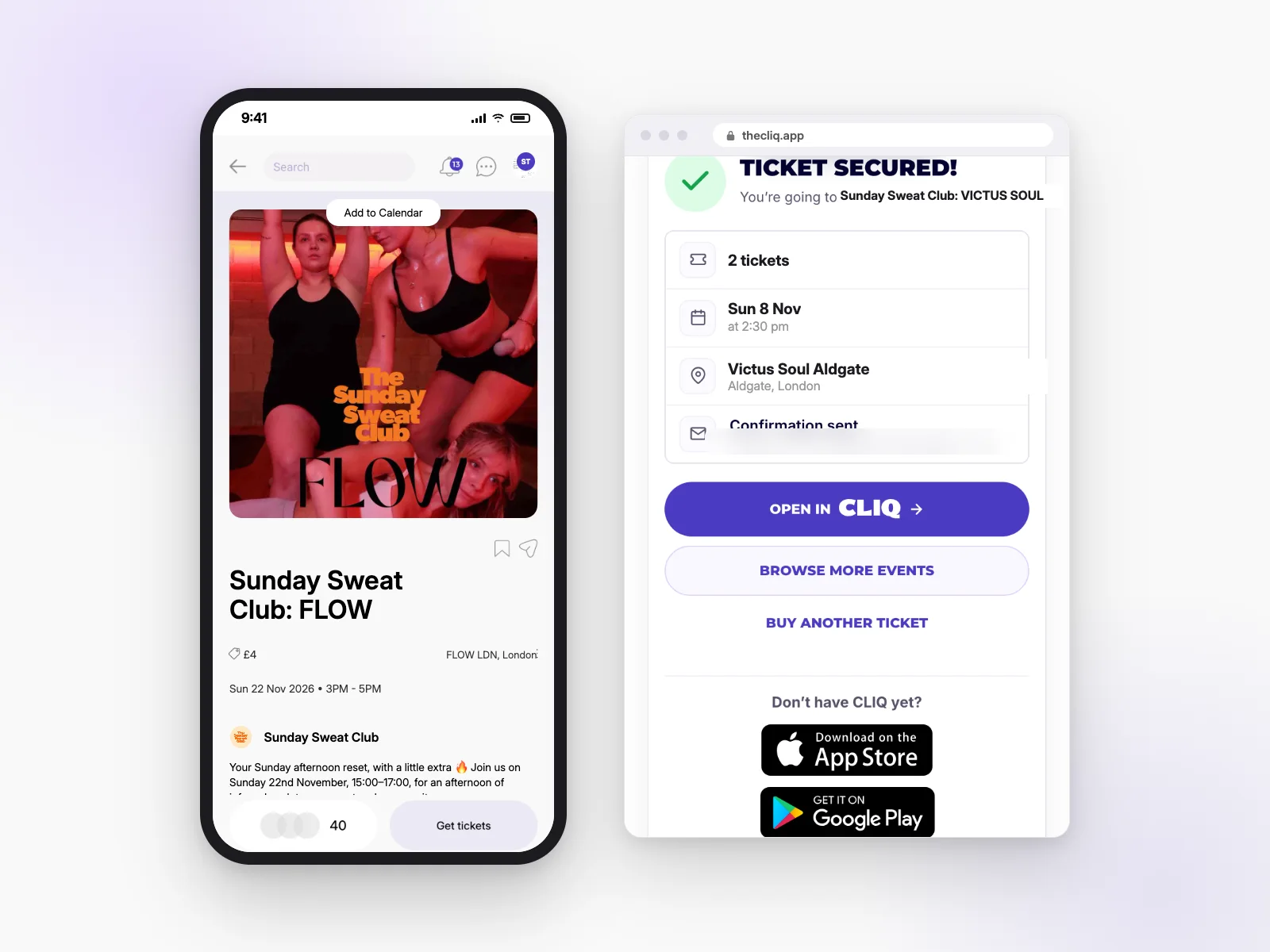
What is CLIQ?
CLIQ is an app for meeting people in real life. You can join clubs, book events, chat with other people going, and get to know people who like the same things as you.
Link to this answerWhat's the difference between the app, the website, CLIQ on the web for hosts and the brand portal?
- The CLIQ app (iPhone and Android) is where members find events, book, chat and join clubs.
- Our website (thecliq.app) lets anyone see events and book tickets without the app.
- CLIQ on the web for hosts (events.thecliq.app) is a bigger-screen way for hosts to set up events, check people in and manage their club.
- The brand portal (brands.thecliq.app) is for brands we’ve invited to support communities.
How do I contact CLIQ support?
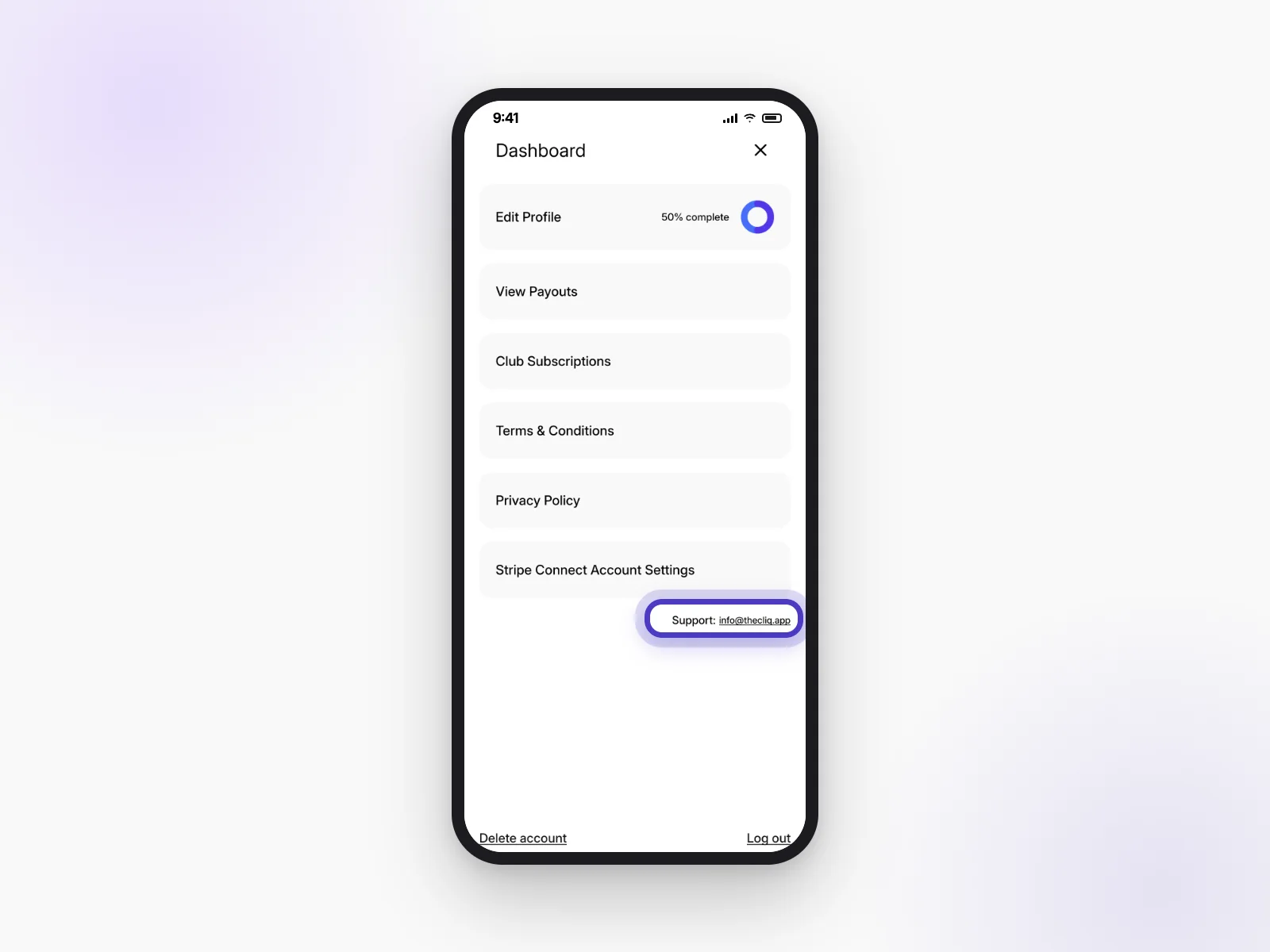
Email us at info@thecliq.app. You can also find it in the app:
- Open your profile.
- Open the Dashboard menu.
- Tap the support email at the bottom.
Tell us your username and the event or club you’re asking about, so we can help faster.
Link to this answerGetting started
Signing up takes a couple of minutes. Here’s what we ask for, and why.
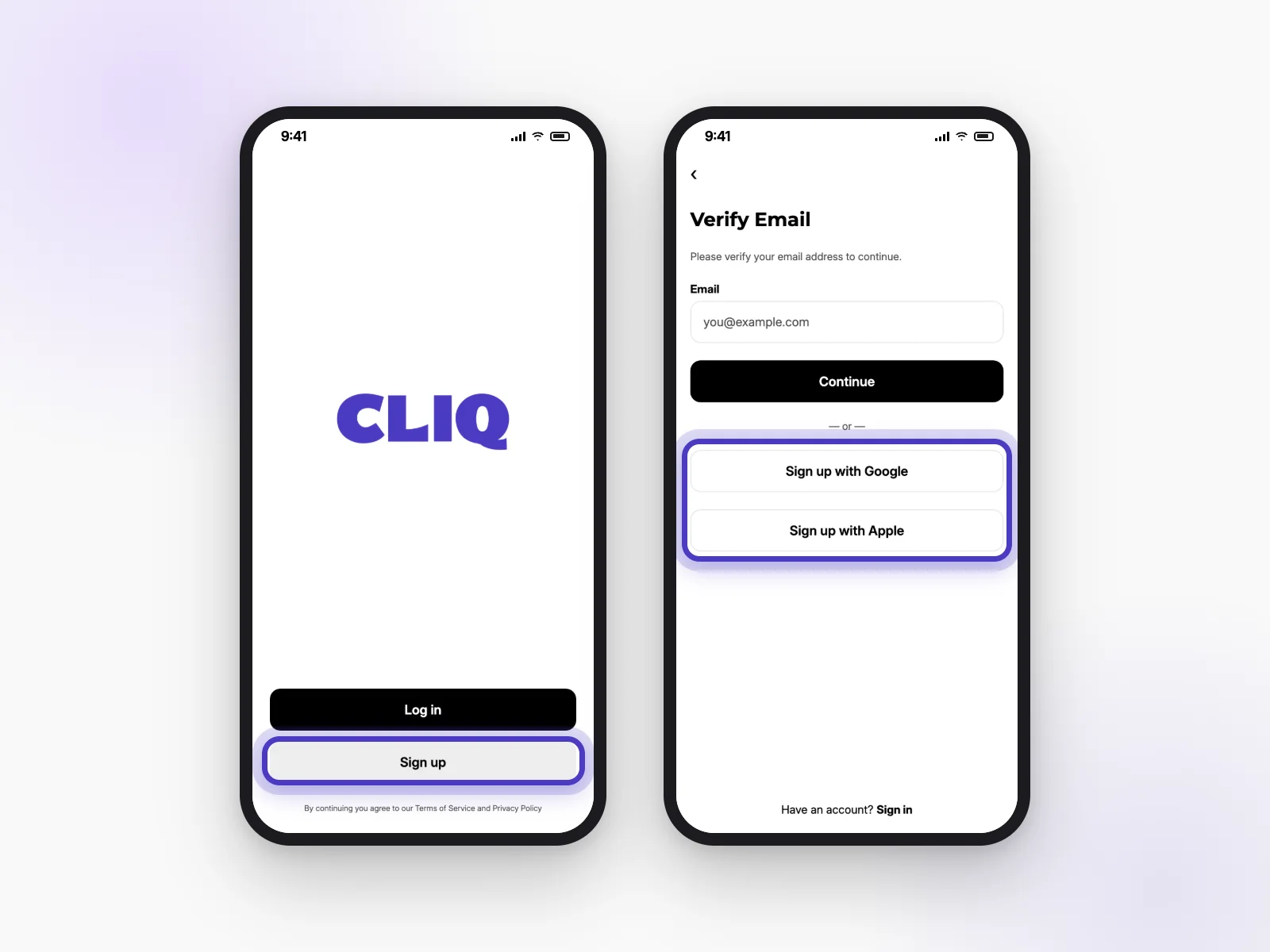
How do I sign up?
- Download the CLIQ app and open it.
- Tap Sign up.
- Enter your email and tap Continue, or tap Sign up with Google or Sign up with Apple.
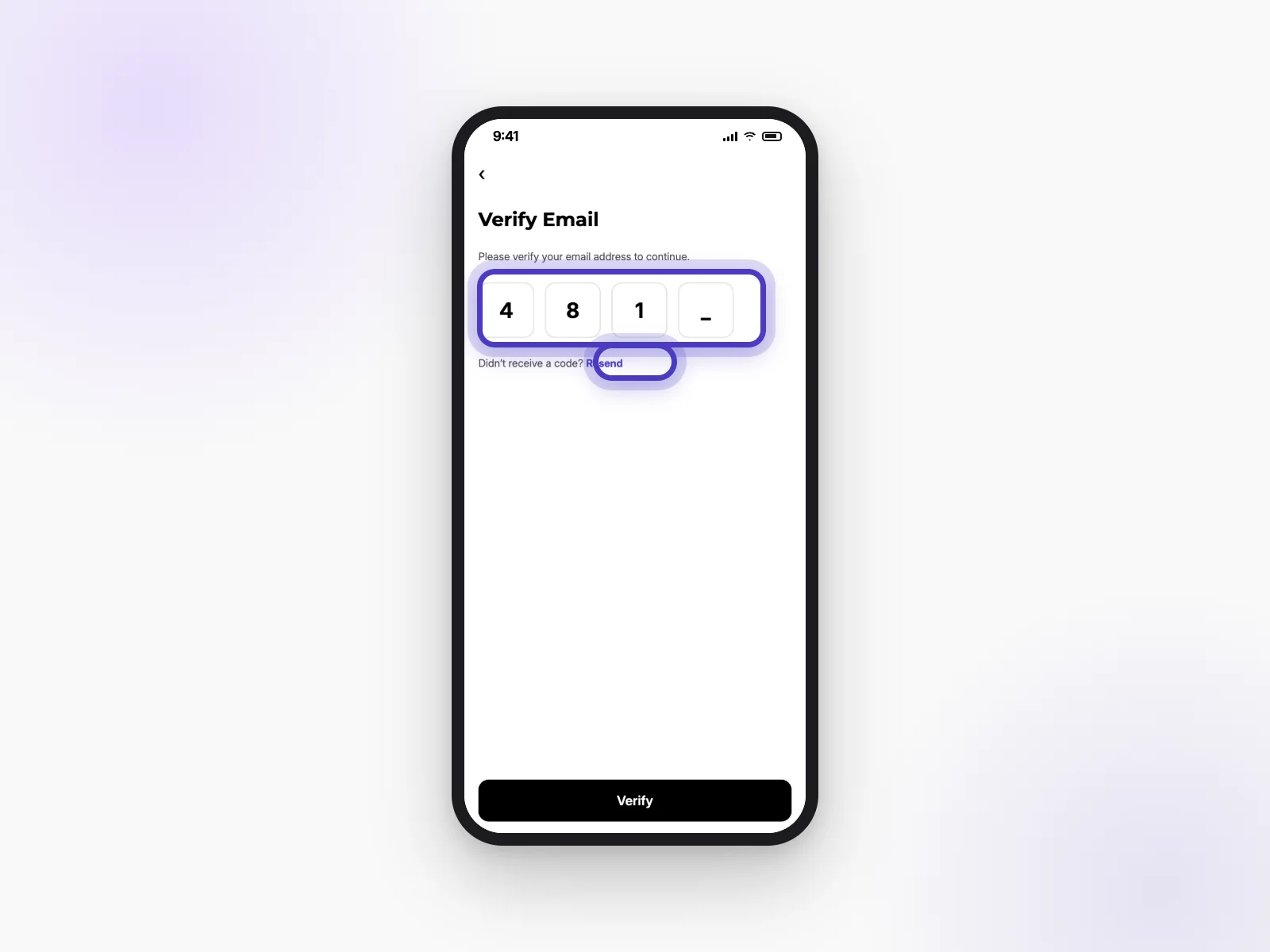
- If you used email, type in the code we send you and tap Verify.
- Follow the steps to add your name, photo and interests.
I didn't get my verification code. What do I do?
First, check your spam or junk folder. Still nothing? Tap Resend under the code boxes. Make sure you typed your email correctly, and wait a minute before trying again.
Link to this answerI forgot my password.
On the Log in screen, tap Forgot password? and enter your email. We’ll send you a way to set a new one. Hosts can do the same on CLIQ on the web.
Link to this answerWhy can't I sign up from my country?
CLIQ isn’t available everywhere yet. If sign-up says it’s not available where you are, it’s because we haven’t launched there yet, not because of anything you did.
Link to this answerWhy does CLIQ need my location?
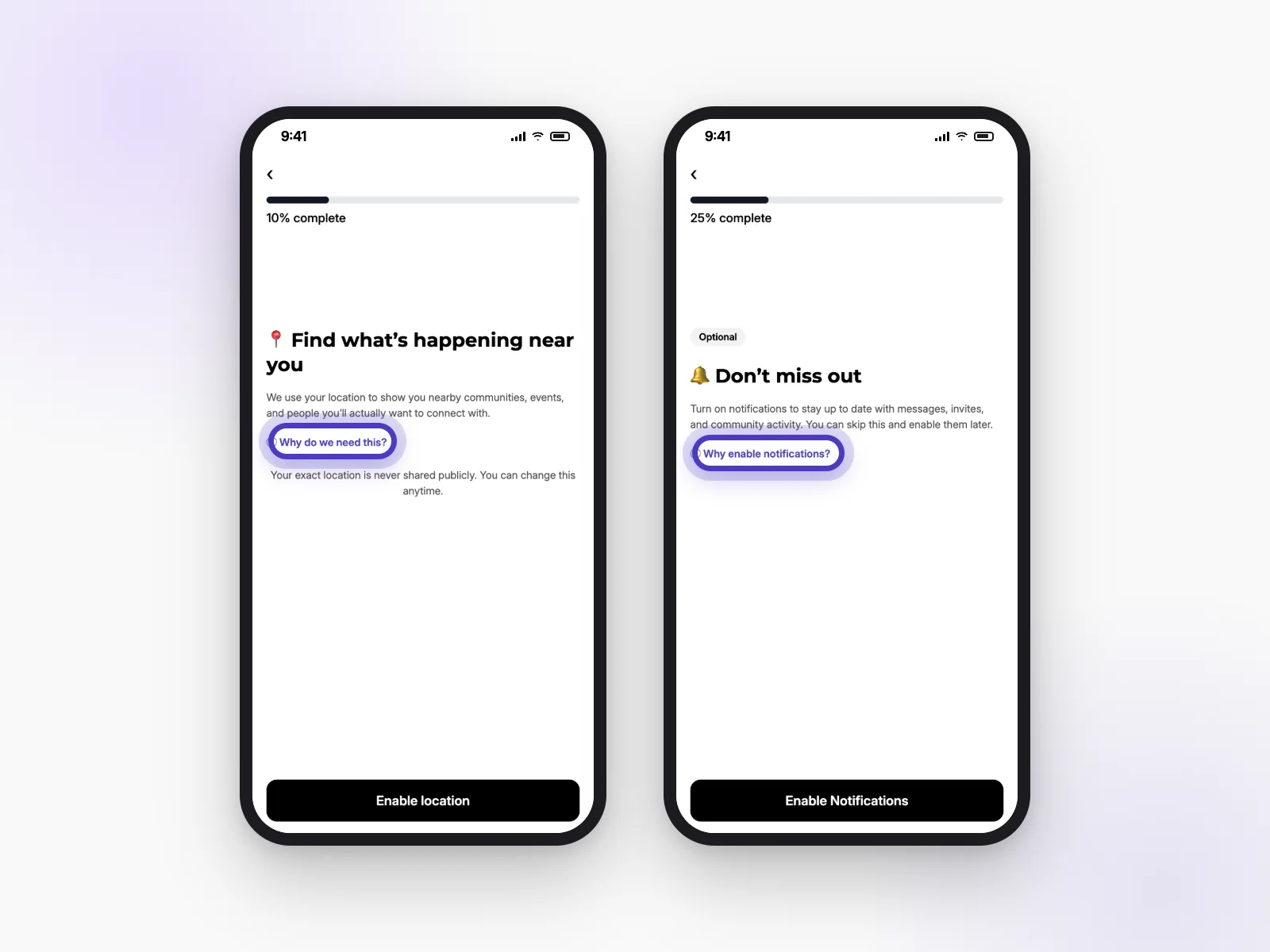
So we can show you clubs, events and people near you. Your exact location is never shared publicly, and you can change it any time.
Link to this answerShould I turn on notifications? What will you send me?
It’s up to you, and you can skip it. With alerts on, we’ll tell you about new messages, event reminders, invites and what’s happening in your clubs. You can choose which ones you get later (see Emails and alerts).
Link to this answerYour profile
Your profile helps people recognise you at events. You decide how much of it others see.
Why do I need a photo? Why was my photo rejected?
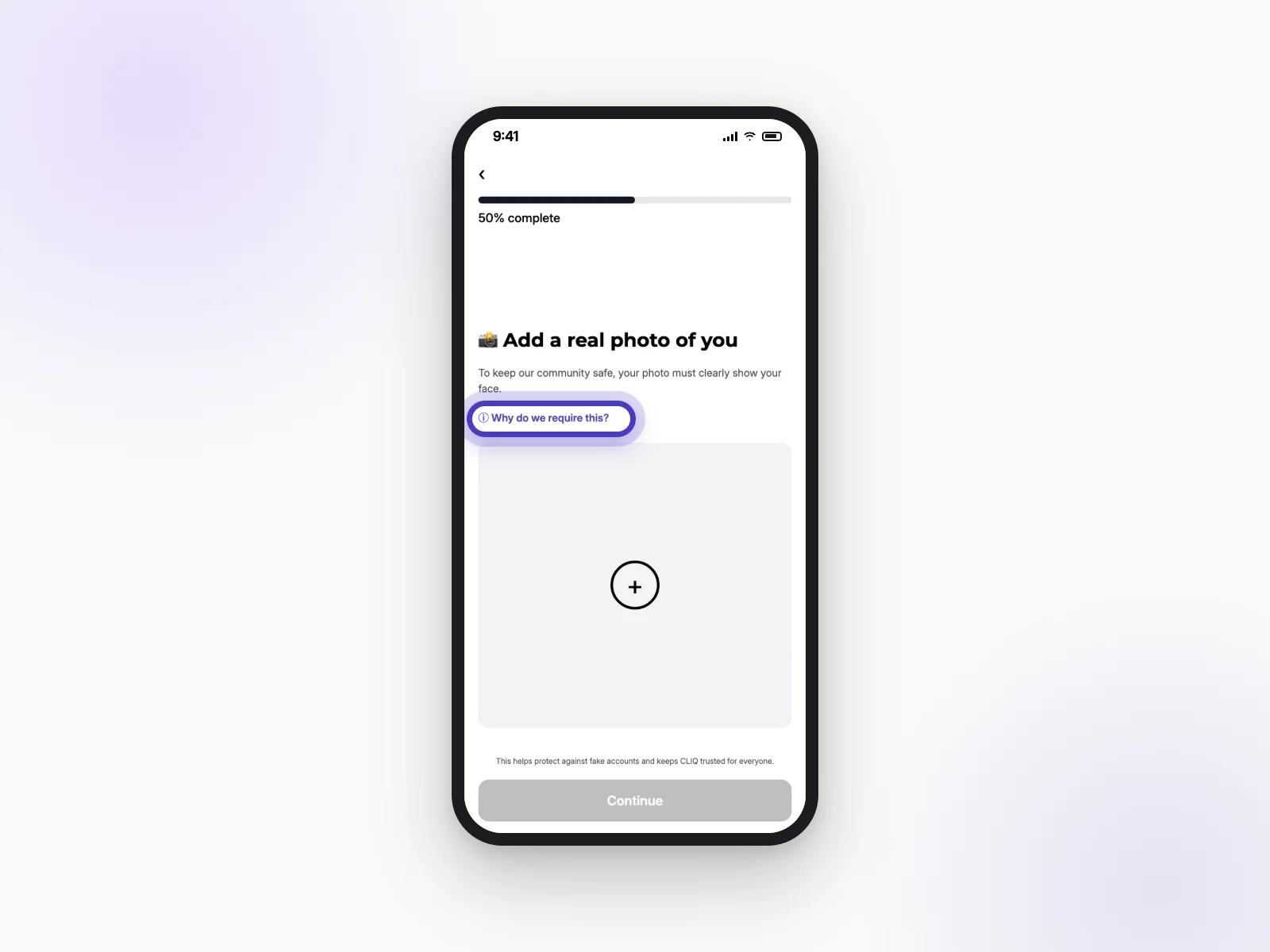
We ask for a real photo that clearly shows your face. It helps stop fake accounts and makes meeting up feel safer.
Every photo goes through an automatic check. It may be rejected if we can’t see a face clearly, or if it isn’t suitable for a community app. Try a well-lit photo of just you, looking at the camera.
Link to this answerCan I change my name or username?
Yes.
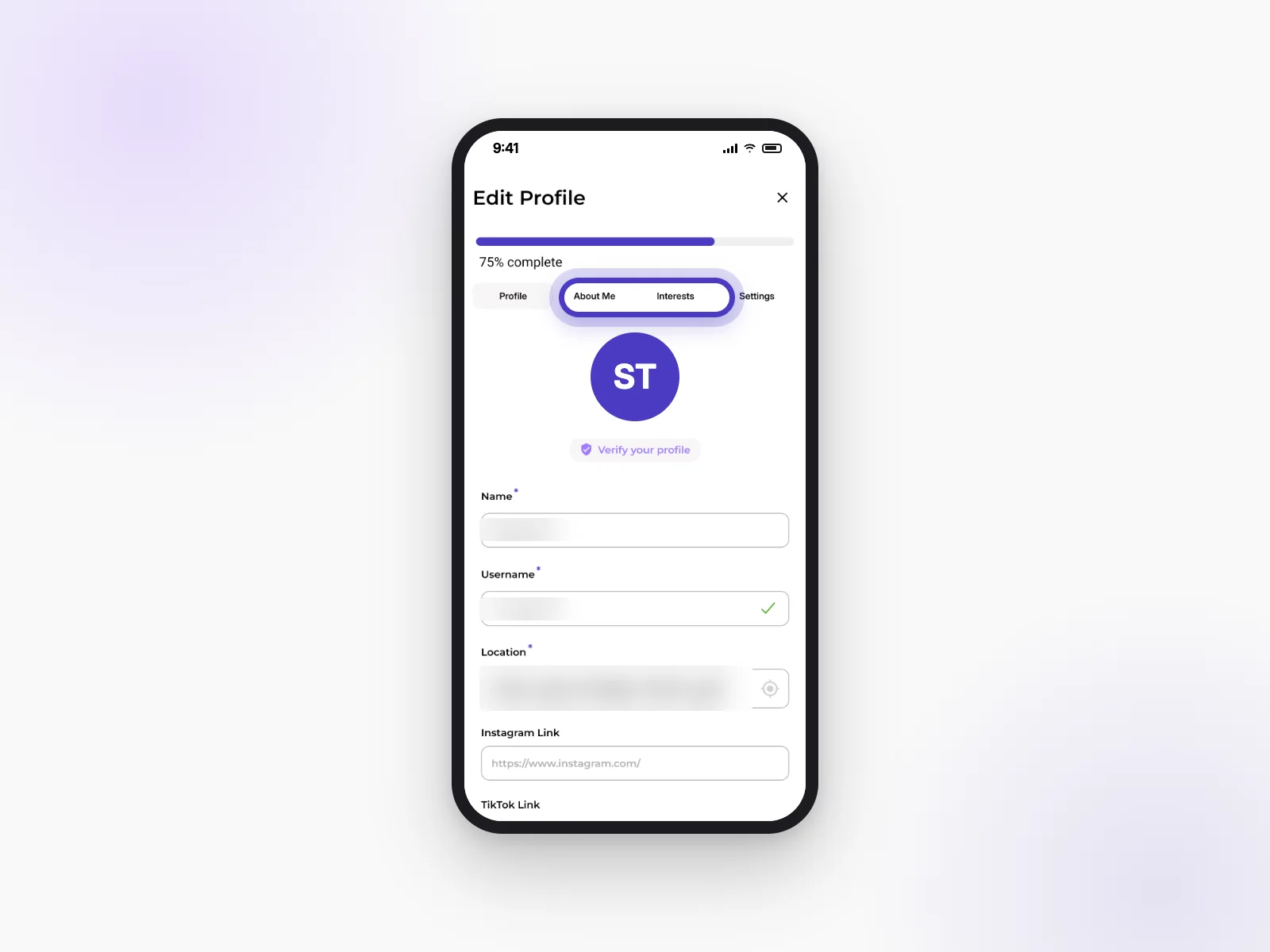
- Open your profile and go to Edit Profile.
- On the Profile tab, change your Name or Username.
- Save your changes.
Why do you ask for my date of birth and gender? Who can see them?
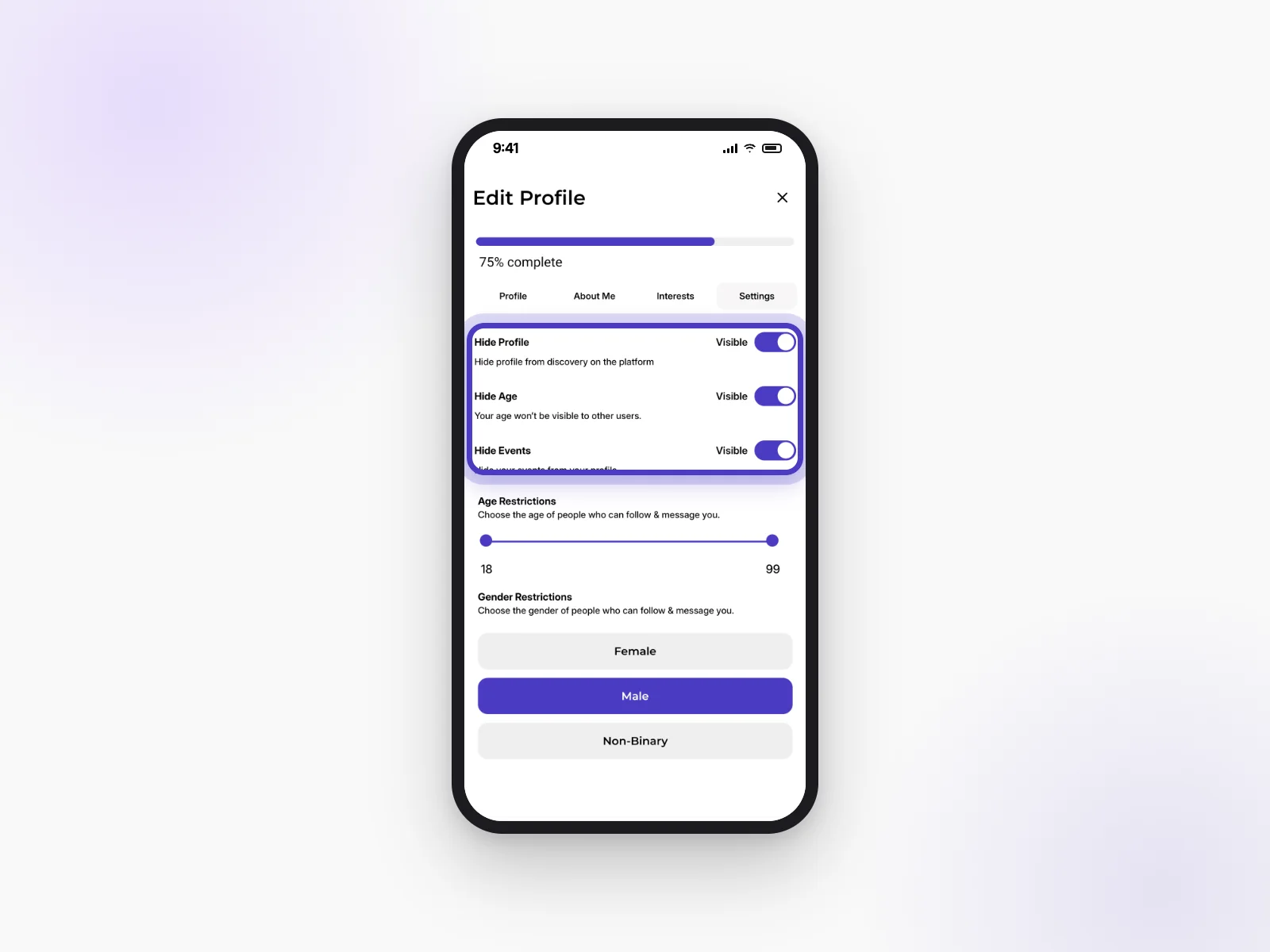
Some clubs and events are for certain ages or groups, so we use these to show you the right things. To hide your age, go to Edit Profile → Settings and turn on Hide Age.
Link to this answerWhat are interests for? Can I change them?
Interests help us suggest events, clubs and people you’ll like. Change them any time in Edit Profile → Interests.
Link to this answerHow do I get ID-verified, and what does it unlock?
Some clubs only let in members who have shown ID, so everyone knows people are who they say they are.
- Go to Edit Profile and tap Verify your profile.
- Choose ID Proof, Passport or Driving license.
- Upload a clear photo or PDF (up to 2 files, 5 MB each).
Your documents are only used to check it’s you.
Link to this answerCan I hide my profile, my age or the events I’m going to?
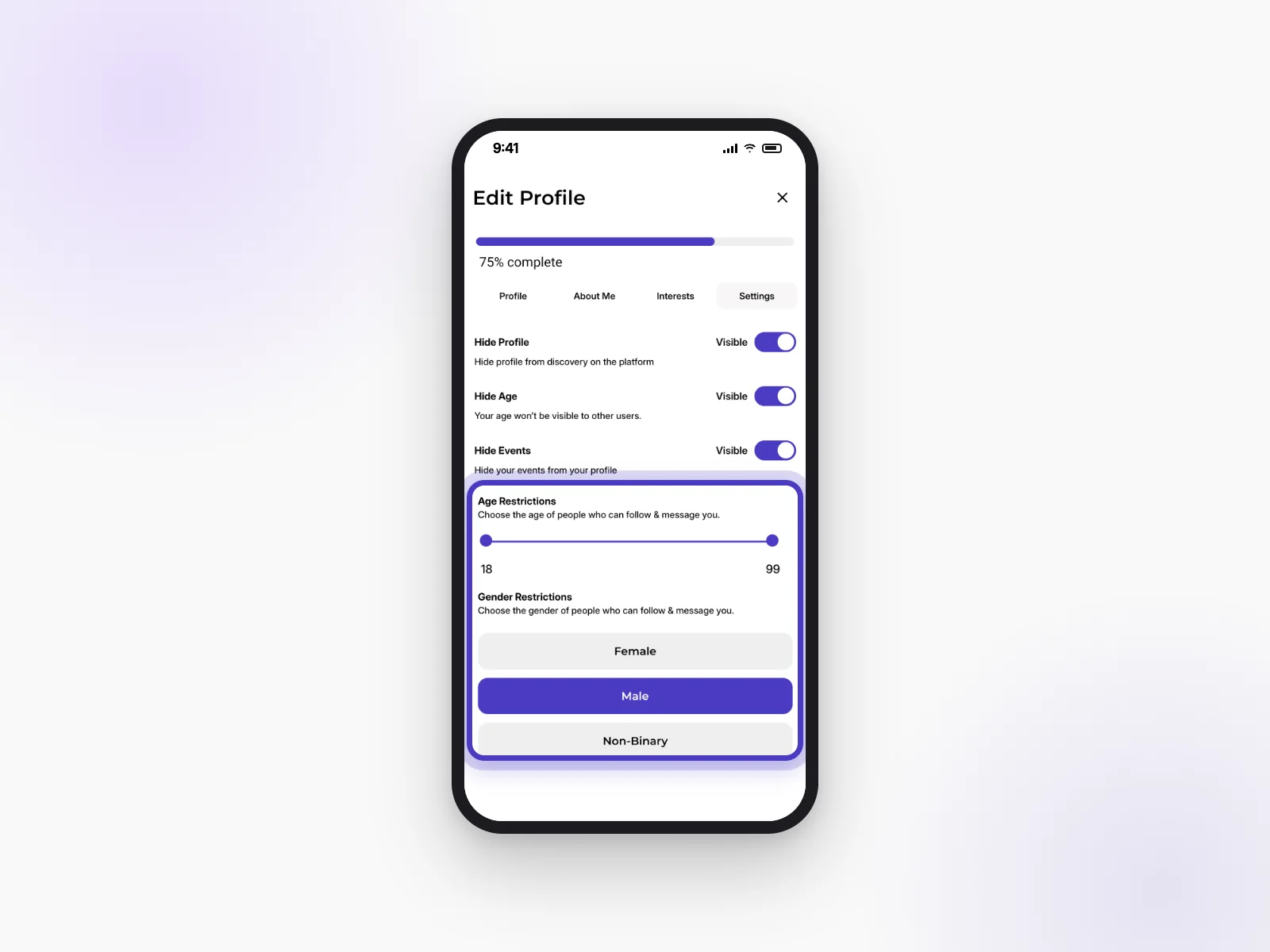
Yes. Go to Edit Profile → Settings. There you can turn on Hide Profile (you won’t show up in discovery), Hide Age and Hide Events.
Link to this answerCan I limit who can follow or message me?
Yes. In Edit Profile → Settings, use Age Restrictions and Gender Restrictions to choose who can follow and message you.
Link to this answerWhat's my “Scan to Meet” code?
It’s a QR code on your profile. When you meet someone at an event, they can scan it to find your profile straight away, without typing your name.
Link to this answerFinding things to do
Browse what’s on near you, narrow it down, and save the ones you like.
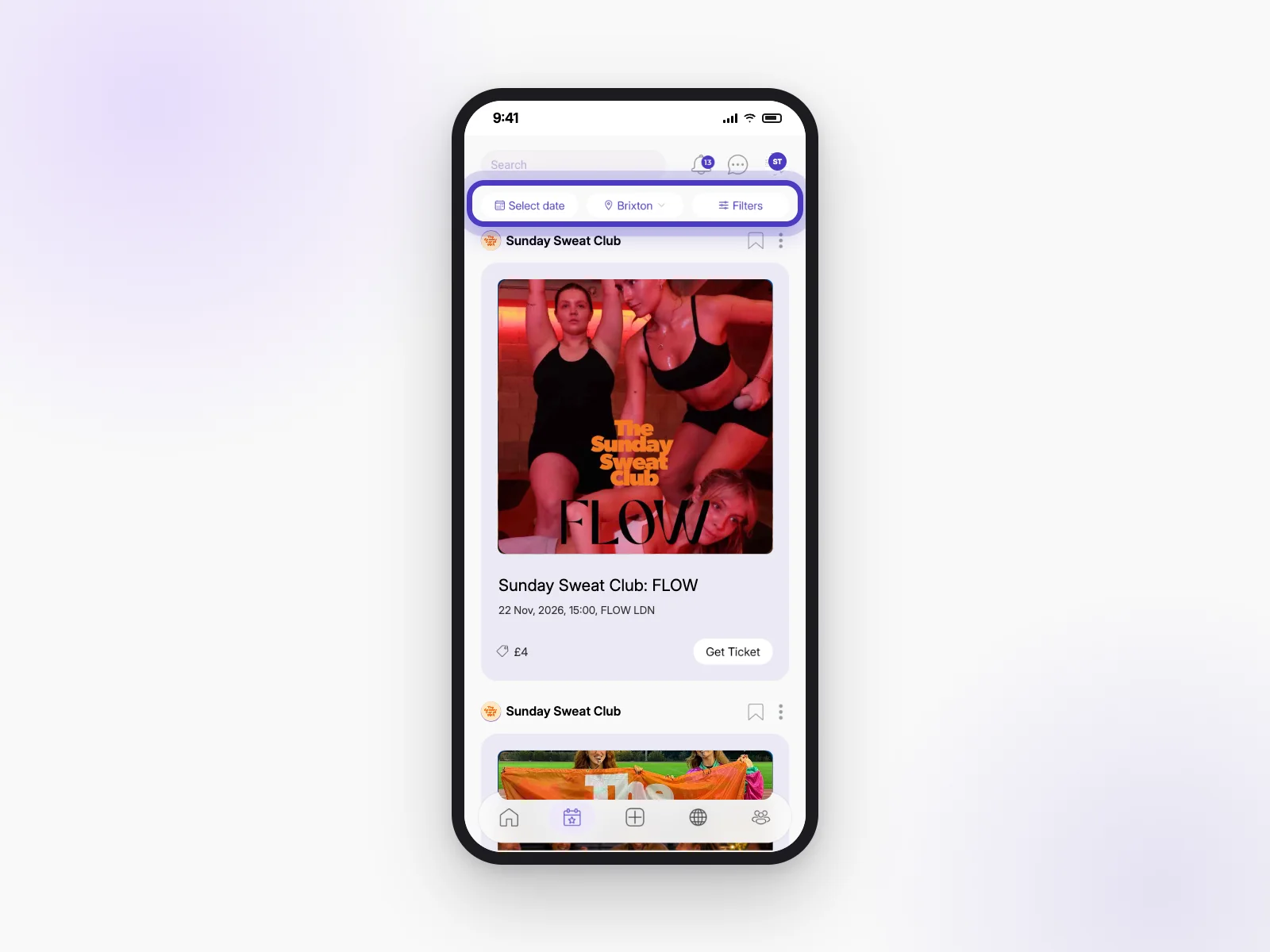
What's on each tab?
- Home: your clubs, your upcoming events and posts from your clubs.
- Events: everything happening near you.
- Discover: clubs to join.
- People: ways to meet new people.
The + in the middle is for creating things, like events and posts.
Link to this answerHow do I find events near me? Can I filter by date and place?
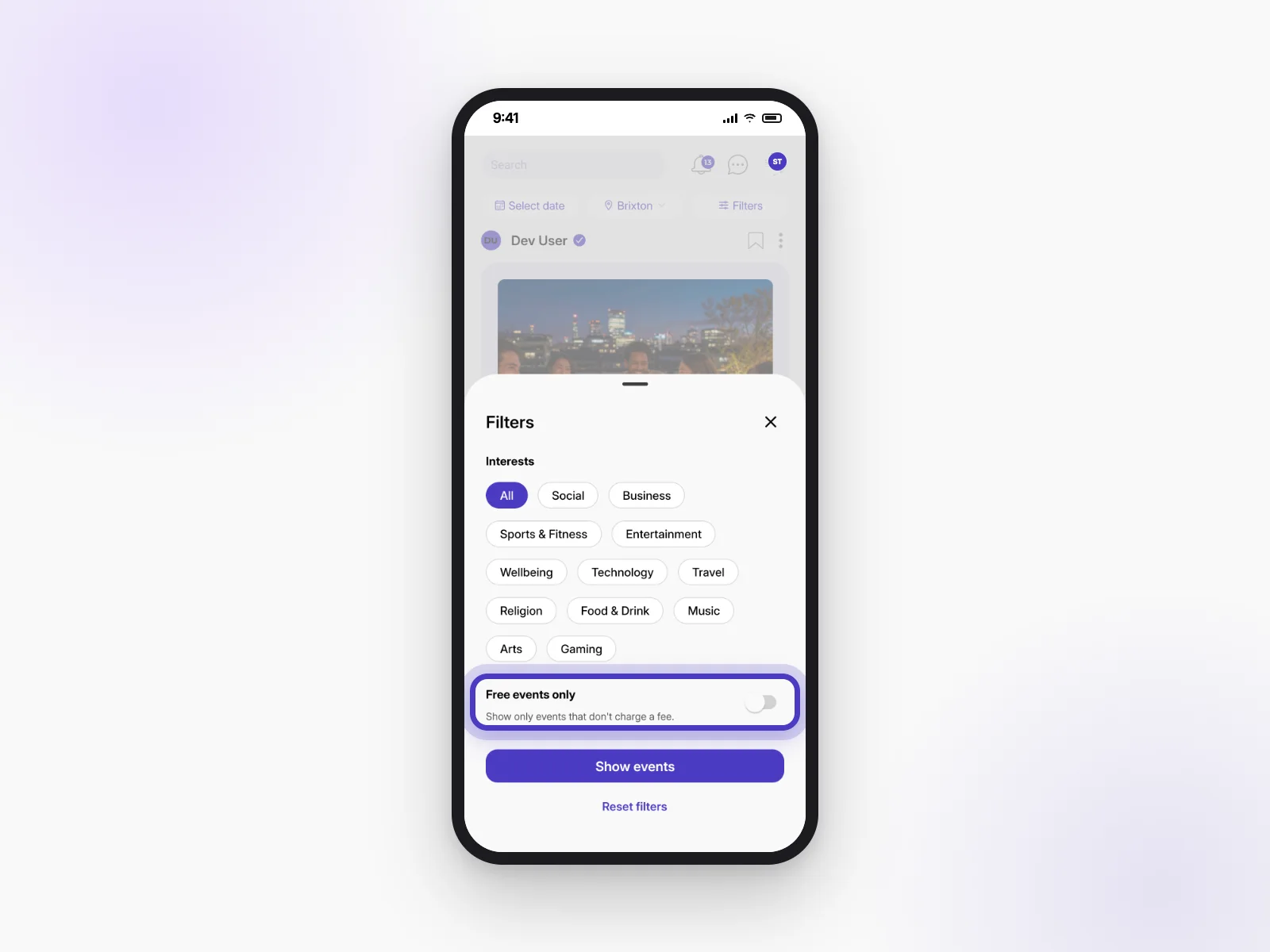
Open the Events tab. At the top, tap Select date to pick a day, tap the area name to change where you’re looking, or tap Filters to choose interests or Free events only. Then tap Show events.
Link to this answerHow do I search for a person, club or event?
Tap the Search bar at the top of the screen and type a name. Switch between Clubs, Events and Members to see the results. Events that have already happened don’t show up.
Link to this answerWhy can't I see an event a friend told me about?
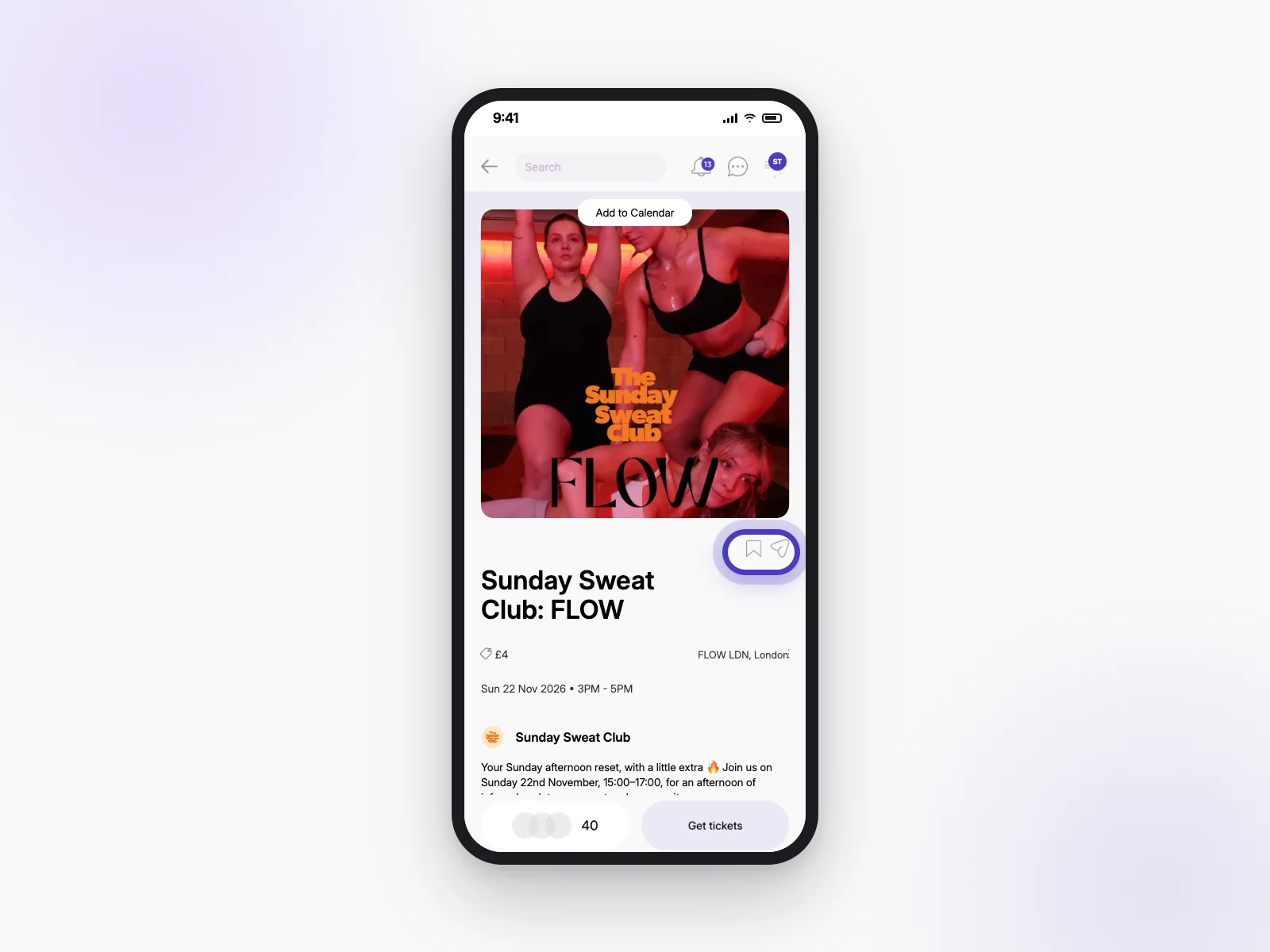
Some hosts hide their events from browsing, or keep them private. Ask your friend to share the link with you (the paper-plane icon on the event). Some events are also only for certain ages or members of a club.
Link to this answerWhy do some events have age or gender restrictions?
Some hosts set these to create a certain kind of event, or because their venue or safety rules need them. If an event isn’t open to you, you won’t be able to book it.
Link to this answerHow do I save an event for later?
Tap the bookmark icon on the event. You’ll find it again in your saved events.
Link to this answerCan I browse without the app?
Yes. Go to thecliq.app/discover to see events and clubs, and book tickets on the website.
Link to this answerMeeting people
CLIQ is about real-life friendships. Here’s how meeting new people works.
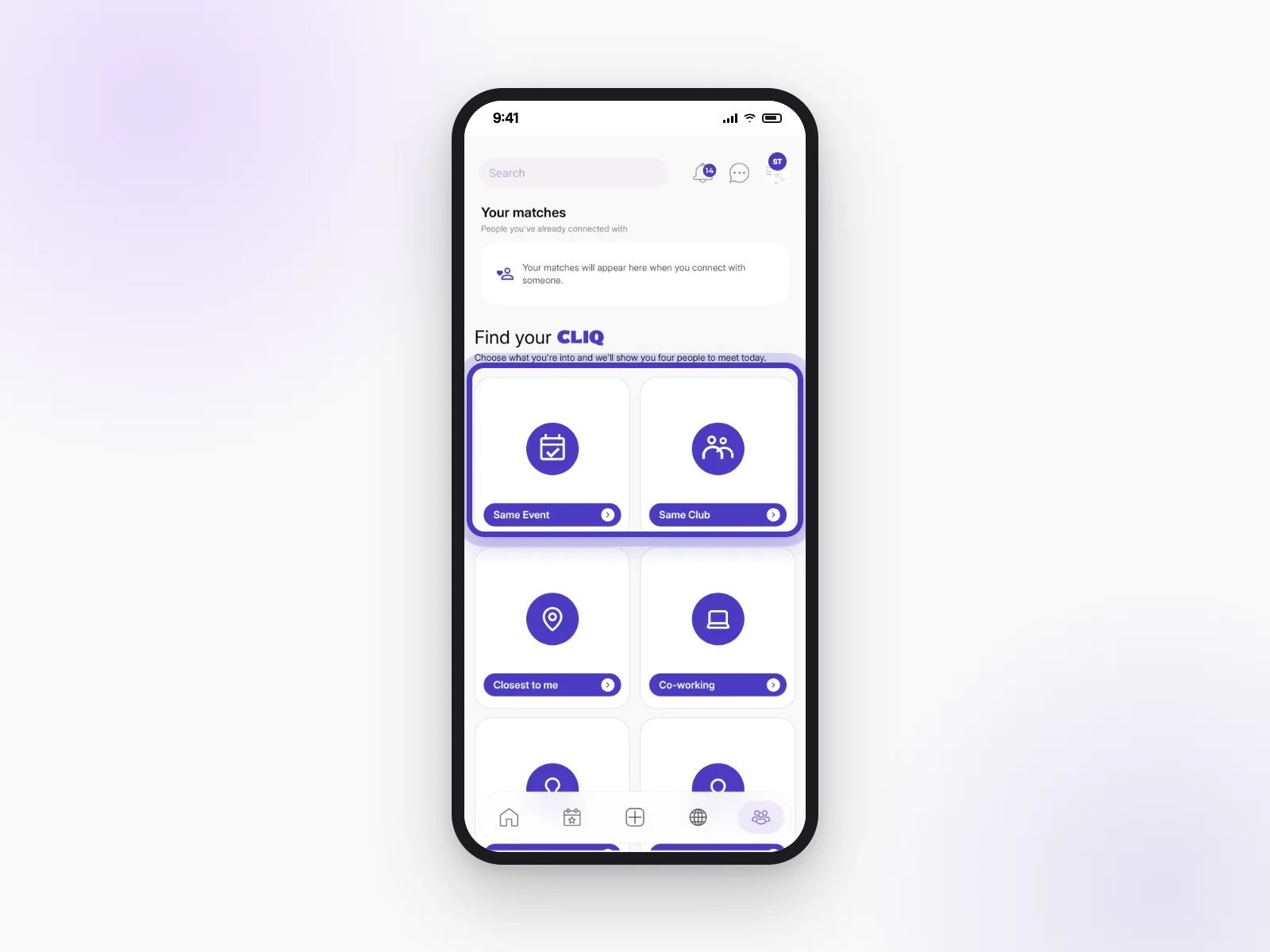
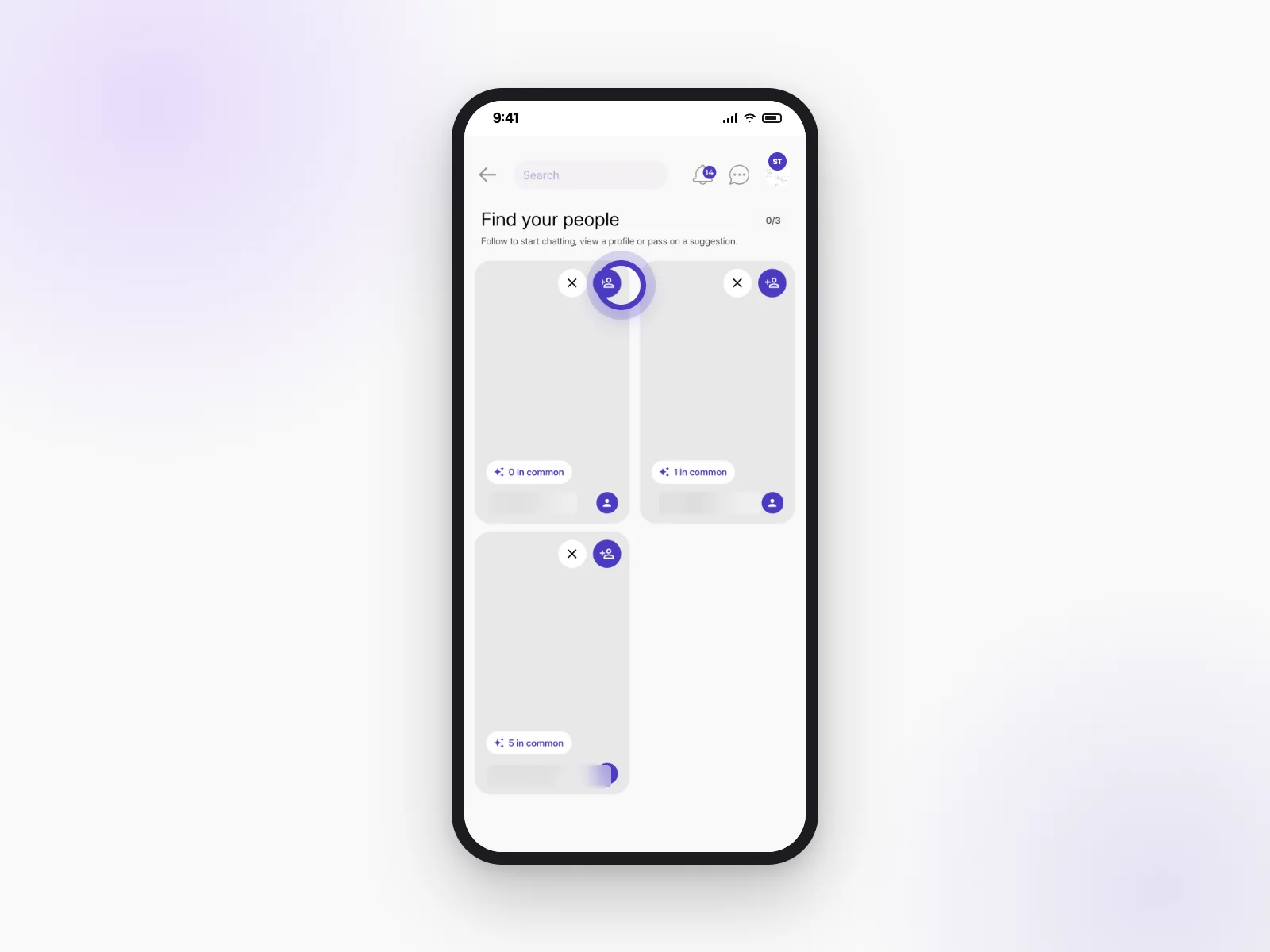
How does meeting people work? Who gets suggested to me?
Open the People tab and choose what you’re into, like Same Event, Same Club or Closest to me. We’ll show you four people to meet each day for that choice.
Link to this answerWhat happens when I follow someone?
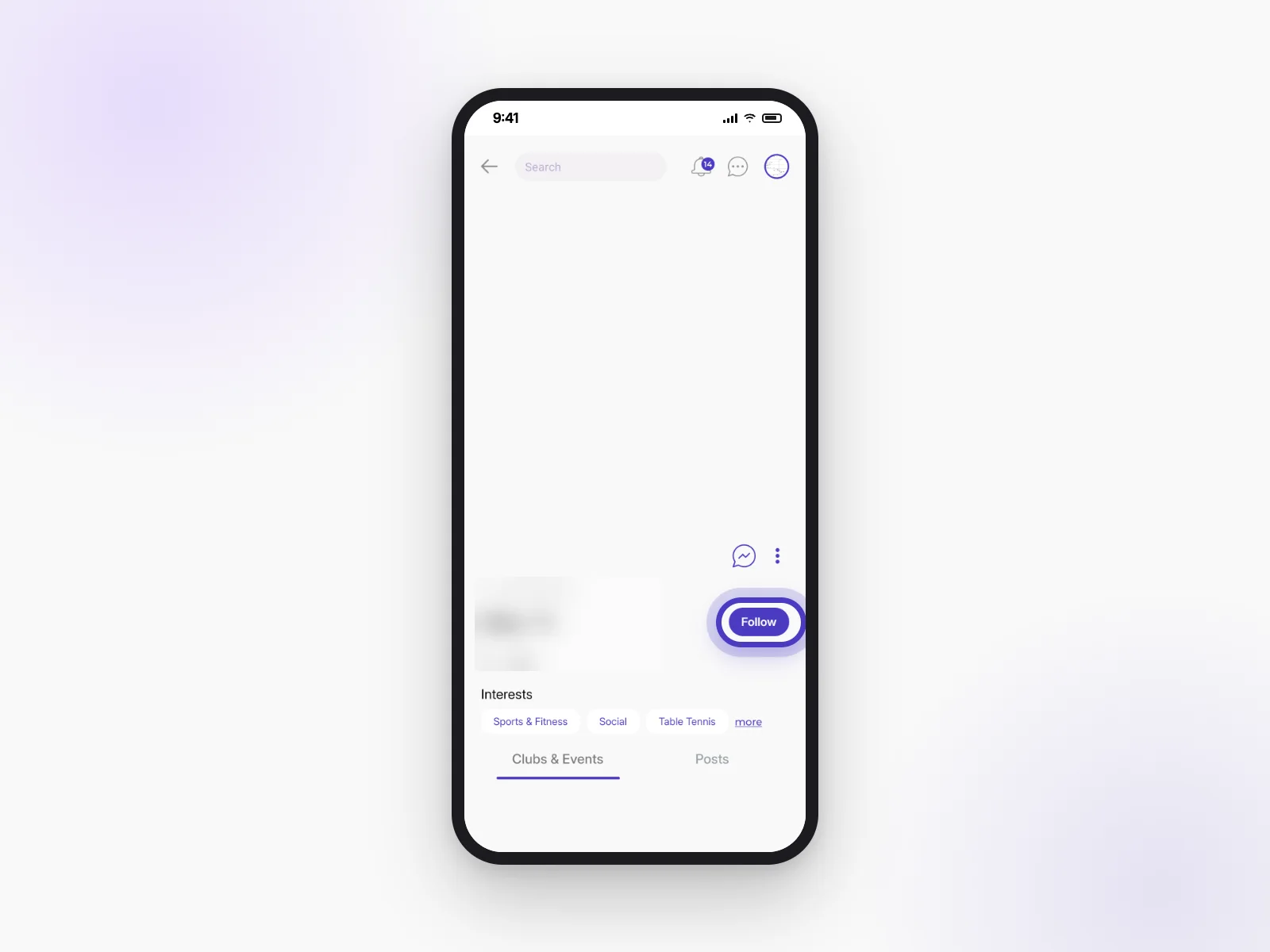
You’ll be able to start chatting with them. Tap Follow on their profile, or the follow button on a suggestion.
Link to this answerWhy can't I message lots of people at once?
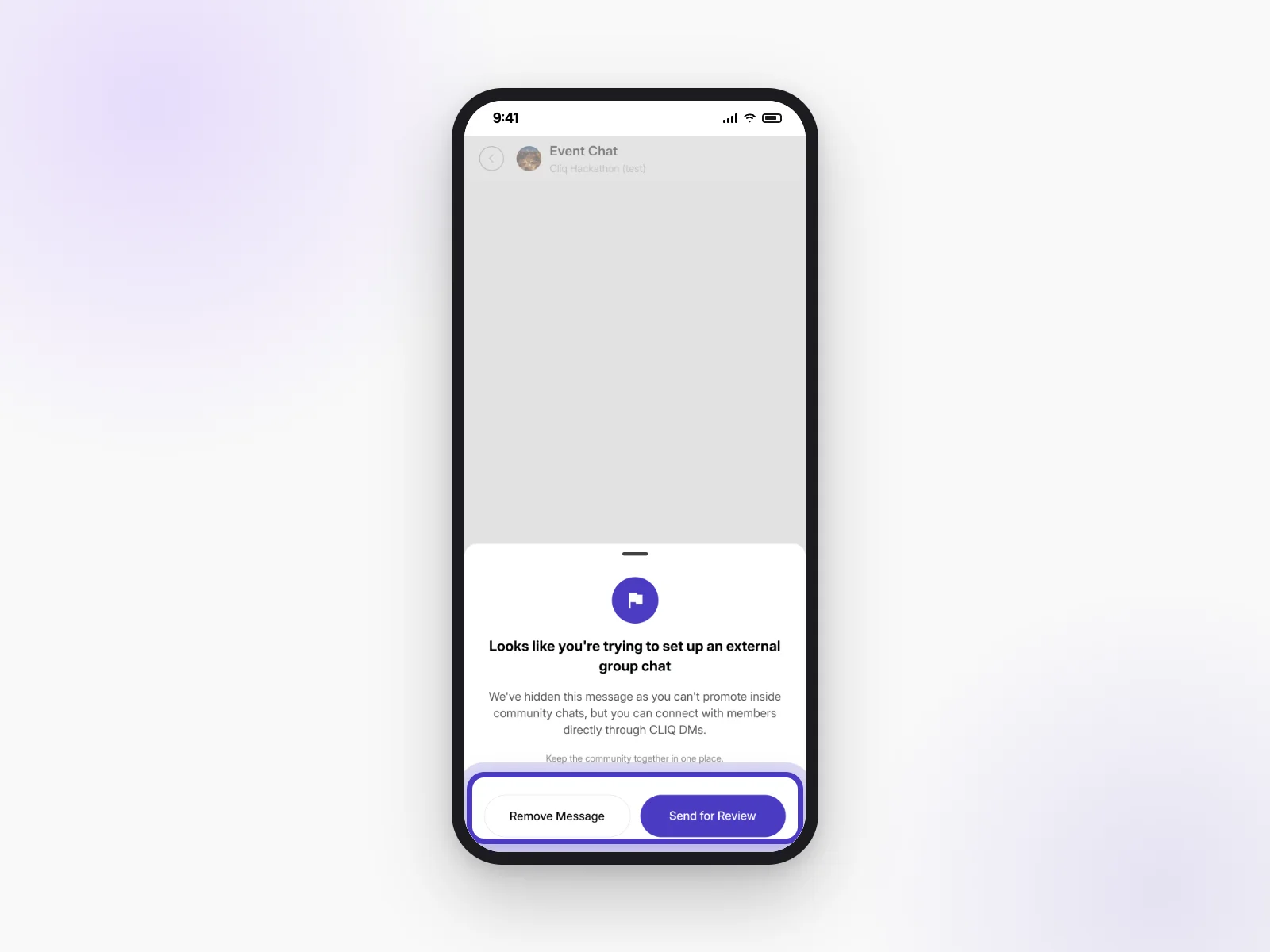
CLIQ is built around clubs and event chats, so conversations stay friendly and relevant. To talk to a group, join the event chat or your club’s chat.
Link to this answerBooking a ticket
Booking takes a few taps, in the app or on our website.
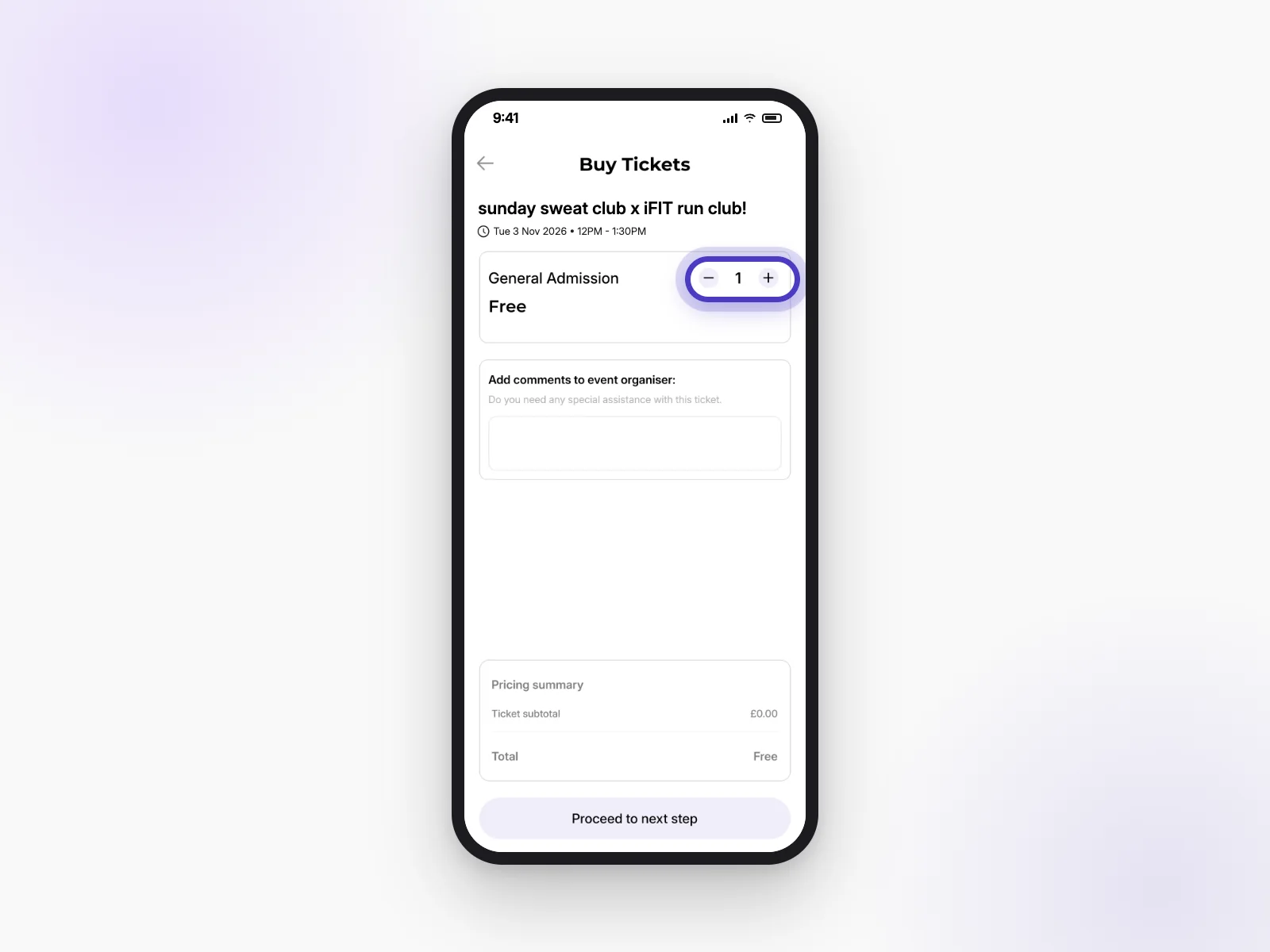
How do I book a ticket?
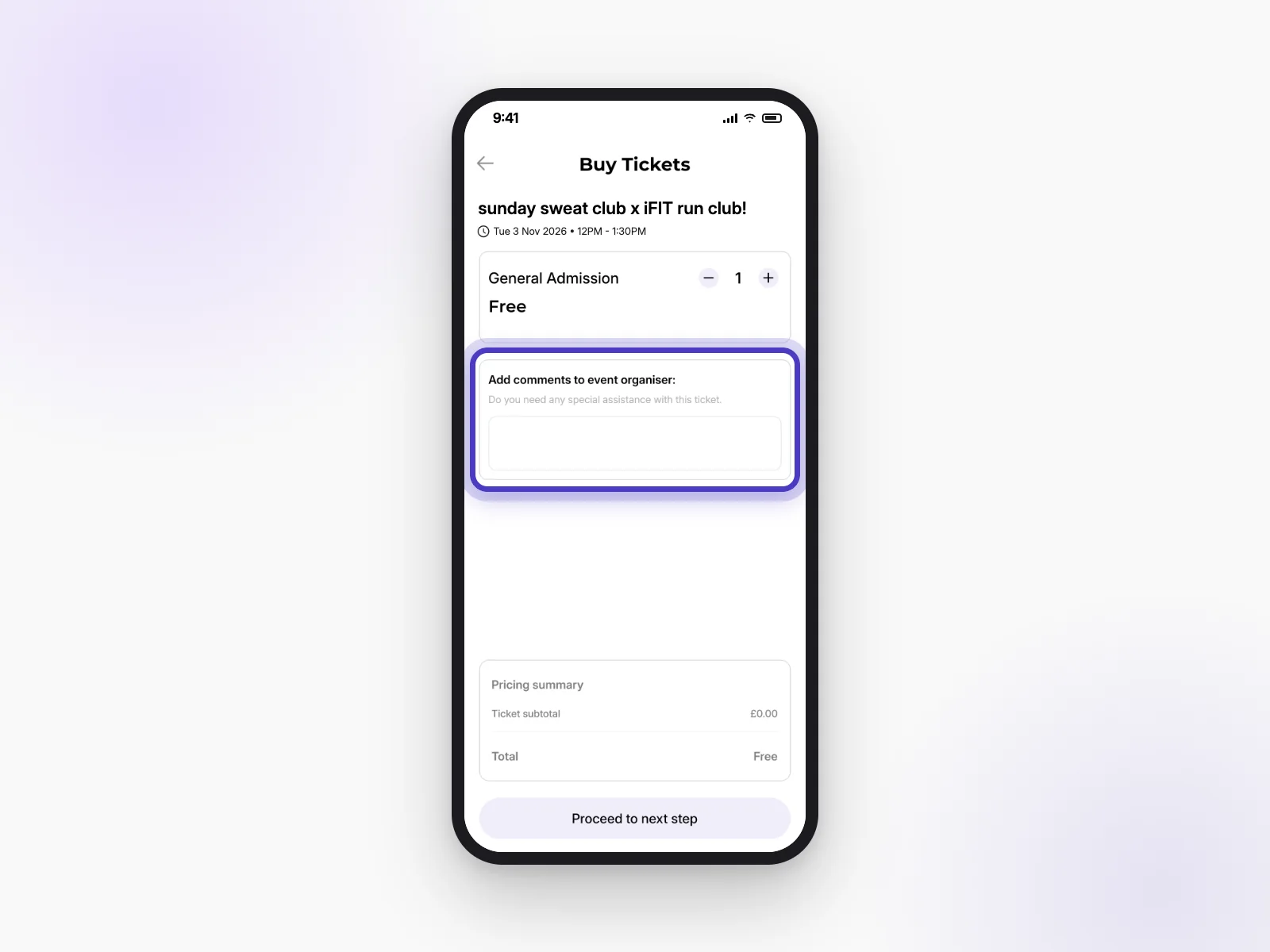
- Open the event and tap Get tickets.
- Choose how many tickets you want with − and +.
- Tap Proceed to next step.
- Pick any extras, and add a comment for the host if you need to.
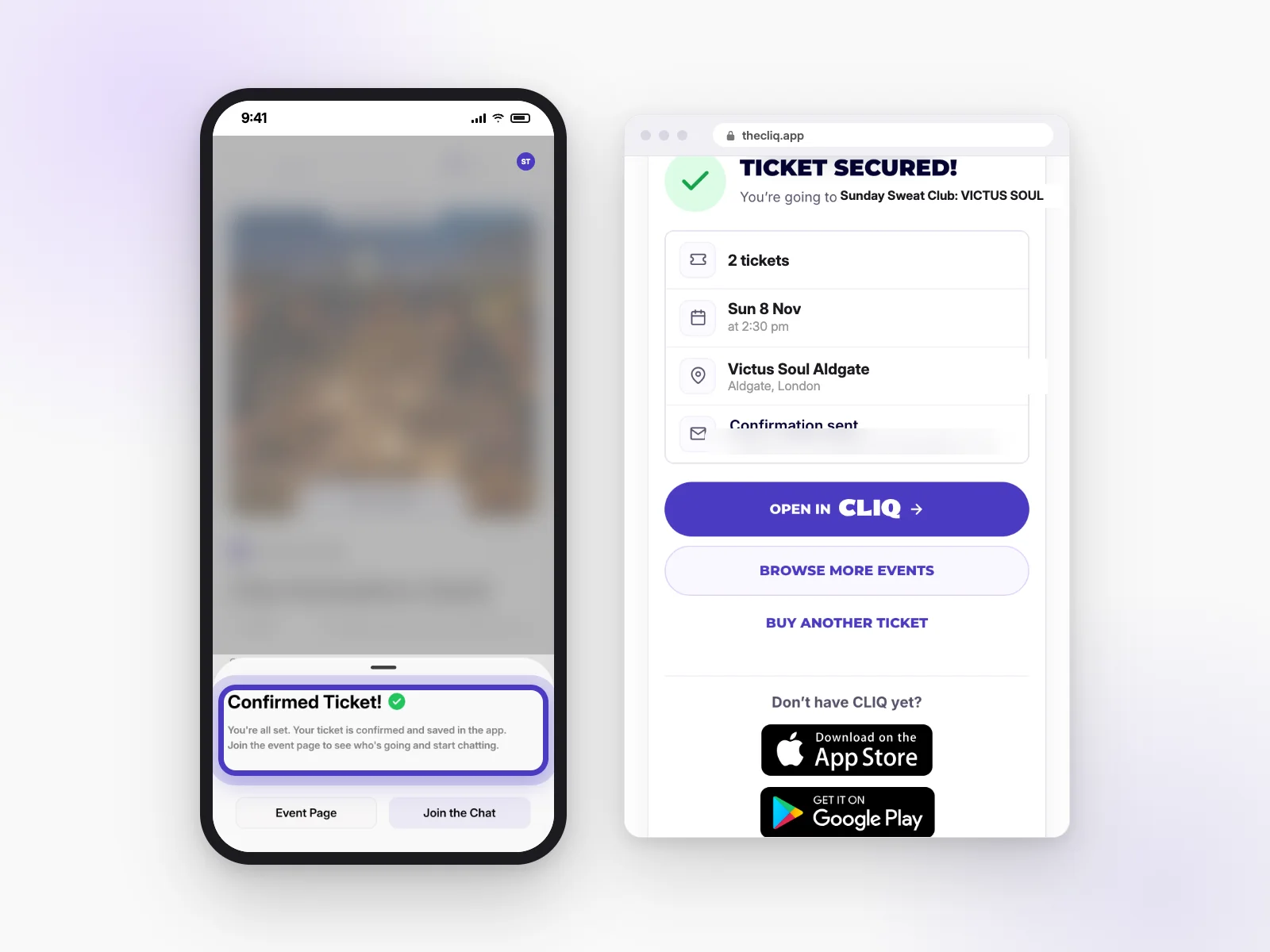
- Pay (if it’s a paid event). You’ll see Confirmed Ticket! when you’re booked.
Do I need the app to book?
No. You can book on our website too, and we’ll email you your confirmation. The app gives you your ticket, the event chat and your clubs all in one place.
Link to this answerCan I buy more than one ticket? Why is there a limit?
Often, yes. Each host chooses how many tickets there are in total, and how many one person can buy. If you can’t add more, you’ve reached the host’s limit.
Link to this answerWhat are extras (add-ons)?
Extras are things a host offers with their tickets, like a T-shirt, a meal or a parking space. Some are free and some cost extra. Pick any you want when you book.
Link to this answerCan I tell the host something when I book?
Yes. On the Buy Tickets screen there’s a box to Add comments to event organiser, for example if you need any special help. Some extras also ask you to pick an option, like your T-shirt size.
Link to this answerHow do I use a promo code?
On the Buy Tickets screen in the app, type your code into the Promo Code box before you continue. The discount shows in your pricing summary.
Link to this answerWhy do some events need approval? What happens after I request?
Events marked Requires Approval let the host choose who comes. Book as normal and you’ll see Request Submitted!. The host will review it and let you know.
Link to this answerA club says “Only ID-verified users can join”. What does that mean?
That club only lets in members who have shown ID. Go to Edit Profile → Verify your profile to upload yours (see Your profile).
Link to this answerThe event is sold out. How does the waitlist work?
Tap Sold out: Join waitlist on the event to add your name. Changed your mind? Tap Remove from waitlist. Sold-out paid events can also have tickets from members who can’t go (see Selling a ticket you can’t use).
Link to this answerWhy did I pay a deposit, and how do I get it back?
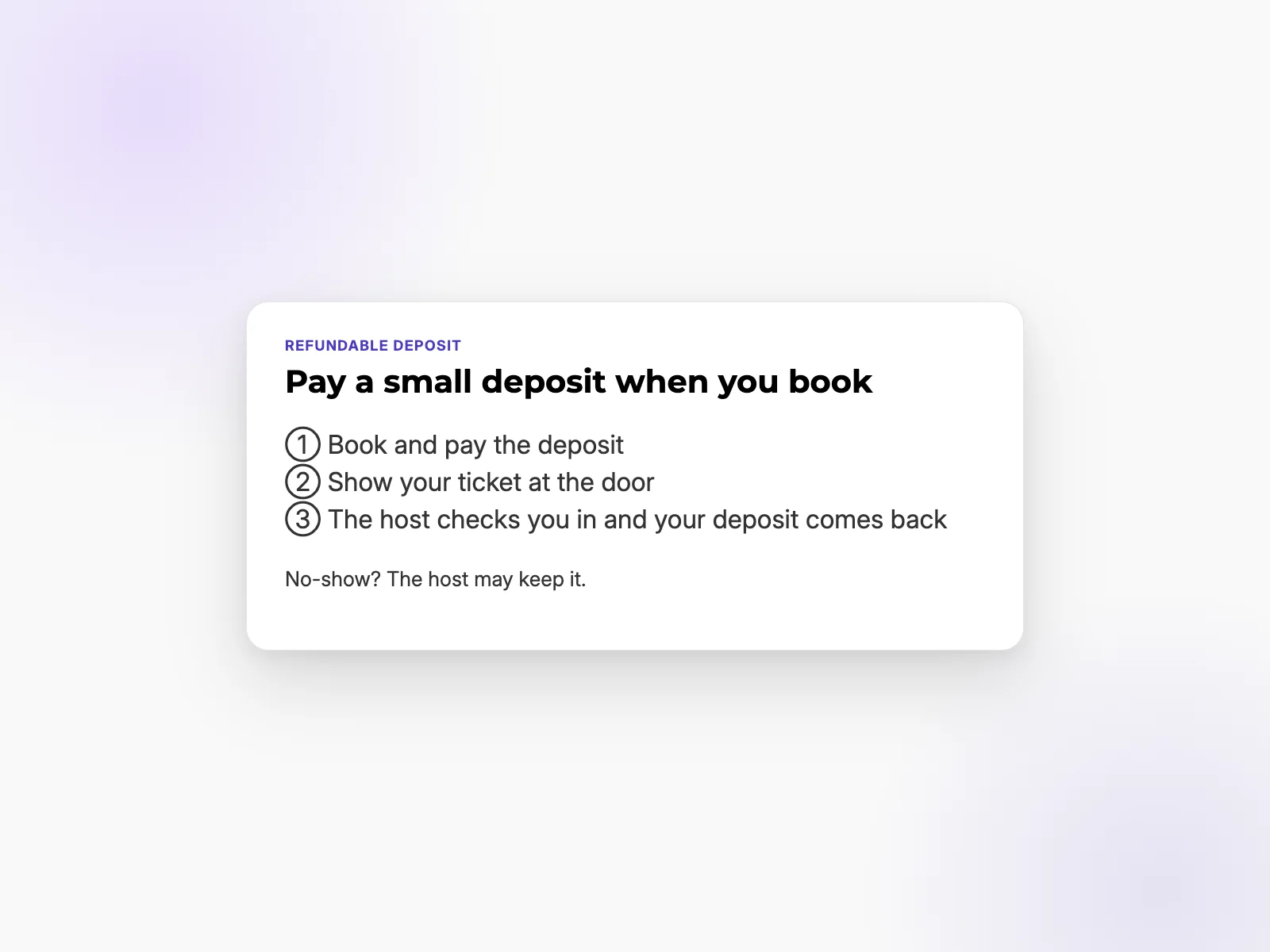
Some hosts ask for a small deposit so people turn up. Show your ticket at the door, and when the host checks you in, your deposit is refunded.
Link to this answerI booked but didn't get a confirmation email.
Check your spam or junk folder for an email from info@thecliq.app. Your ticket is also always in the app on the event page. Still missing? Email info@thecliq.app.
Link to this answerOn the day
Everything you need on the day is on your ticket.
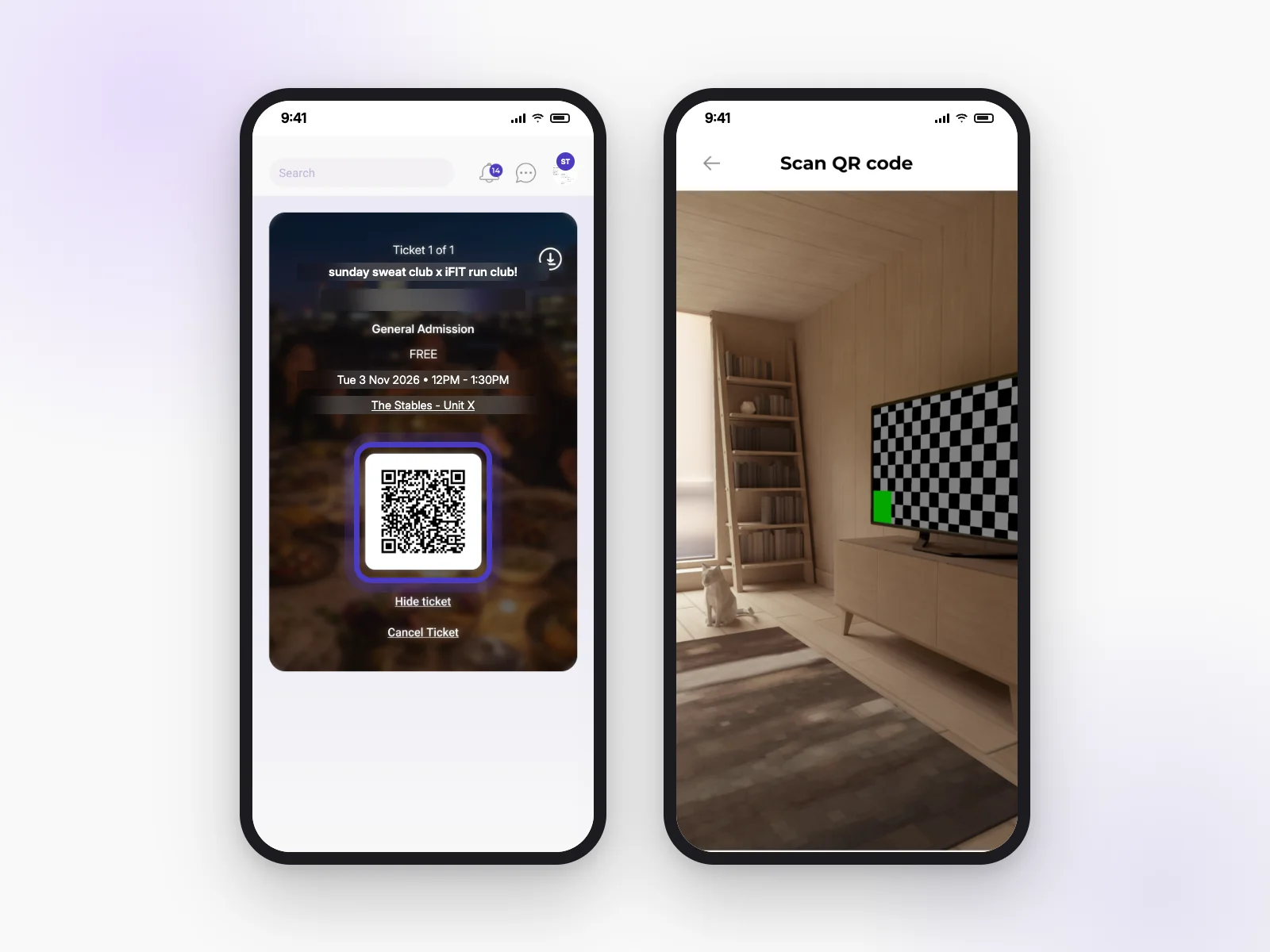
Where's my ticket after I book?
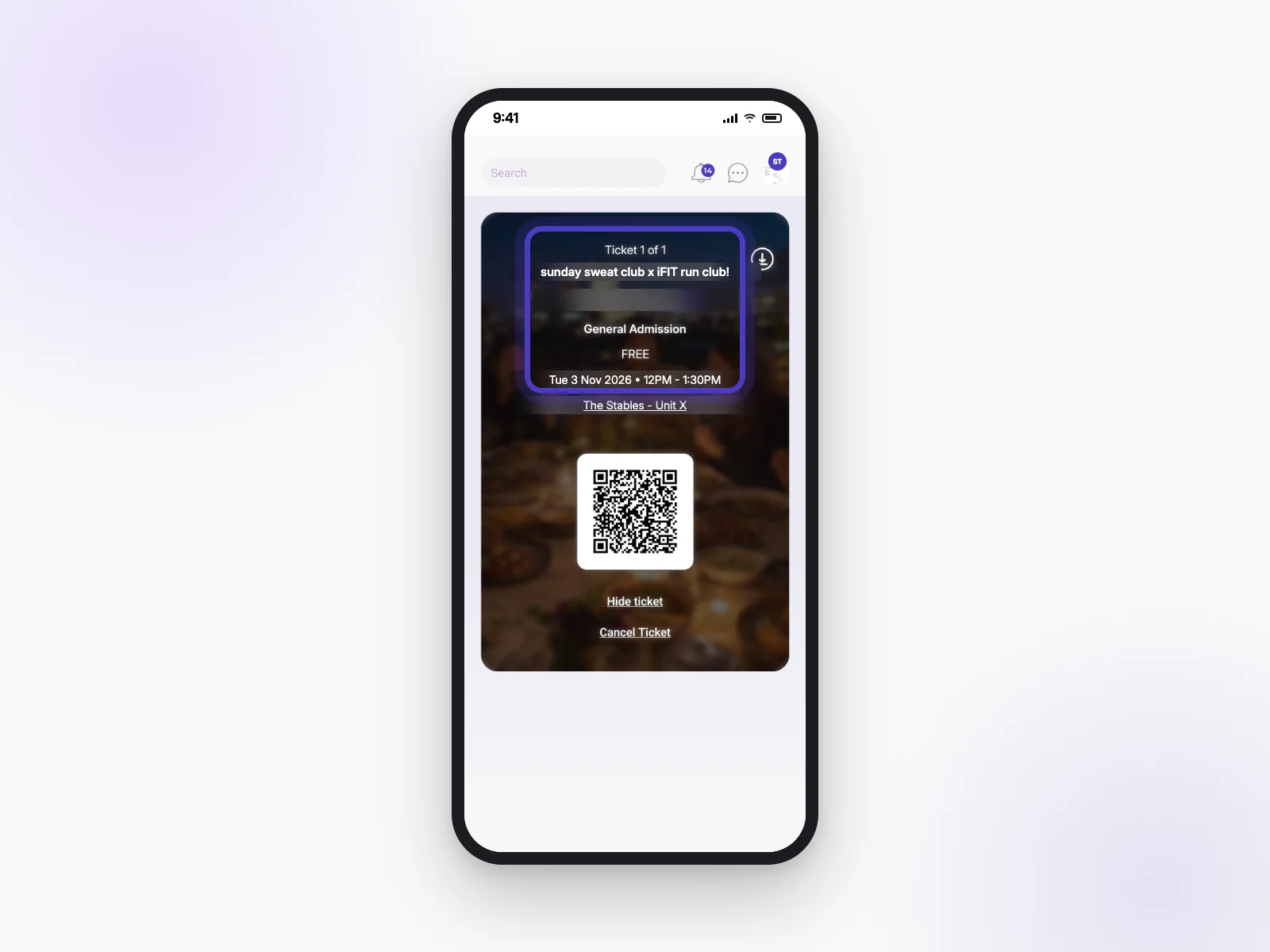
Open the event in the app and tap View Ticket. You’ll also find your events on the Home tab. If you booked on the website, your confirmation email has a link to your tickets.
Link to this answerHow do I add the event to my calendar?
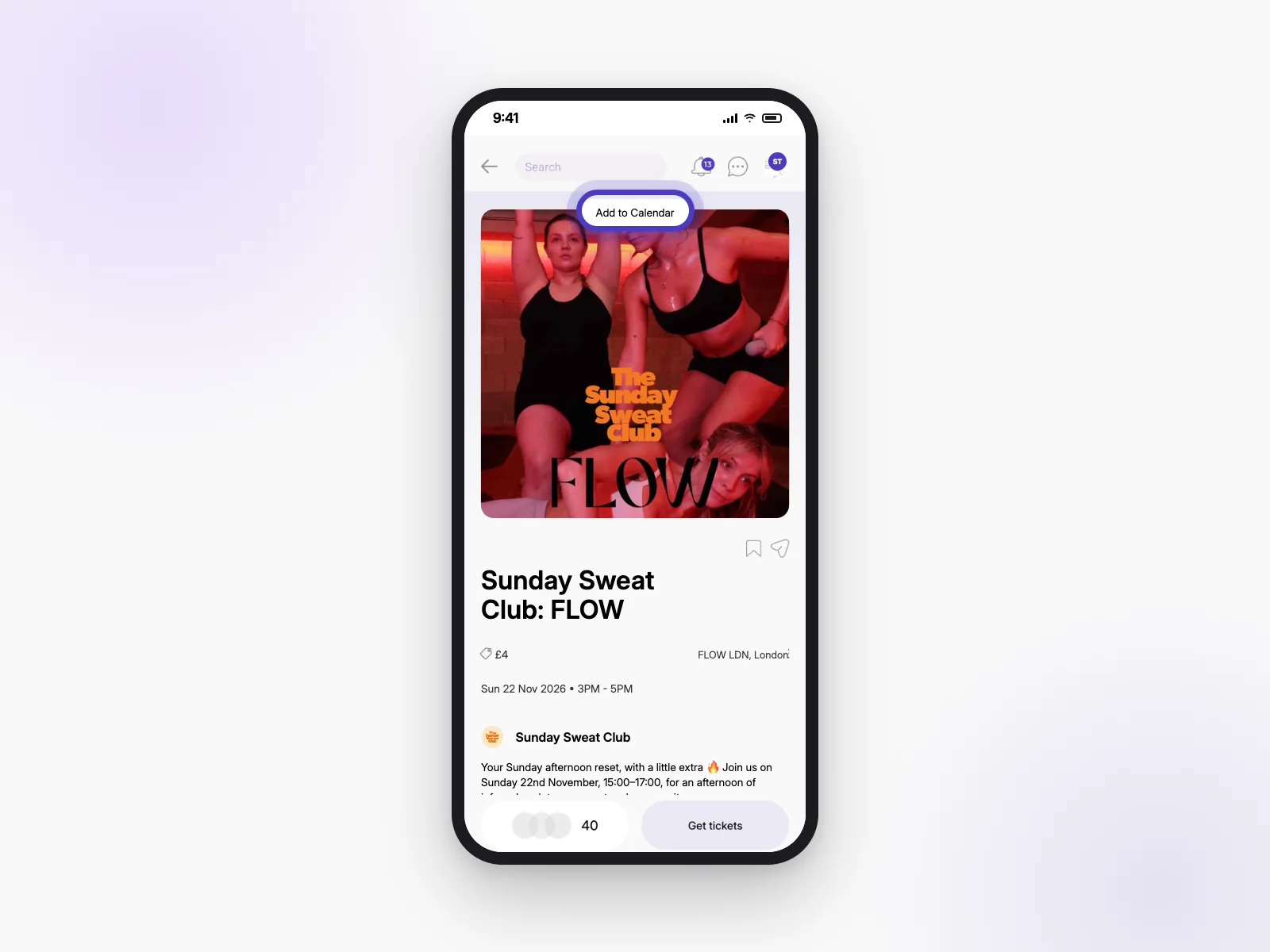
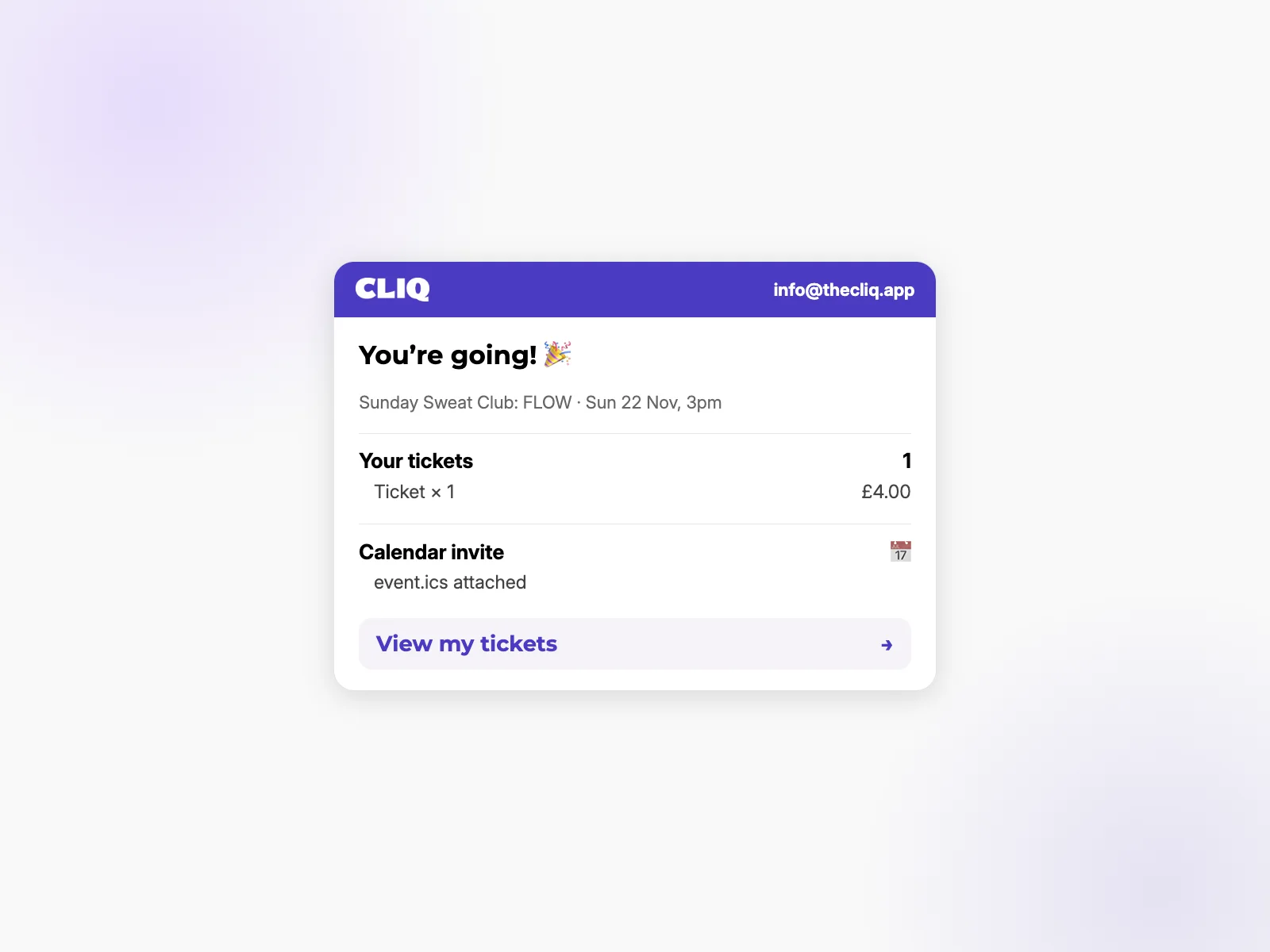
Tap Add to Calendar at the top of the event photo. Your confirmation email also has a calendar invite attached.
Link to this answerWhat do I show at the door?
Open your ticket and show the square code (QR code). The host scans it to check you in. They can also find you by name.
Link to this answerMy phone died, or I can't find my ticket at the door.
Don’t worry. Give the host your name and they can check you in from their guest list.
Link to this answerCan't go? Cancelling
Plans change. Here’s what you can do if you can’t make it.
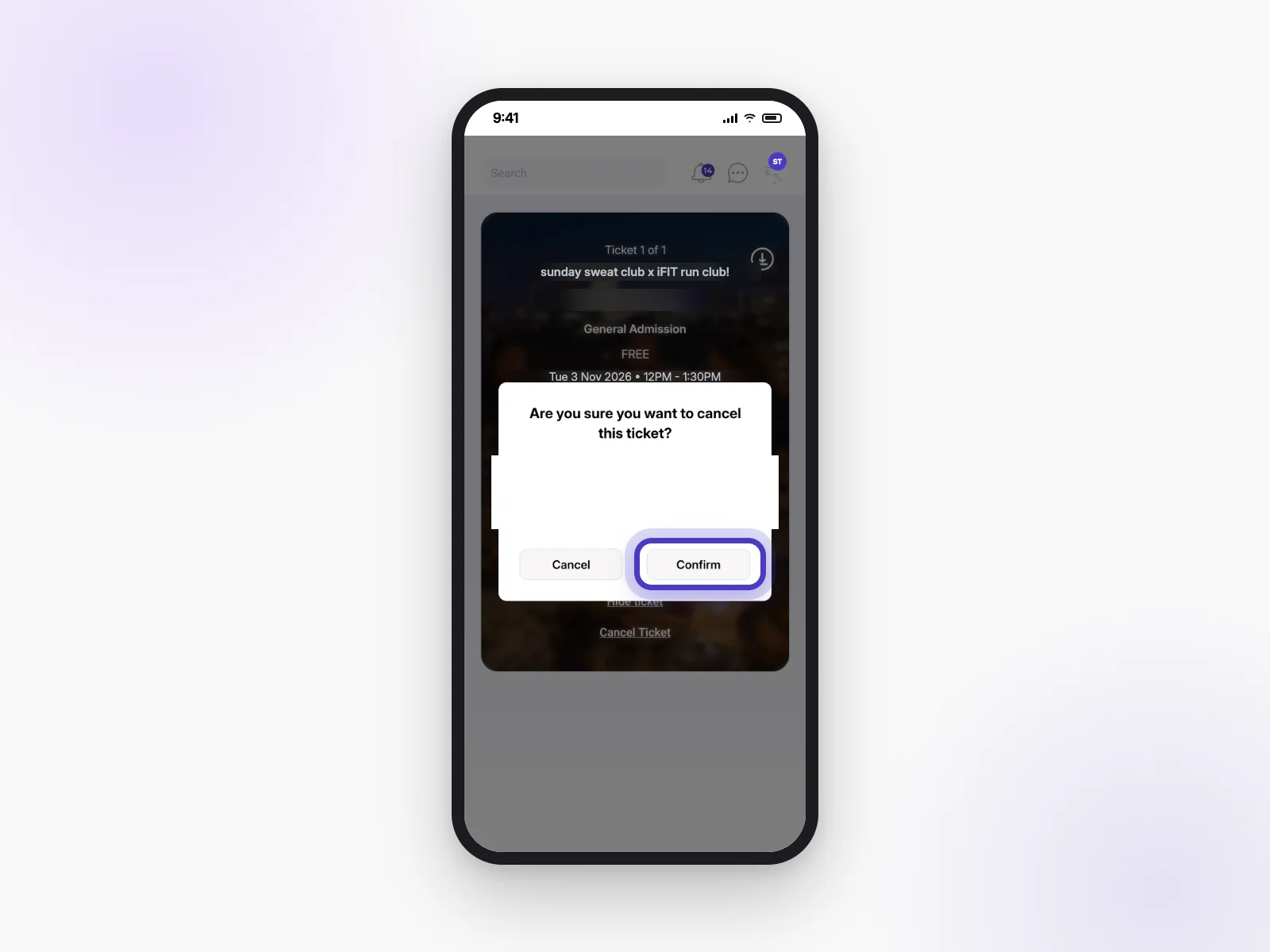
Can I cancel my ticket?
For free events, yes:
- Open your ticket.
- Tap Cancel Ticket.
- Tap Confirm.
If you have several free tickets, you can cancel one or all of them.
Paid tickets can’t be cancelled in the app. If the event sells out, you may be able to sell your ticket instead (see Selling a ticket you can’t use).
Link to this answerWhat happens if I cancel at the last minute?
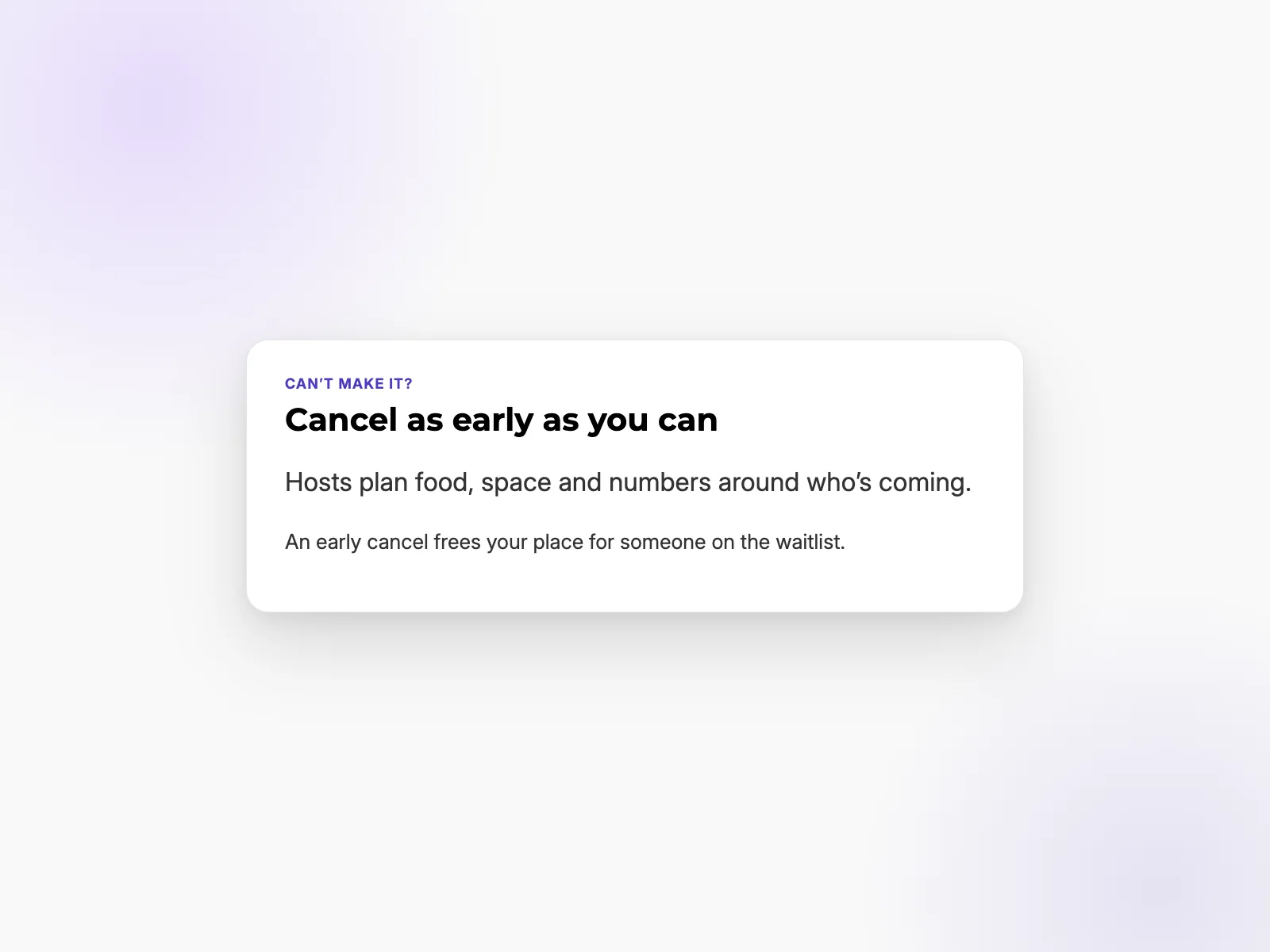
Please cancel as early as you can. Hosts plan food, space and numbers around who’s coming, and an early cancel frees your place for someone else. If the event is run by a club you’re in, a cancellation 24 hours or less before it starts is recorded, and the club’s hosts can see it.
Link to this answerI didn't go. Do I lose my deposit?
Deposits are refunded when the host checks you in at the event. If you don’t turn up, the host can keep it.
Link to this answerSelling a ticket you can't use
If a paid event has sold out and you can’t go, another member can buy your ticket.
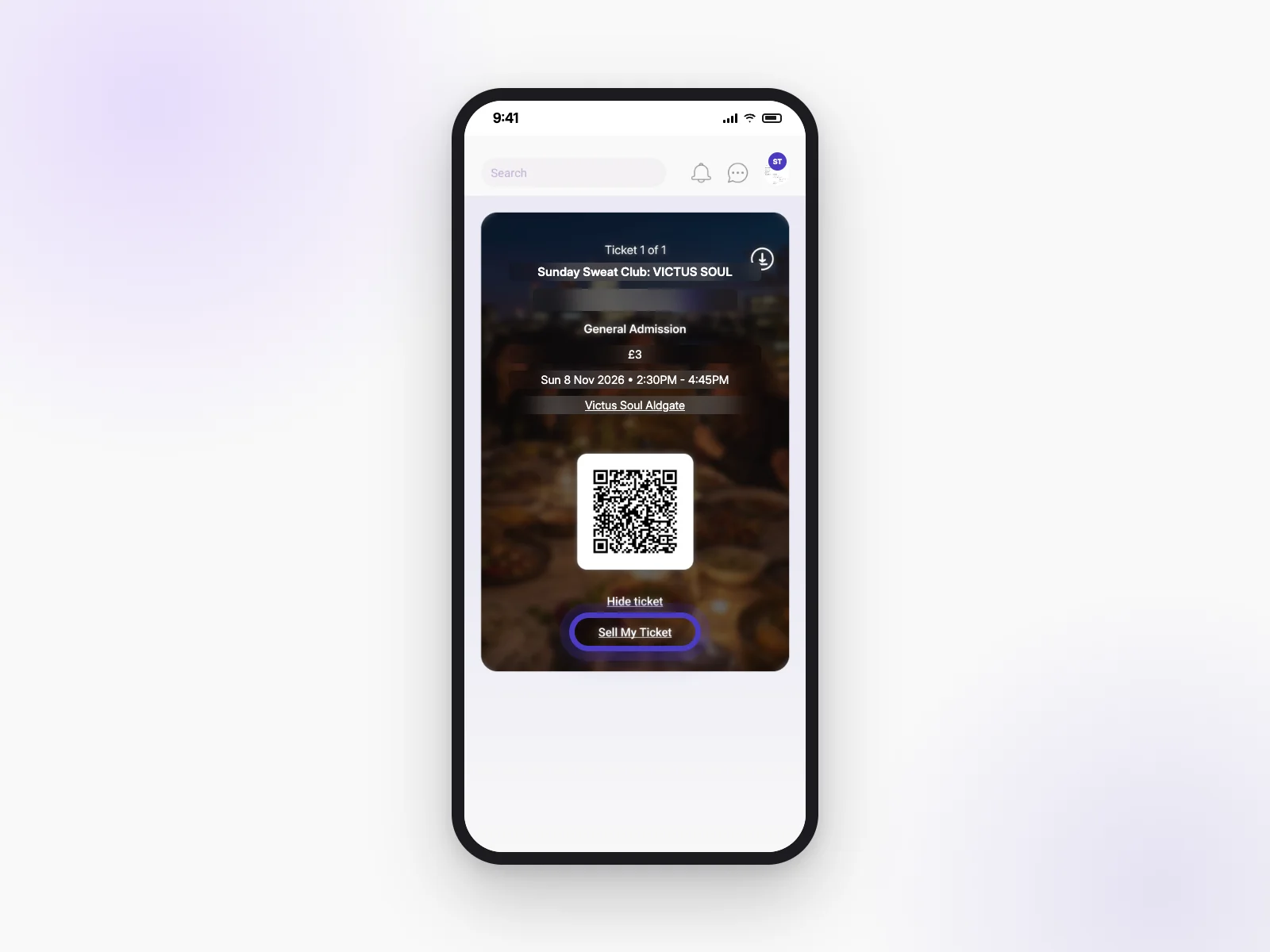
I can't go anymore. How do I sell my ticket?
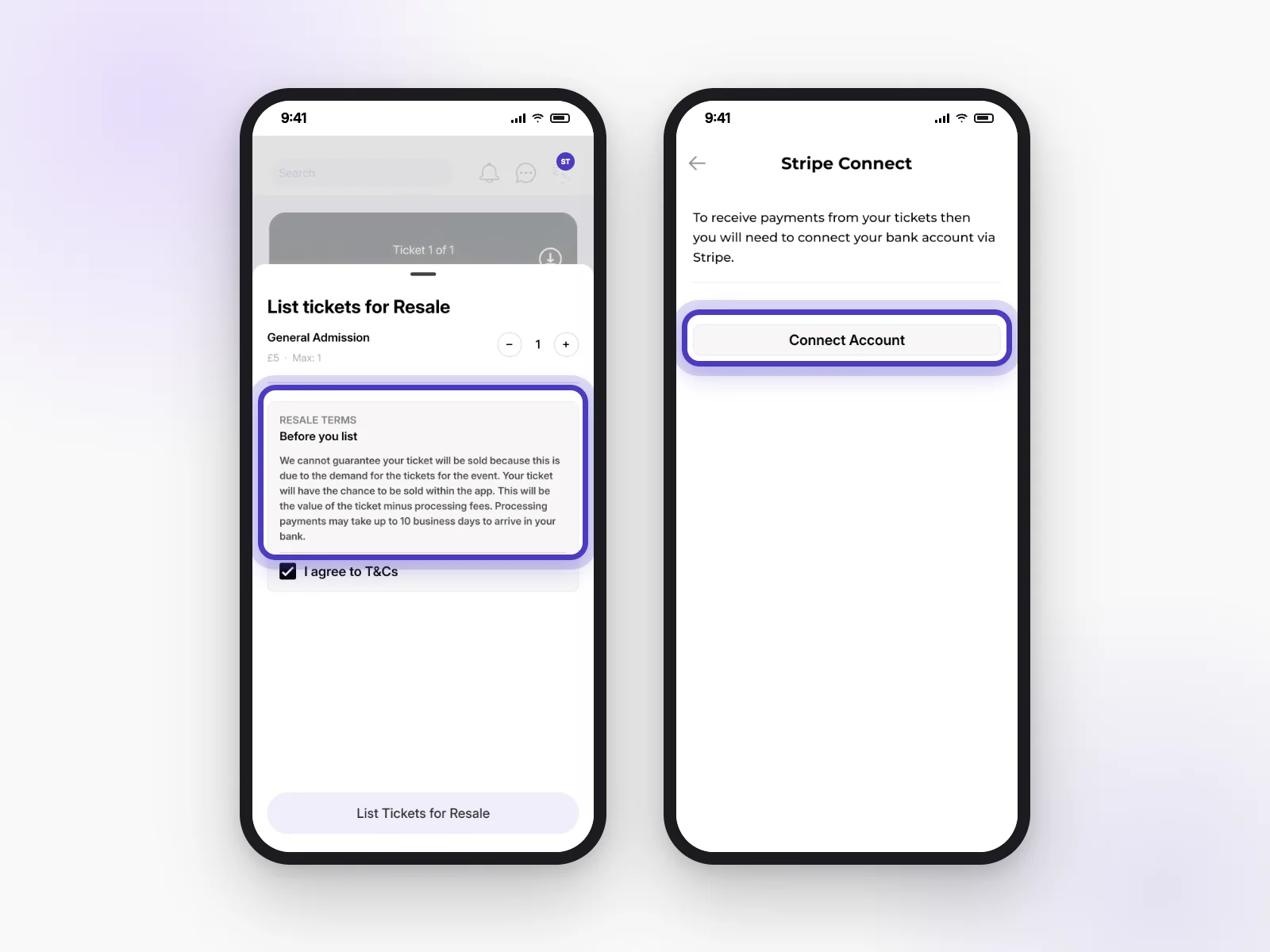
- Open your ticket and tap Sell My Ticket.
- Choose how many tickets to sell.
- Read the terms and tick I agree to T&Cs.
- Tap List Tickets for Resale.
You can only sell tickets for paid events, only once the event has sold out, and only if the host allows resale.
Link to this answerWhy can I only sell once the event is sold out?
While tickets are still on sale, people buy from the host. Once it sells out, resale lets people who missed out still get a place, and lets you get your money back.
Link to this answerWhy do I need Stripe to sell?
Stripe is the company we use to send money safely to your bank. The first time you sell, tap Connect Account and follow the steps. It’s how we pay you when your ticket sells.
Link to this answerHow much do I get, and when?
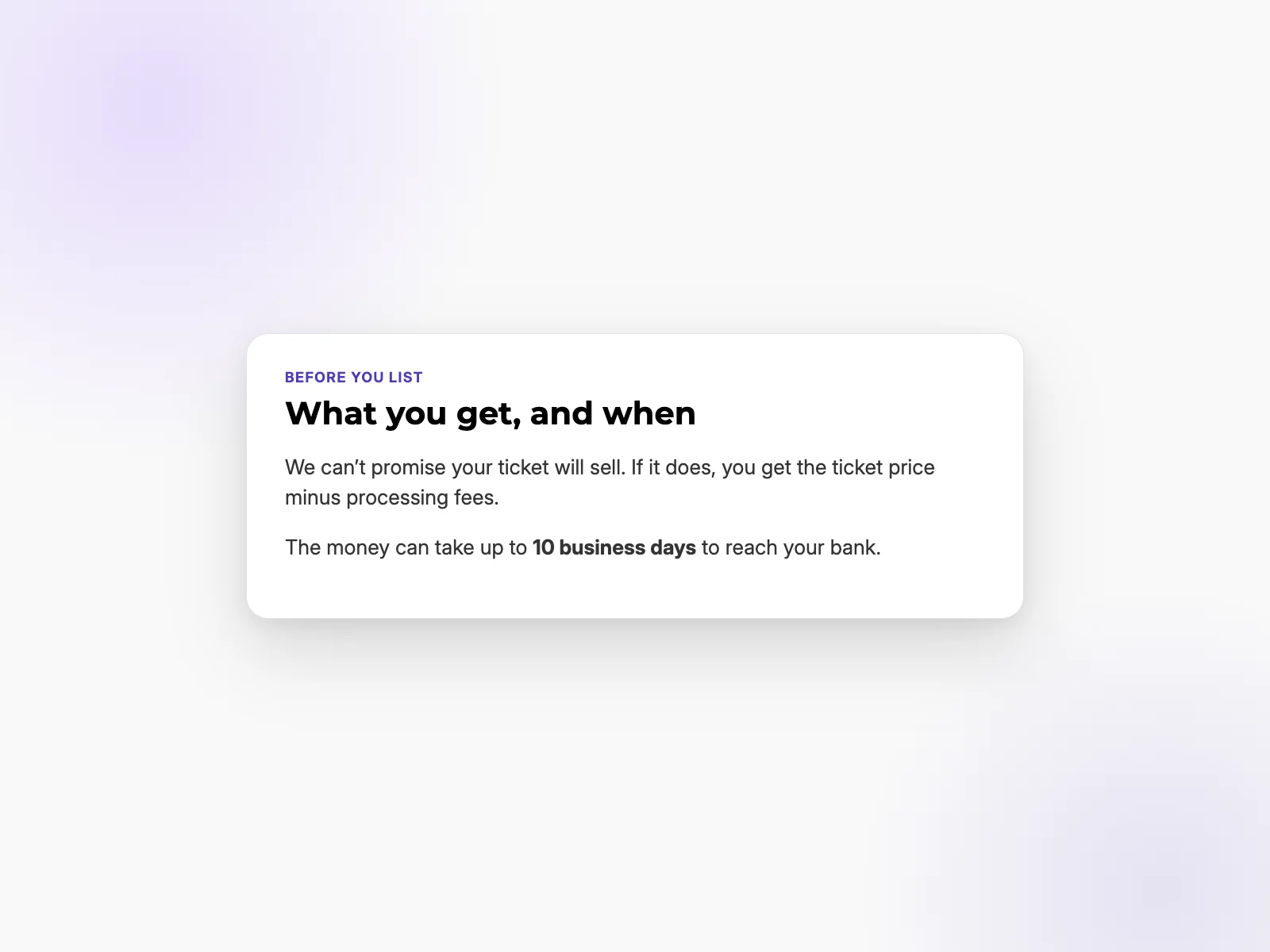
If your ticket sells, you get the ticket price minus processing fees. The money can take up to 10 business days to reach your bank. We can’t promise every ticket will sell.
Link to this answerChatting
Every event and club can have its own chat, so you can say hi before you meet.
How do event chats work? When do I get added?
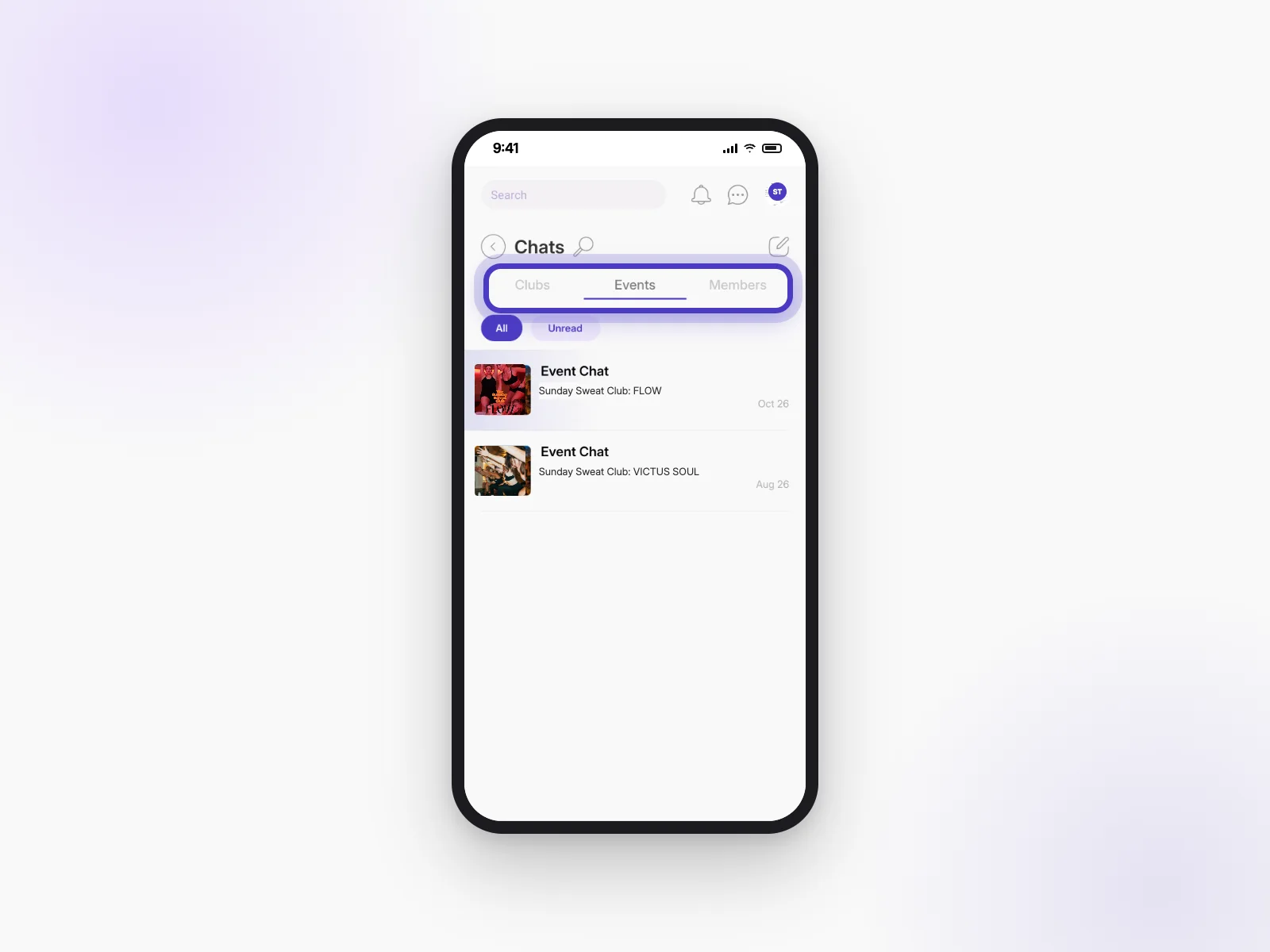
Once you’re booked, tap Join the Chat to say hi to everyone going. You’ll find all your chats in the chat icon at the top of the app, split into Clubs, Events and Members.
Link to this answerWhy are some club chats only for people who’ve been to an event or have a membership?
Club hosts choose who can chat. Some keep their chat for people who have come to an event or have a membership, so it stays a close group.
Link to this answerWho can start a group chat?
Club admins can start group chats for their club from the club’s chat button.
Link to this answerHow do polls work?
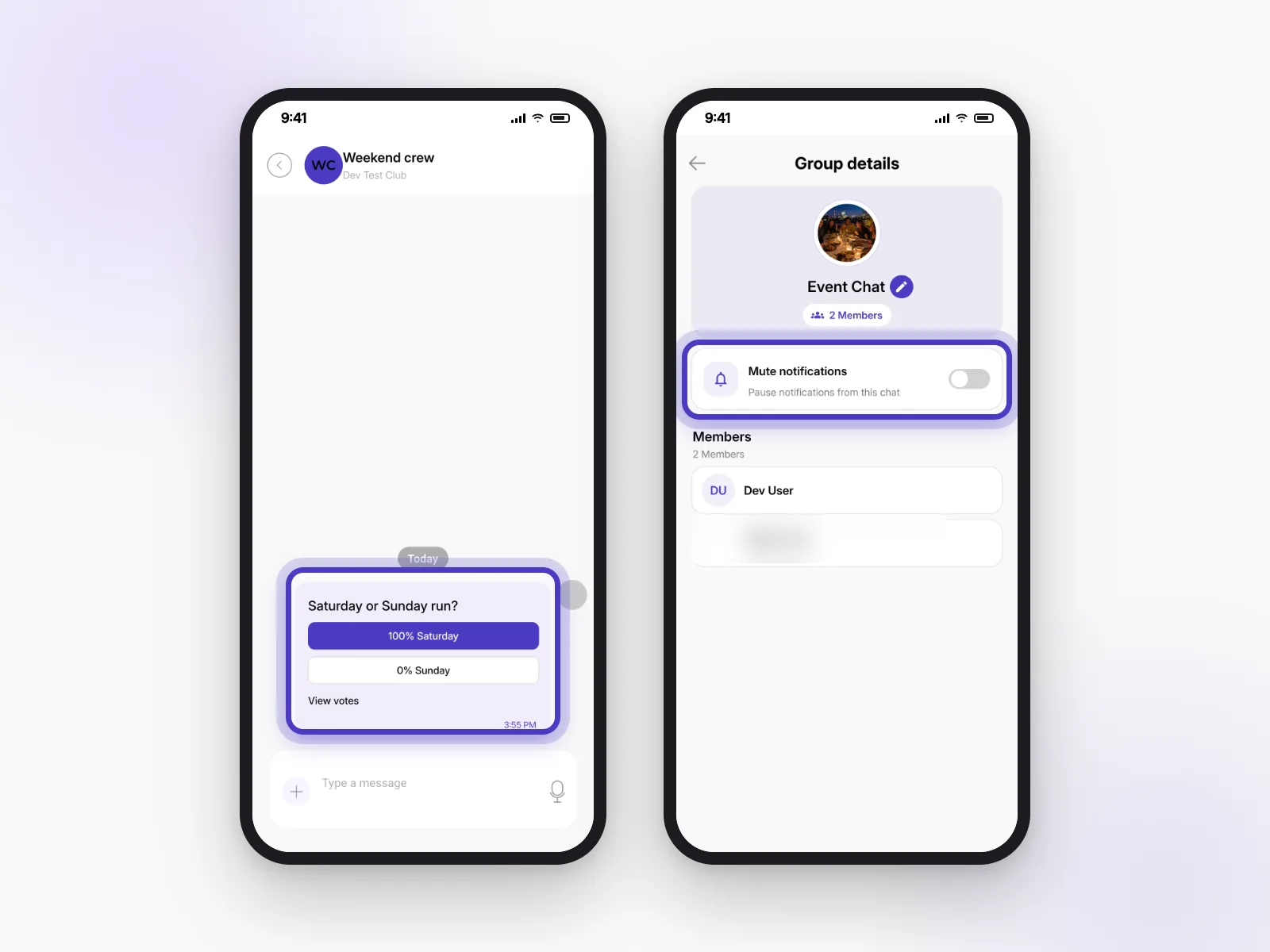
In a chat, create a poll, add your question and options, and send it. Everyone can vote once. Turn on Allow multiple answers if people can pick more than one.
Link to this answerHow do I mute a chat?
Open the chat, tap its name to see the details, and turn on Mute notifications.
Link to this answerI was removed from a chat. Can I rejoin?
No. If a chat admin removes you, you can’t rejoin that chat.
Link to this answerHow do I post in a club?
Tap + and choose to create a post. Add a photo and your message, tag the club, then tap Create Post. Each club chooses whether members can post, or only admins.
Link to this answerWhy was my account paused for spam?
Sending the same message to lots of people, again and again, can pause an account automatically. It helps stop spam. Accounts can also be paused after several reports from other members.
Link to this answerStaying safe
We want everyone to feel comfortable meeting up. Here are the tools that help.
How do I report a post?
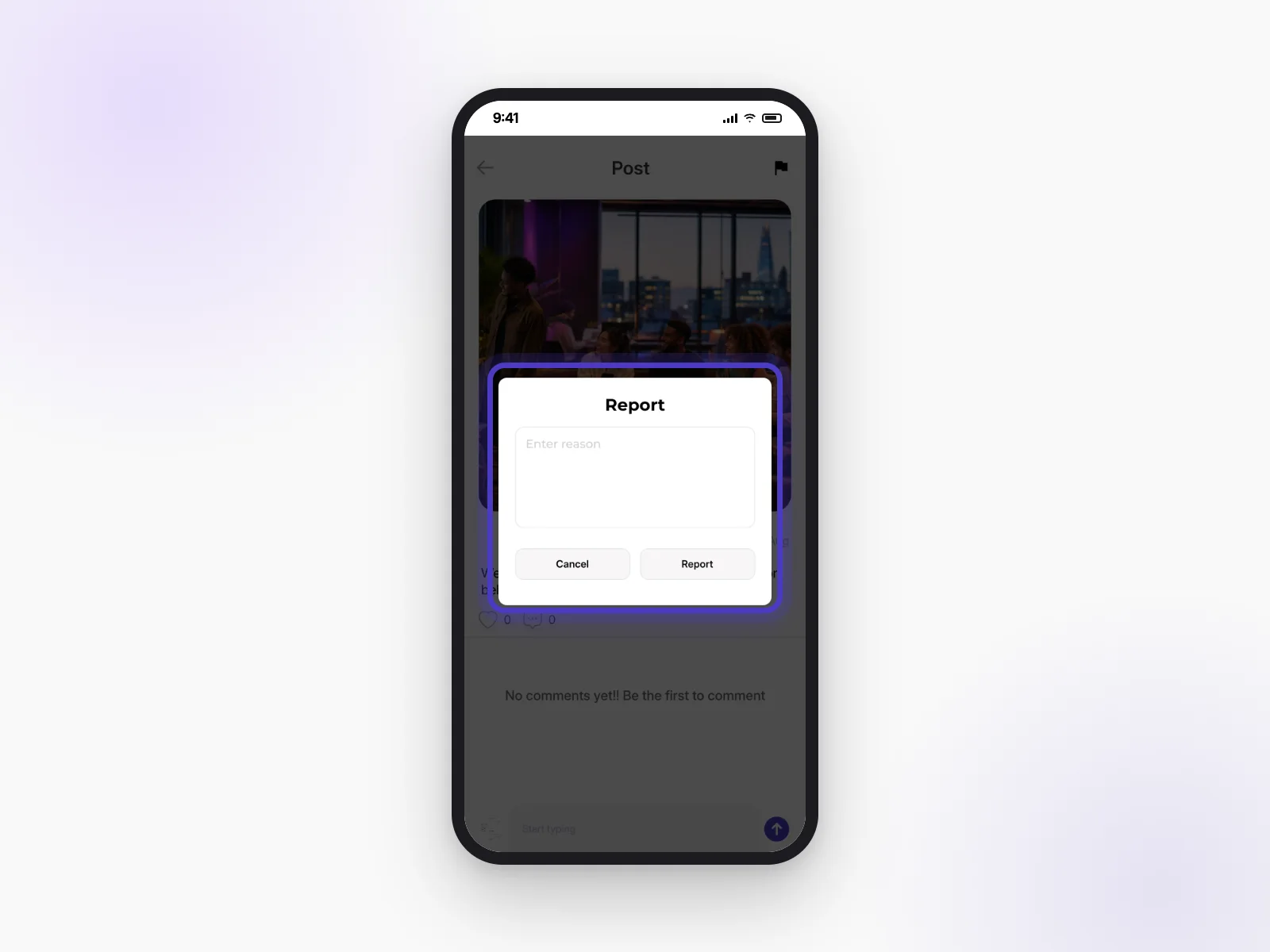
Open the post and tap the flag icon. Tell us what’s wrong and tap Report. Our team will take a look.
Link to this answerWhat safety tools do hosts have?
Hosts can approve who joins their club or event, ask for ID-verified members only, choose who can chat, and remove people from chats. We also check every profile photo automatically.
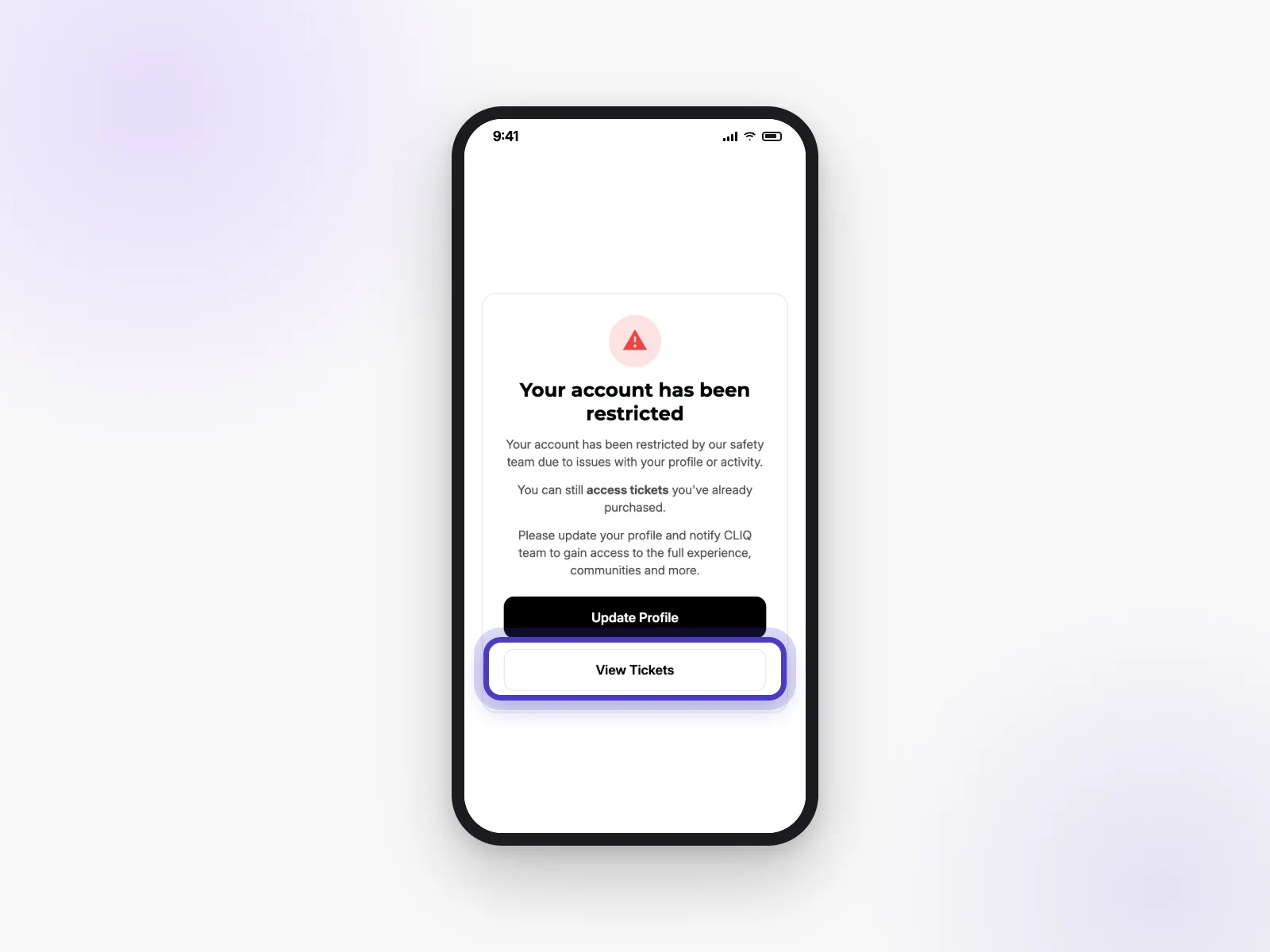
Link to this answerMy account is restricted. Can I still use tickets I bought?
Yes. Tap View Tickets on the restricted screen to see them. To get full access back, update your profile and let our team know at info@thecliq.app.
Link to this answerClubs
Clubs are groups that meet regularly: running clubs, book clubs, supper clubs and more.
What's a club?
A club is a group run by a host, like a running club or a supper club. Joining gets you their events, their chat and their posts in your feed.
Link to this answerHow do I join or leave a club?
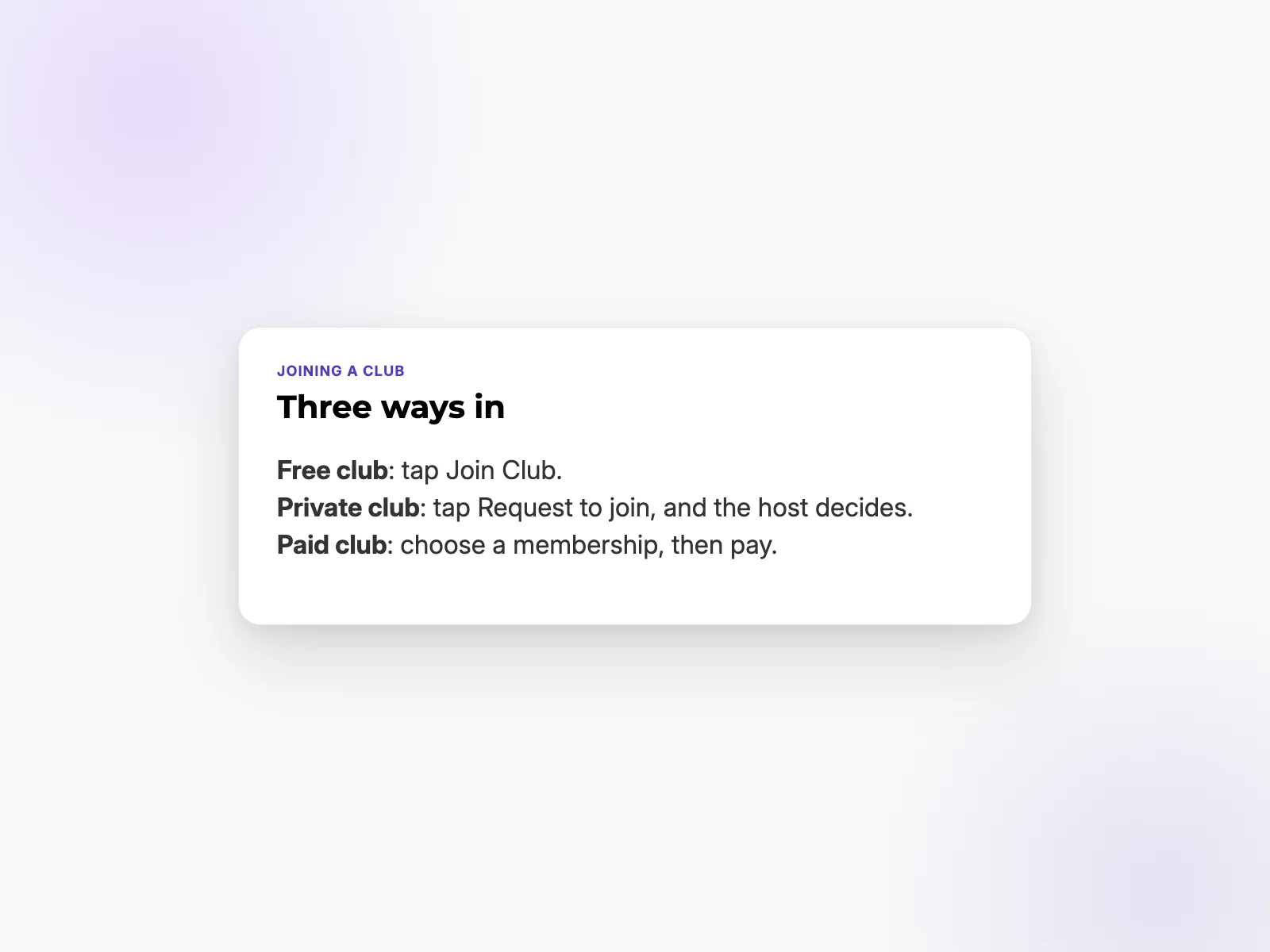
Open the club and tap Join Club. Private clubs show Request to join instead, and the host decides. Paid clubs ask you to pick a membership first. To leave, open the club and tap Leave Club.
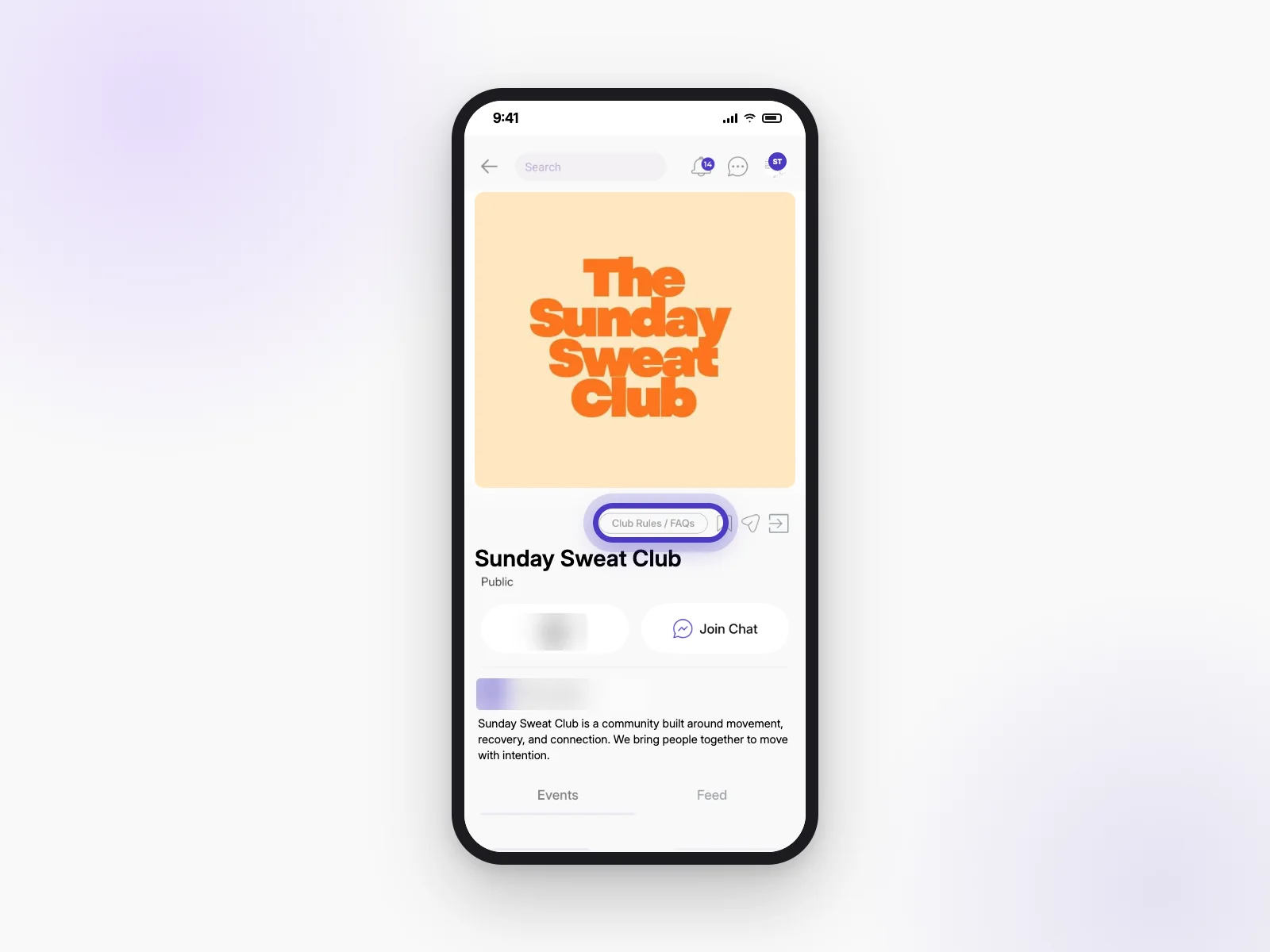
Link to this answerWhere are a club's rules and FAQs?
On the club page, tap Club Rules / FAQs.
Link to this answerWhat's a club membership, and what do I get?
Some clubs charge for membership. What you get depends on the club, for example access to the club chat or a welcome gift. Check the club page before you join.
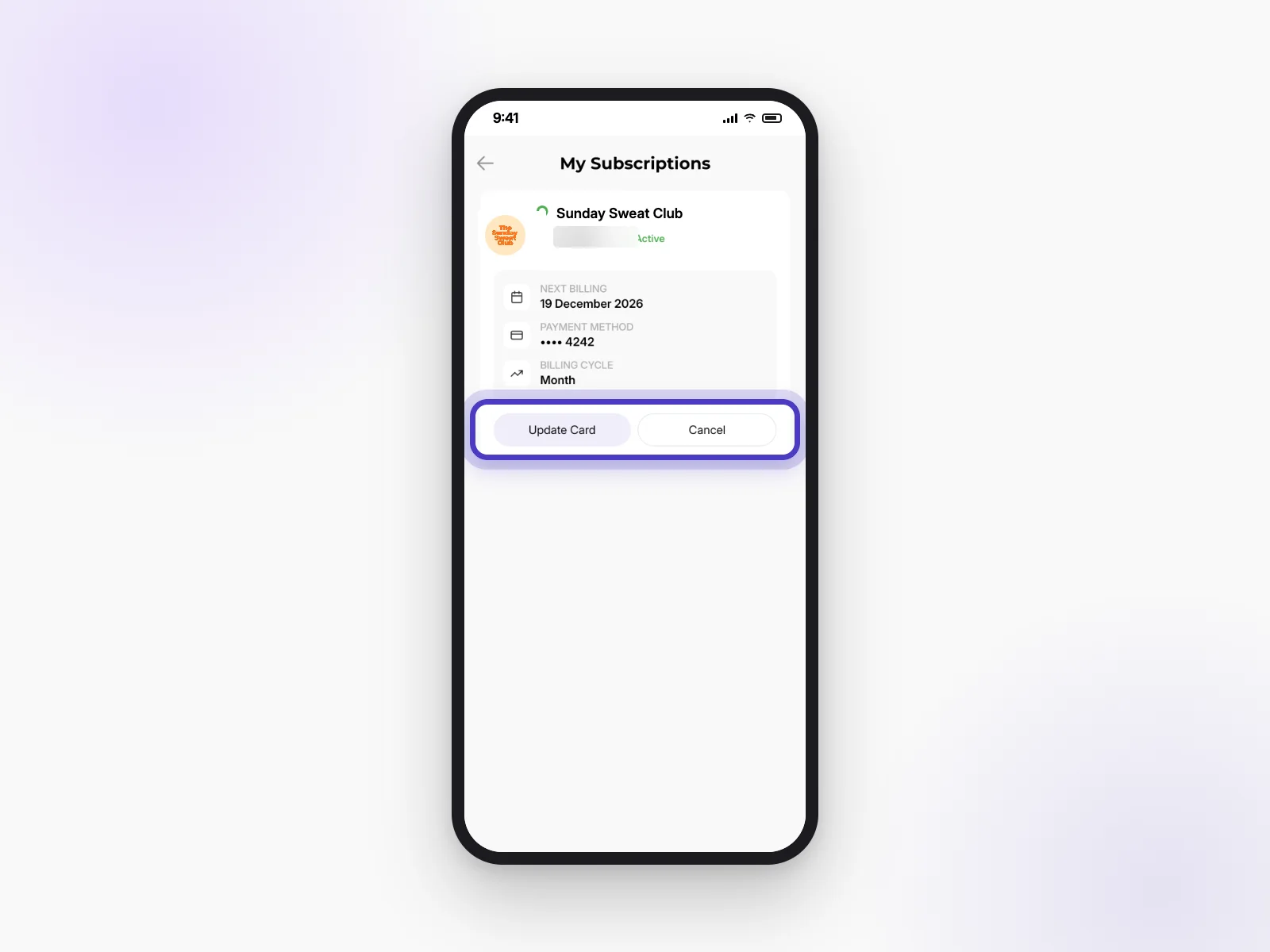
Link to this answerHow do I cancel a membership or change my card?
- Open your profile and the Dashboard menu.
- Tap Club Subscriptions.
- Tap Update Card to change your card, or Cancel to stop your membership.
How do I claim a club gift?
Some clubs offer a free gift to members. If you see one on the club page, tap Claim Gift and answer a few quick questions. Not a member yet? Join the club first.
Link to this answerRunning a club
Hosts run clubs from the app or from CLIQ on the web at events.thecliq.app.
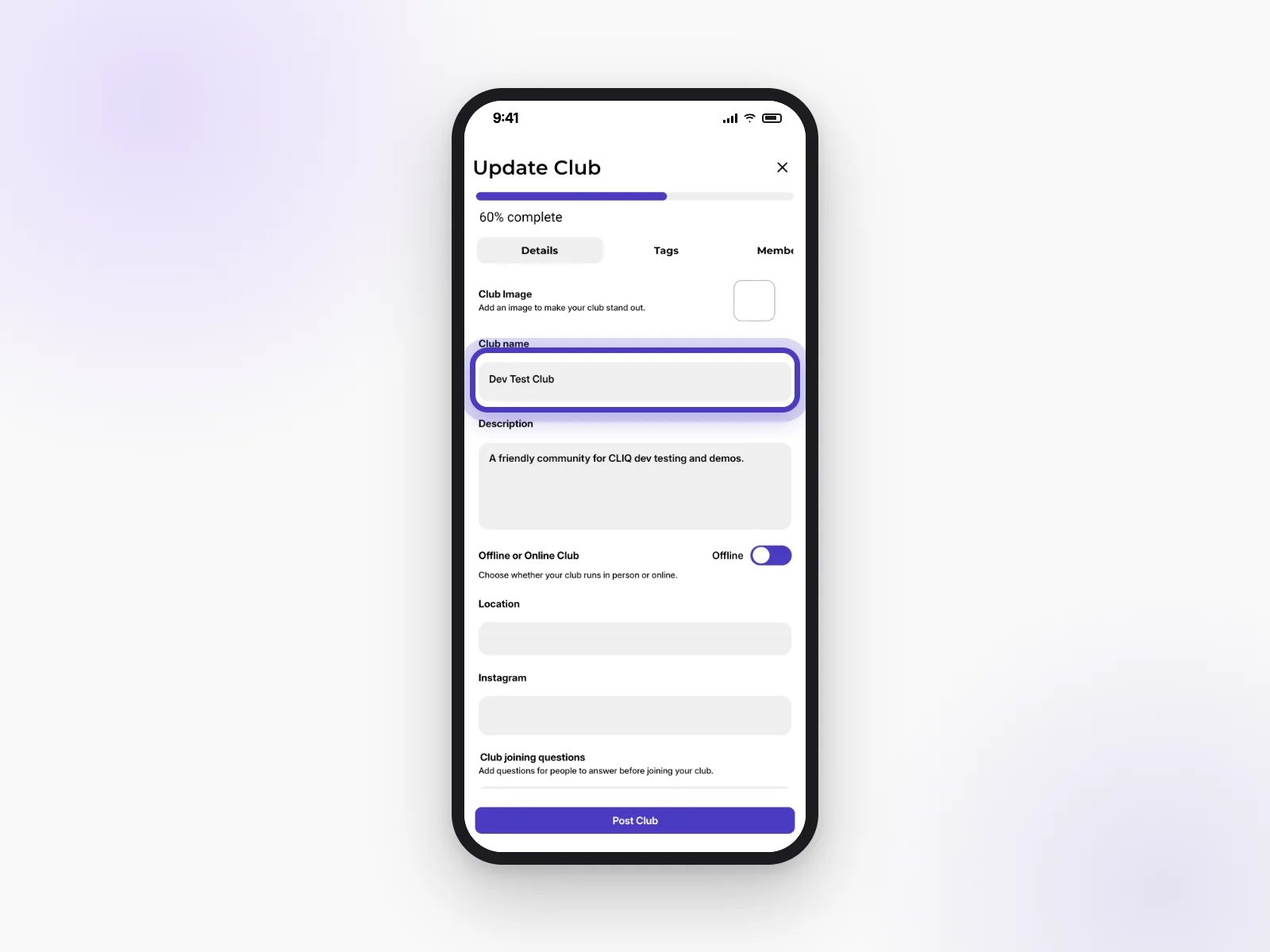
How do I edit my club, add co-admins or set rules?
Open your club and tap edit to see Update Club.
- Details: name, photo, description, location and joining questions.
- Settings → Add team member: invite people to help run your club.
- Your club’s rules and FAQs show on the club page under Club Rules / FAQs.
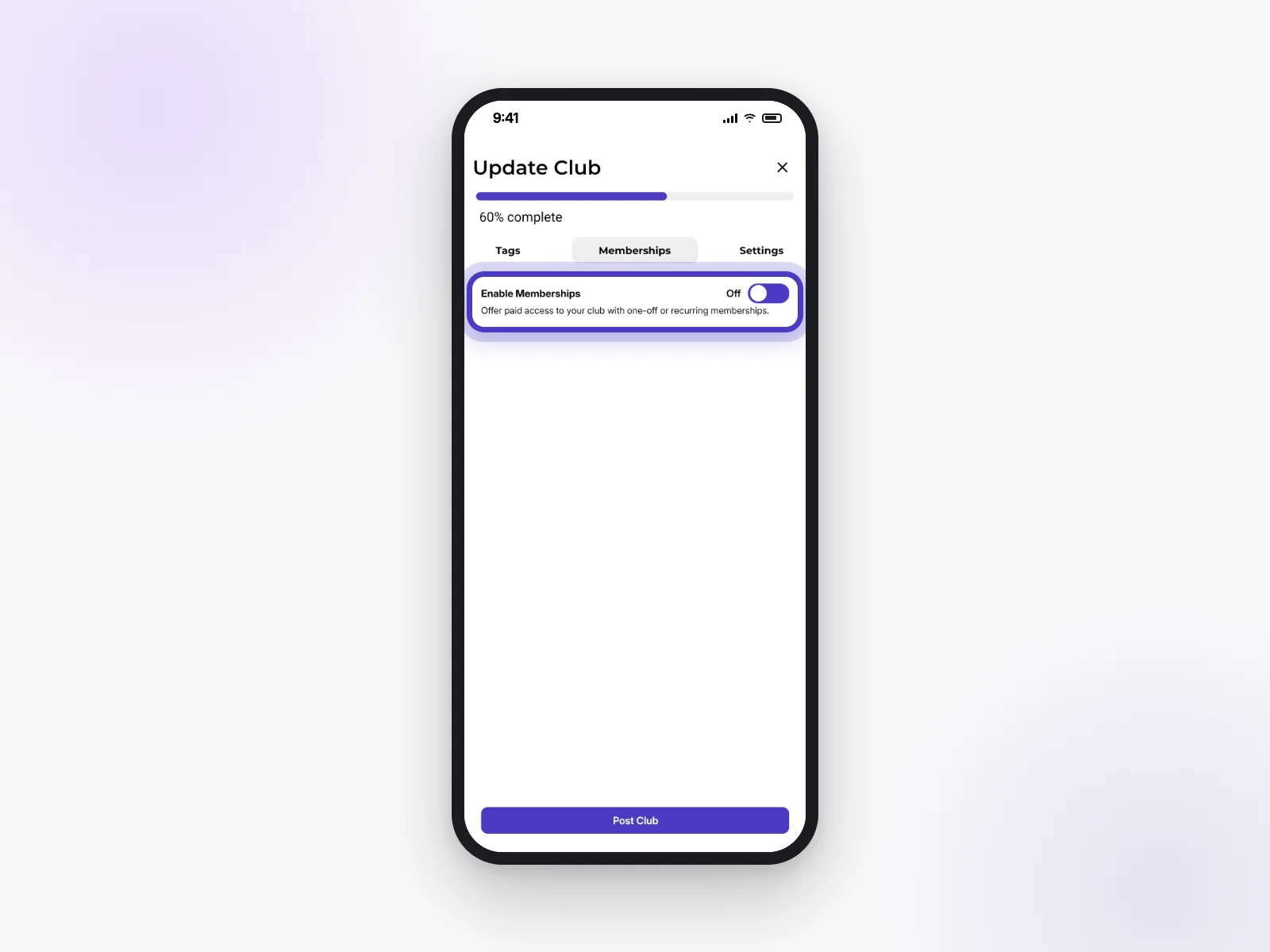
How do I set up paid memberships?
In Update Club, open the Memberships tab and turn on Enable Memberships. You can offer one-off or recurring memberships. To receive the money, set up payments (see Getting paid).
Link to this answerHow do I choose who can join my club and its chats?
In Update Club → Settings:
- Public/Private club: private clubs need your approval to join.
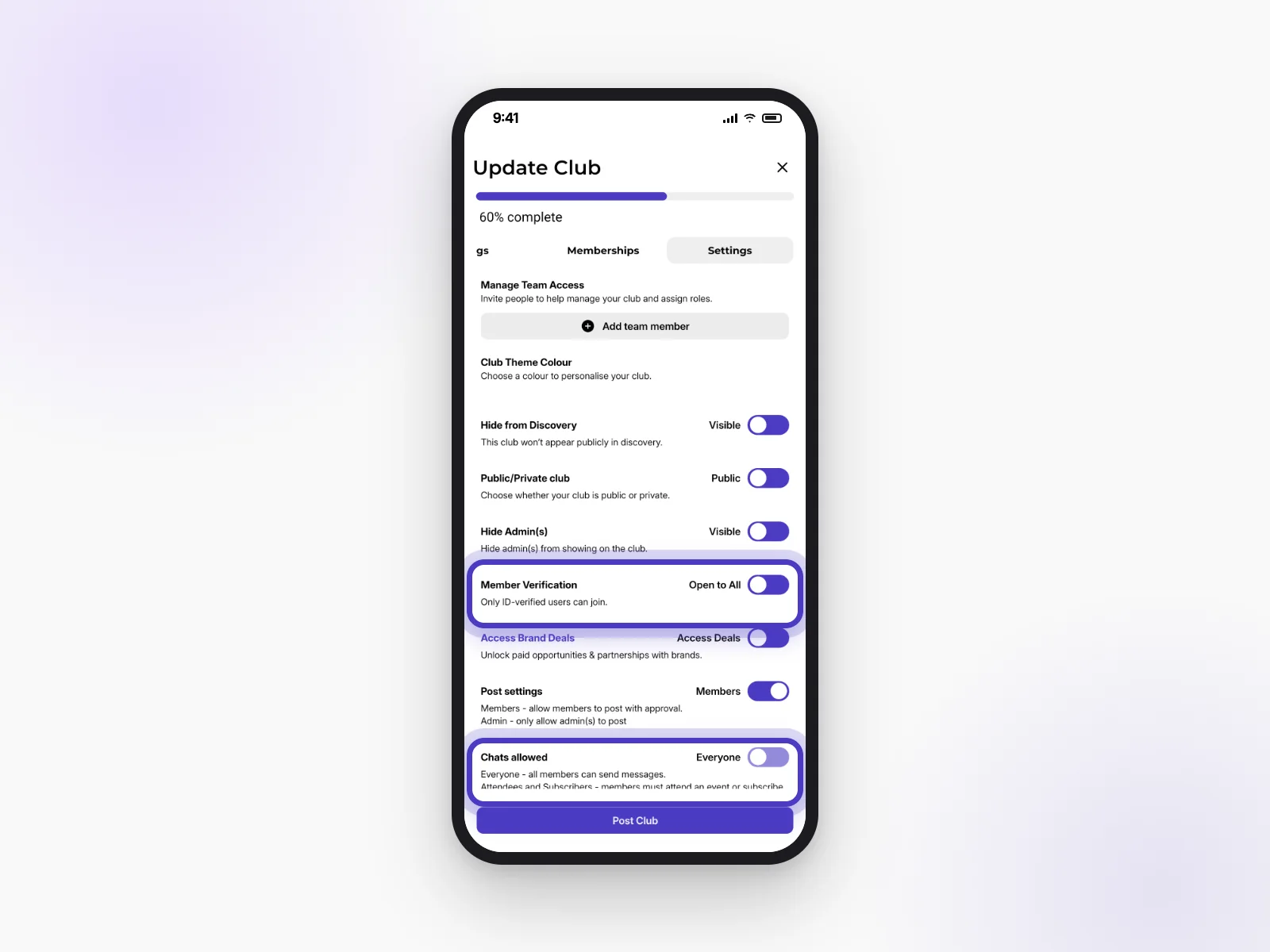
- Member Verification: only let in ID-verified members.
- Chats allowed: everyone, or only people who’ve been to an event or have a membership.
- Post settings: whether members can post, or only admins.
What's in my club dashboard?
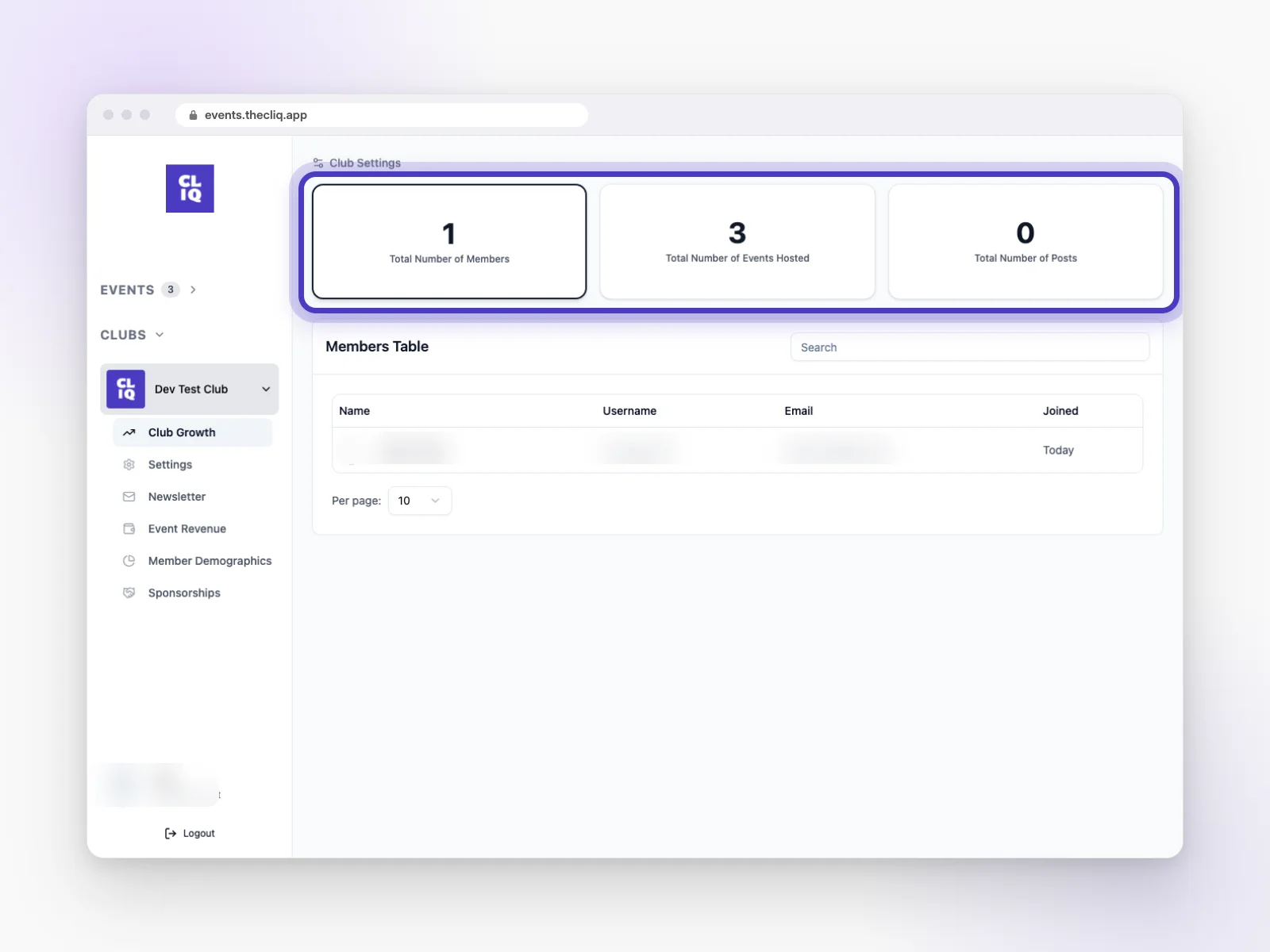
In the app, your club dashboard shows revenue, members, approvals, club insights, your newsletter and brand activations. On CLIQ on the web you’ll also find Club Growth, Event Revenue and Member Demographics.
Link to this answerCreating an event
Create events in the app with the + button, or on CLIQ on the web.
How do I create an event? App or web?
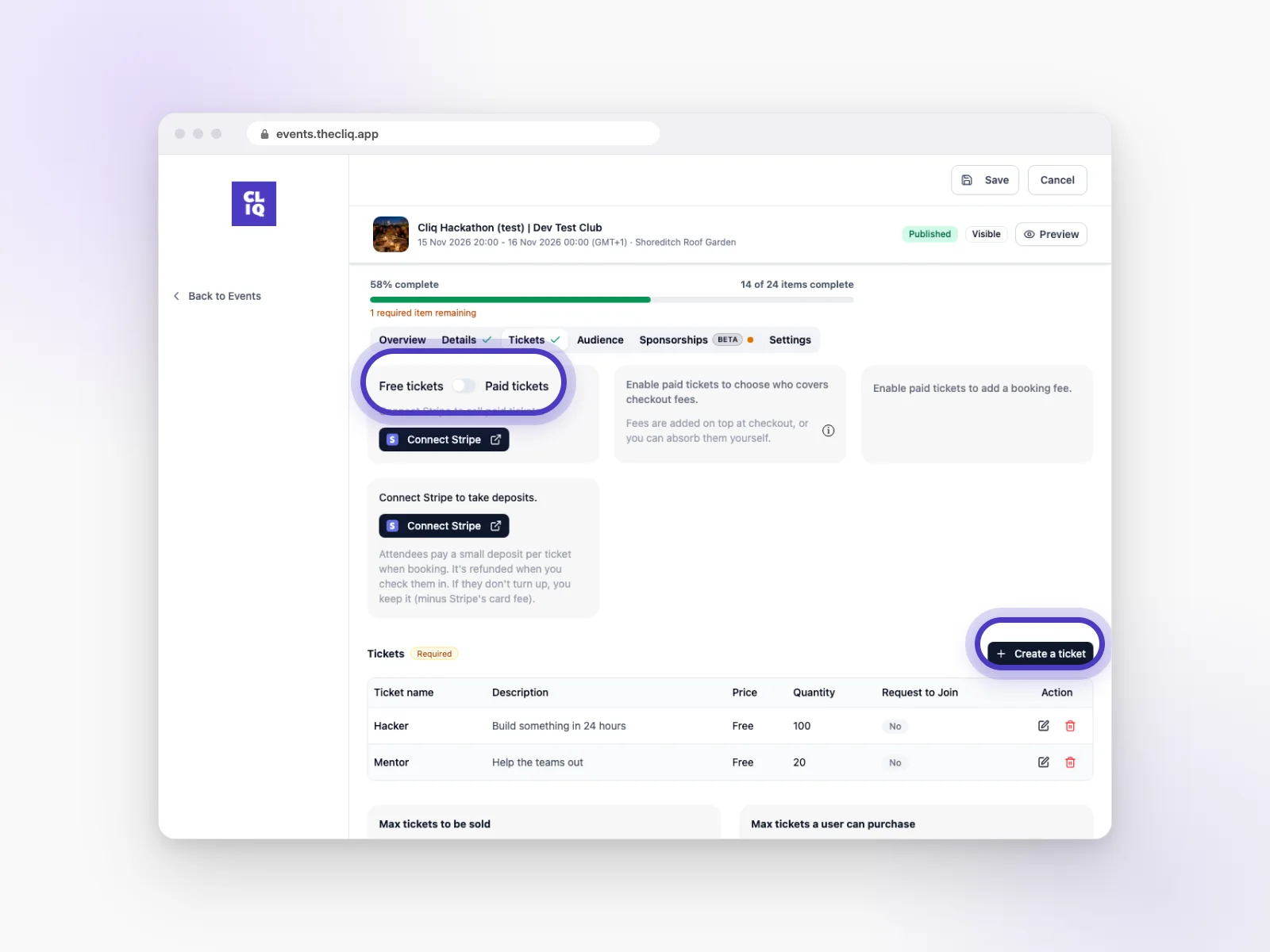
Either works. In the app, tap + in the middle of the bottom bar. On CLIQ on the web (events.thecliq.app), click Create Event. Fill in the tabs, then save it as a draft or publish it.
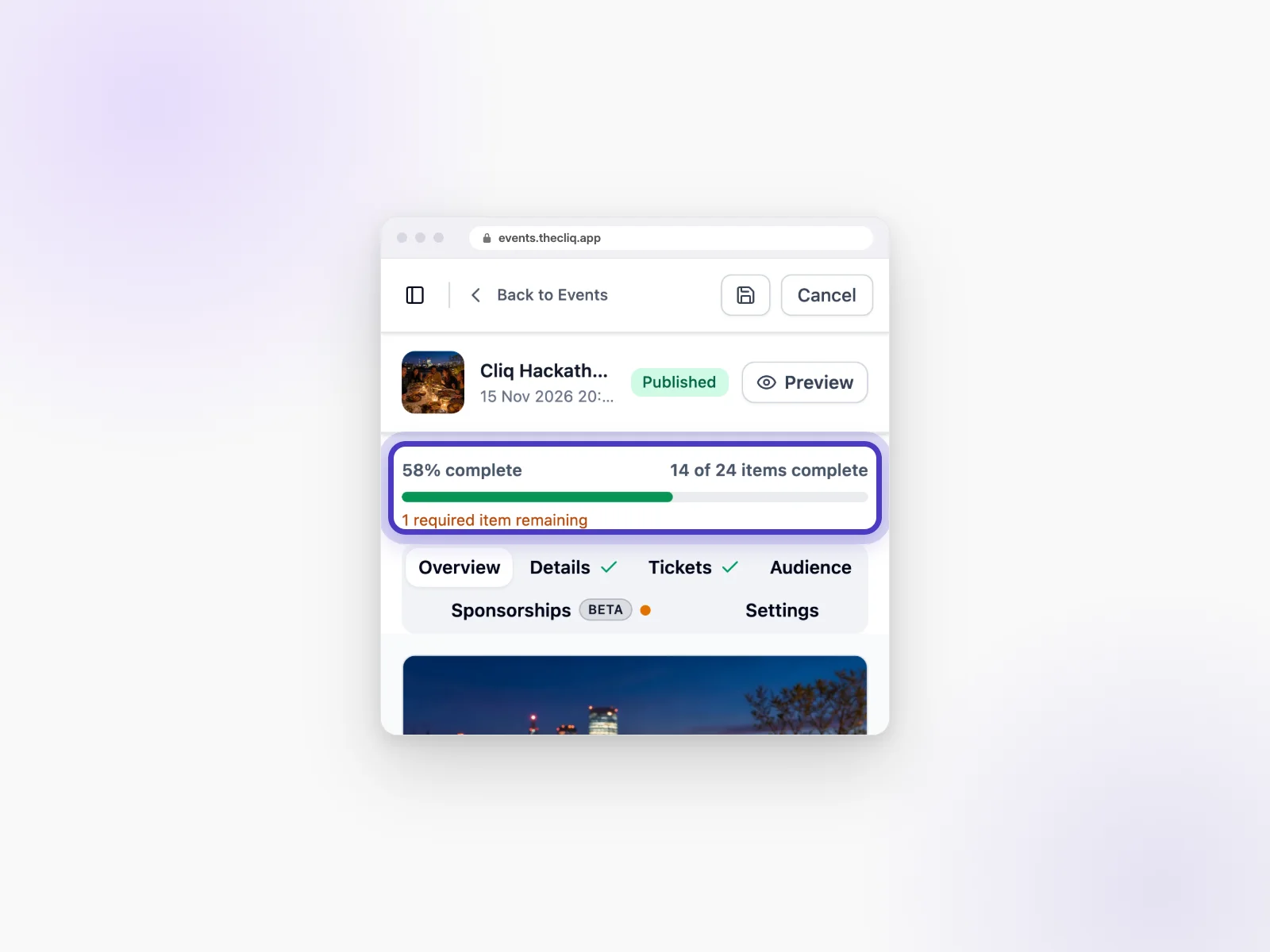
Link to this answerHow do I know what's left to fill in before I publish?
At the top of your event you’ll see a bar like 58% complete, and how many items are still required. Tabs with a tick are done.
Link to this answerHow do free tickets work?
Create a free ticket, choose how many are available, and people can book without paying. You can still offer extras.
Link to this answerHow do paid tickets, ticket types and limits work?
Create as many ticket types as you like, each with its own name, description, price and number available. Set Max tickets to be sold for the whole event, and Max tickets a user can purchase for each person. Paid tickets need payments set up first (see Getting paid).
Link to this answerHow do I create promo codes?
Open your event’s Tickets tab and add a Promo code. You need at least one ticket first. Once tickets have sold, promo codes can’t be deleted.
Link to this answerHow do extras (add-ons) work?
In the Tickets tab, under Add-ons, add things guests can choose when they book, like a T-shirt, a meal or parking. Each extra can be free or paid, and can have options, like sizes.
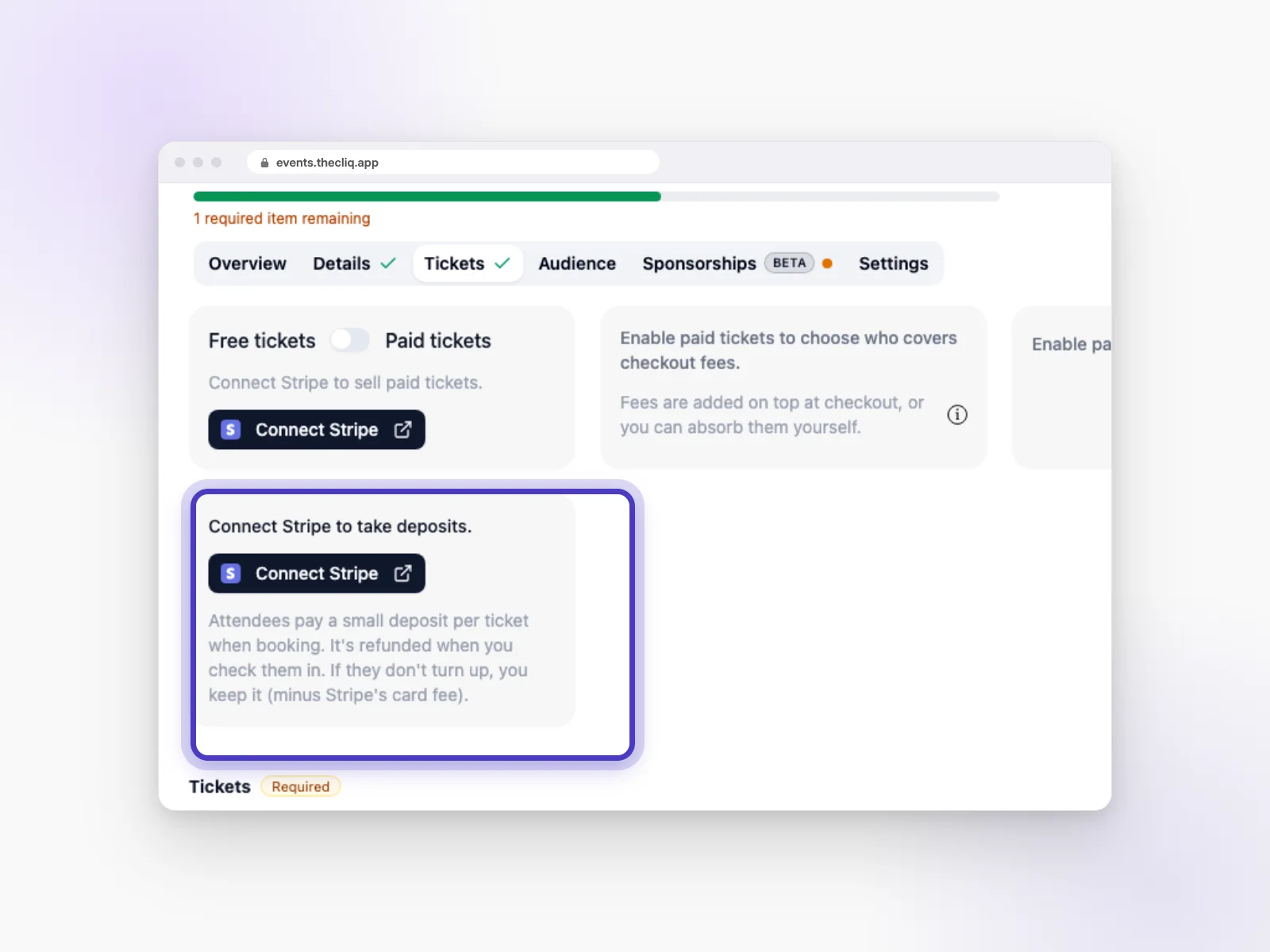
Link to this answerHow do deposits work?
Turn on Take a refundable deposit. Guests pay a small deposit per ticket when they book. It’s refunded when you check them in. If they don’t turn up, you keep it (minus Stripe’s card fee). You need payments set up to take deposits.
Link to this answerCan I approve guests first, hide the guest list or keep my event private?
Yes, in your event’s Settings tab. You can ask guests to request to join, hide the guest list, hide the event from browsing, or schedule when it goes live.
Link to this answerHow do I connect my event to my club, and why should I?
On CLIQ on the web, open the event’s Audience tab and add your club under related clubs. Your club’s members will see it, and it’s needed if you want brands to support the event.
Link to this answerManaging your guests
Everything about who’s coming lives on your event Dashboard.
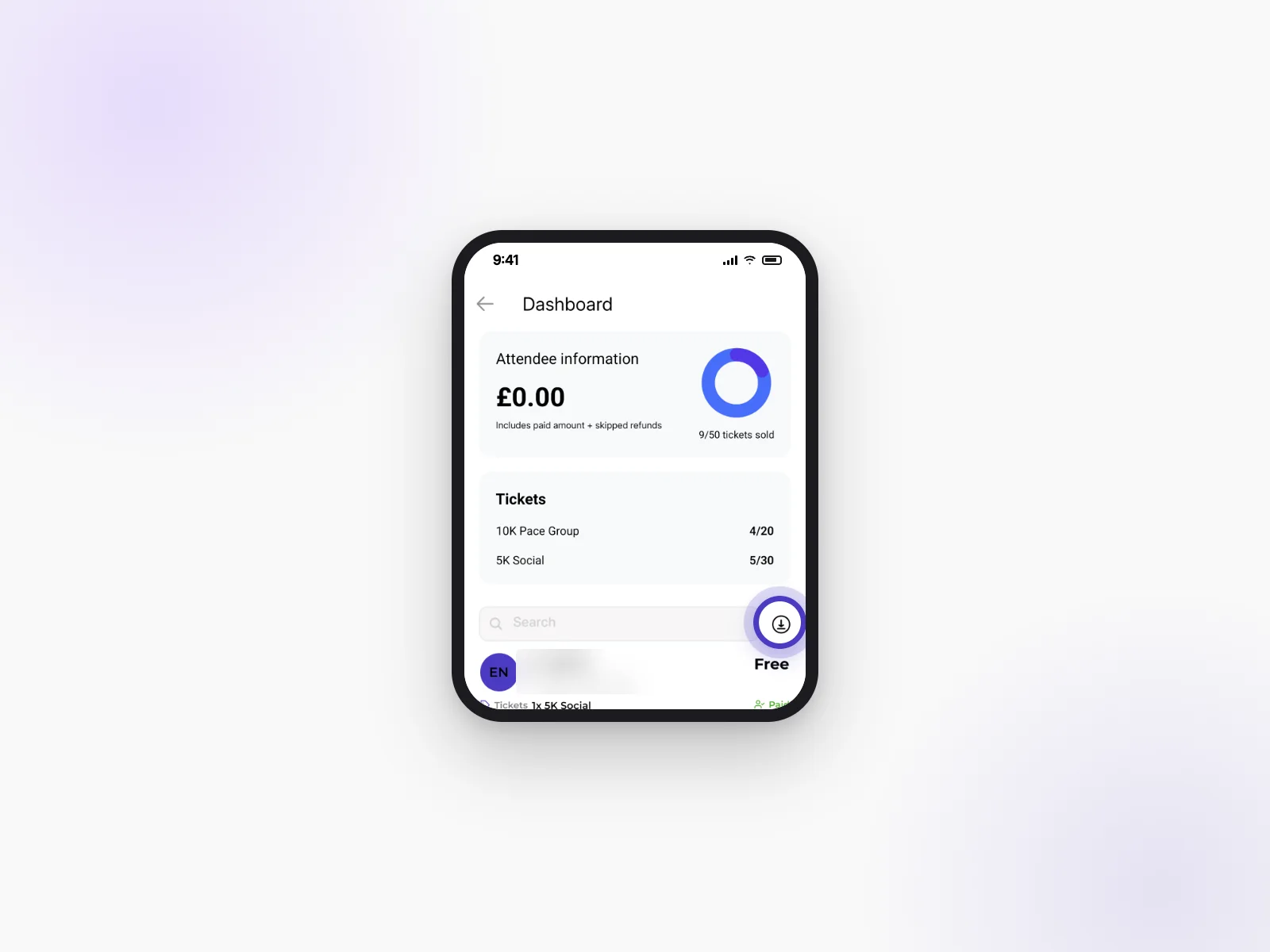
How do I see who's booked?
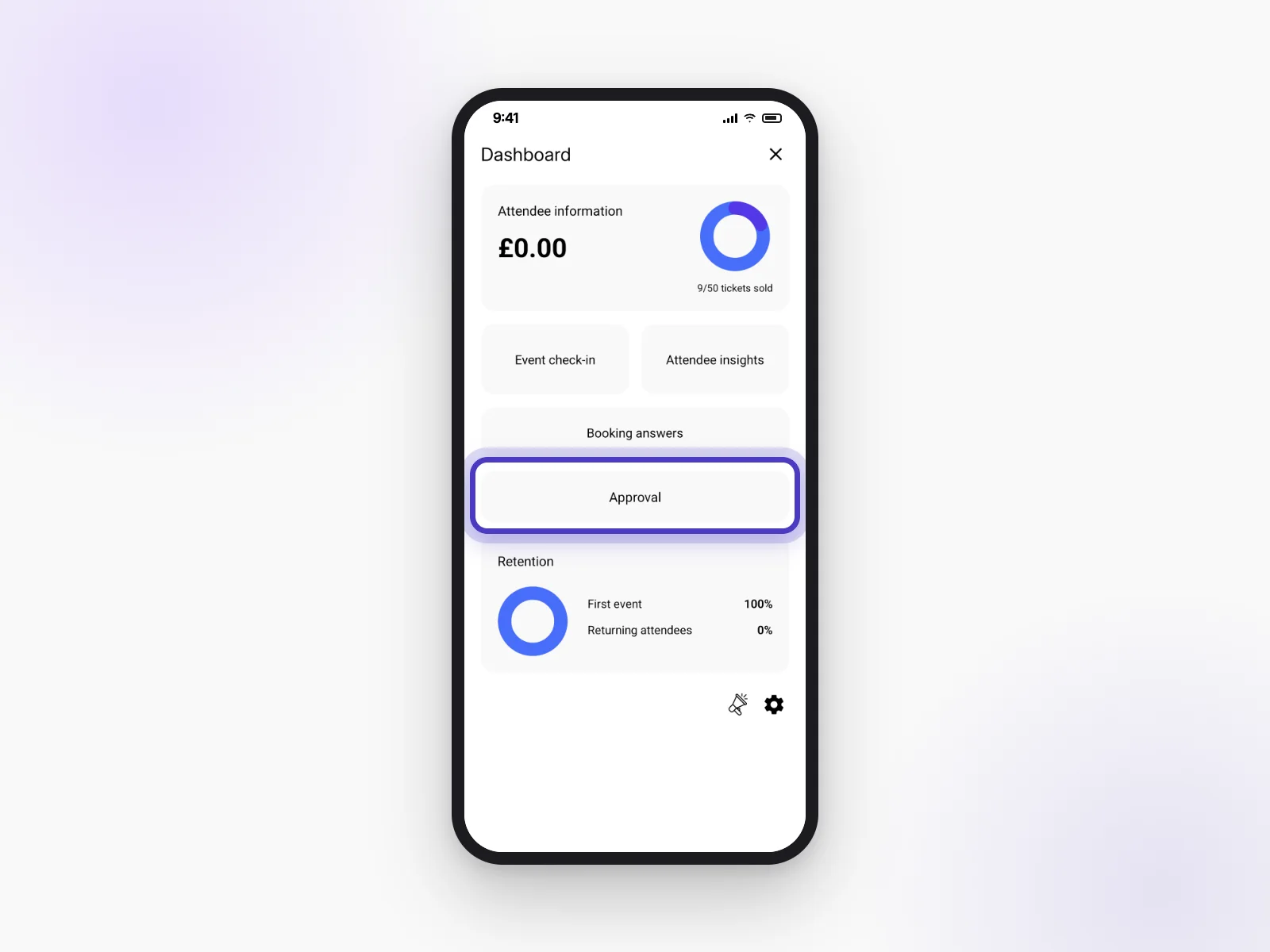
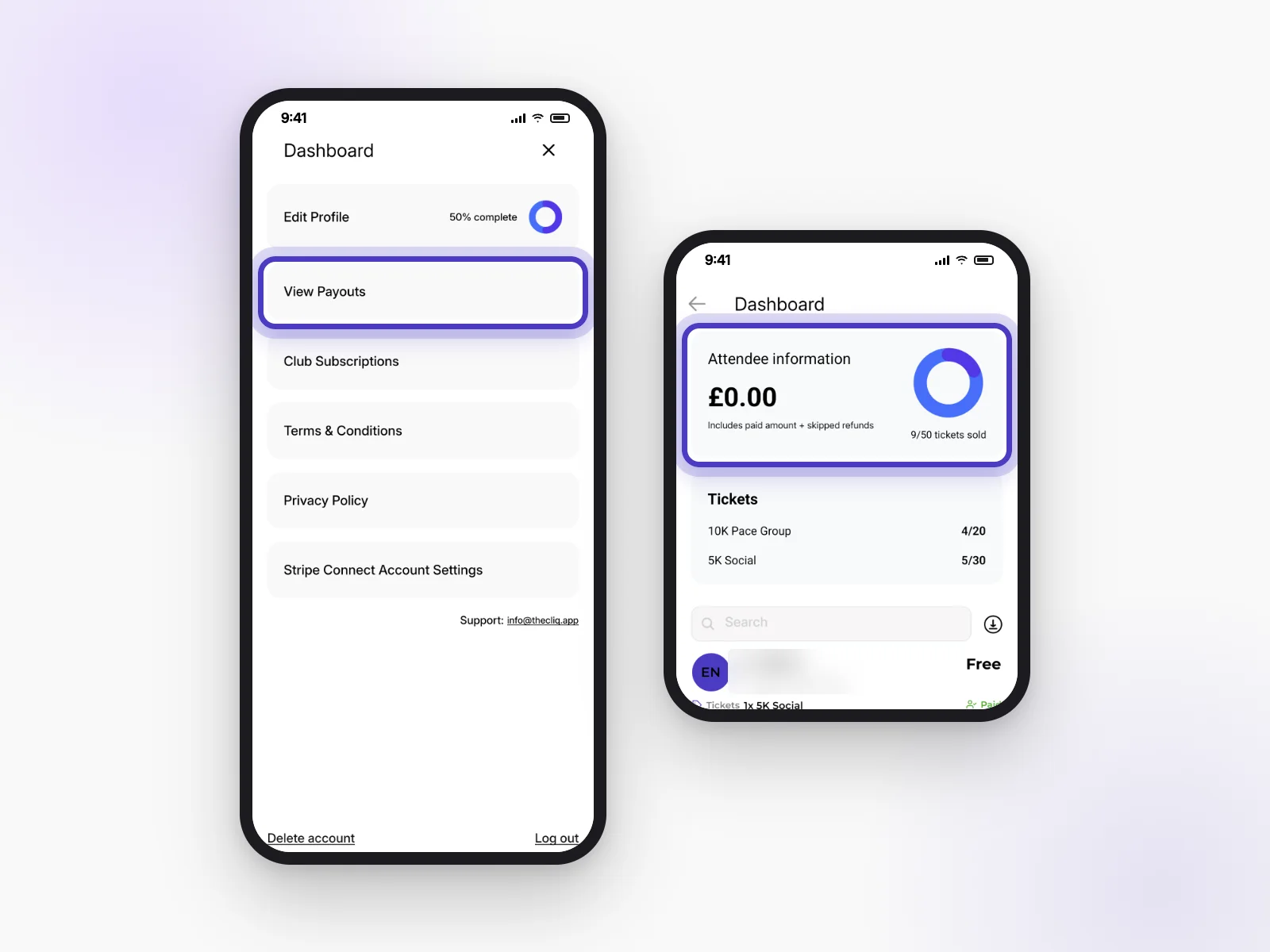
Open your event Dashboard. You’ll see tickets sold, each guest and what they bought. Attendee insights shows more about who’s coming.
Link to this answerCan I download my guest list?
Yes. On your event Dashboard, tap the download icon next to the guest search to get a spreadsheet of your guests.
Link to this answerHow do I approve requests?
Open your event Dashboard and tap Approval (or Approvals on your club dashboard). Accept or decline each request.
Link to this answerHow do I check people in?
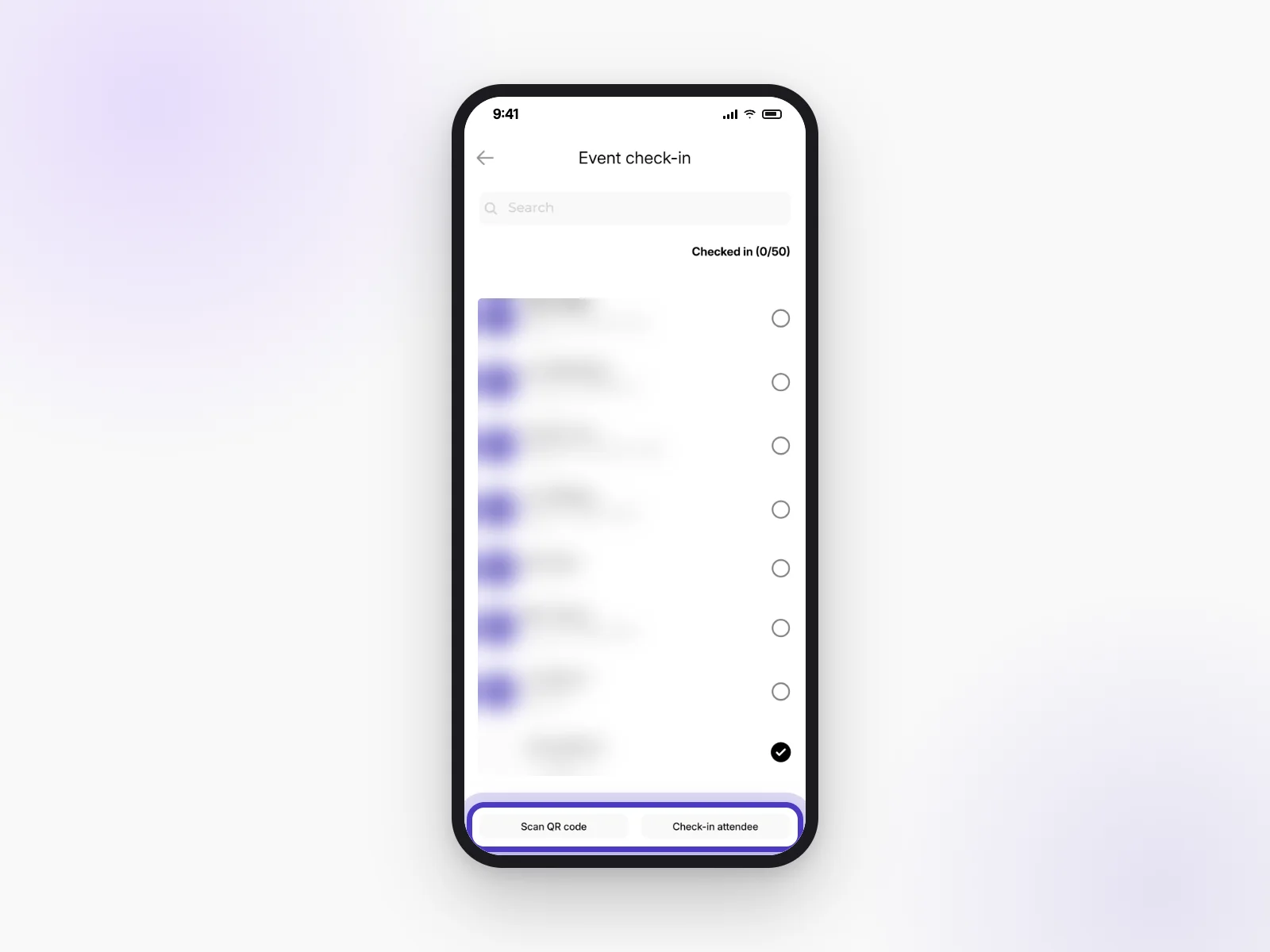
In the app, open your event Dashboard → Event check-in. Tap Scan QR code to scan a guest’s ticket, or Check-in attendee to find them by name.
Link to this answerWhere do I see how many guests come back?
Your event Dashboard shows Retention: first-timers and returning guests.
Link to this answerHow do I message all my guests?
Use the event chat. Everyone who books can join it, so it’s the best place for updates.
Link to this answerGetting paid
We use Stripe, a payments company, to send ticket and membership money safely to your bank.
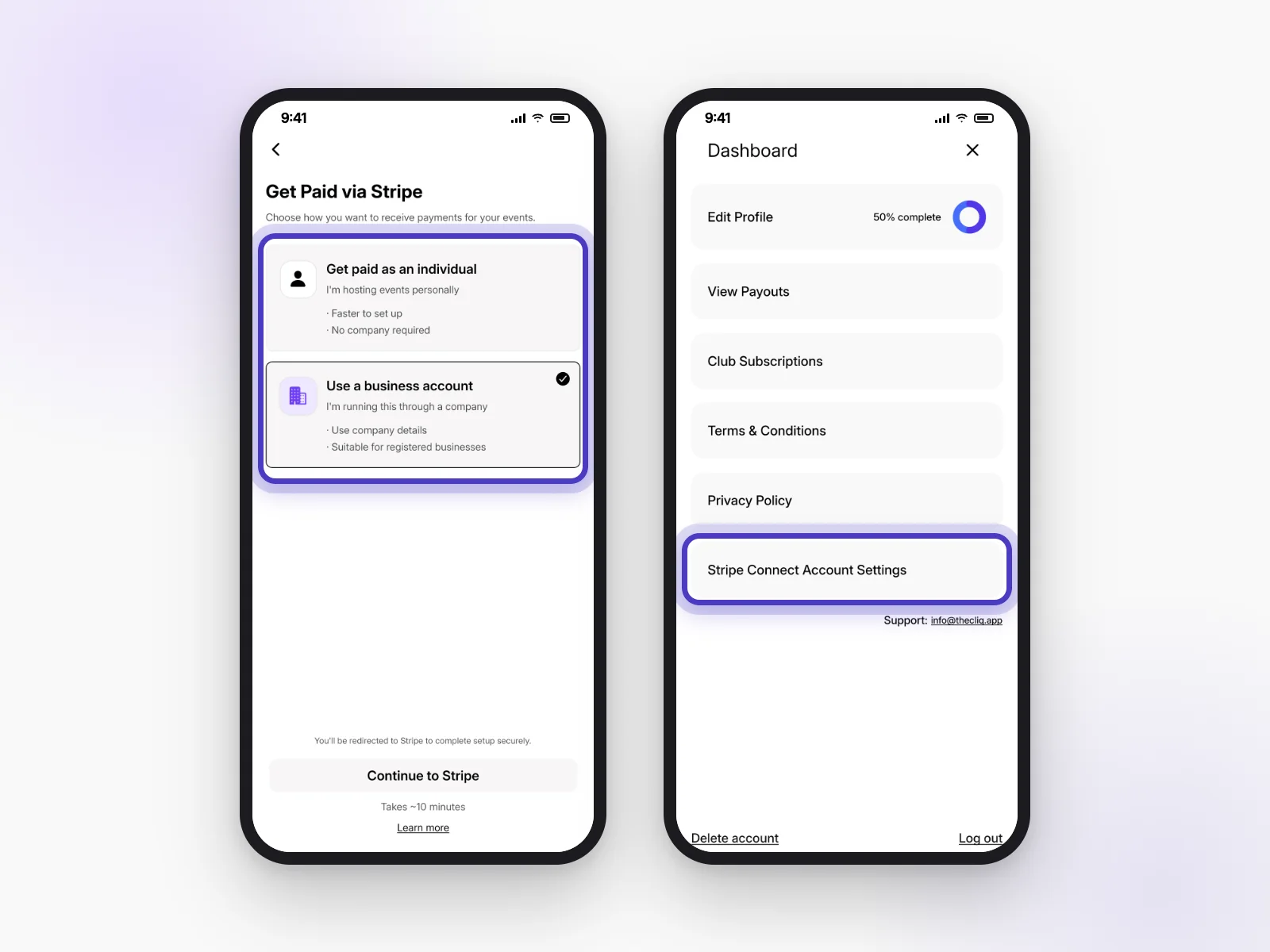
How do I get paid? How do I connect Stripe?
- Open your profile and the Dashboard menu.
- Tap Stripe Connect Account Settings.
- Choose Get paid as an individual or Use a business account.
- Tap Continue to Stripe and follow the steps. It takes about 10 minutes.
Should I set up payments as a person or a business?
Choose individual if you host events personally. It’s faster and you don’t need a company. Choose business if you run events through a registered company.
Link to this answerWhy does it say my payment setup isn’t finished?
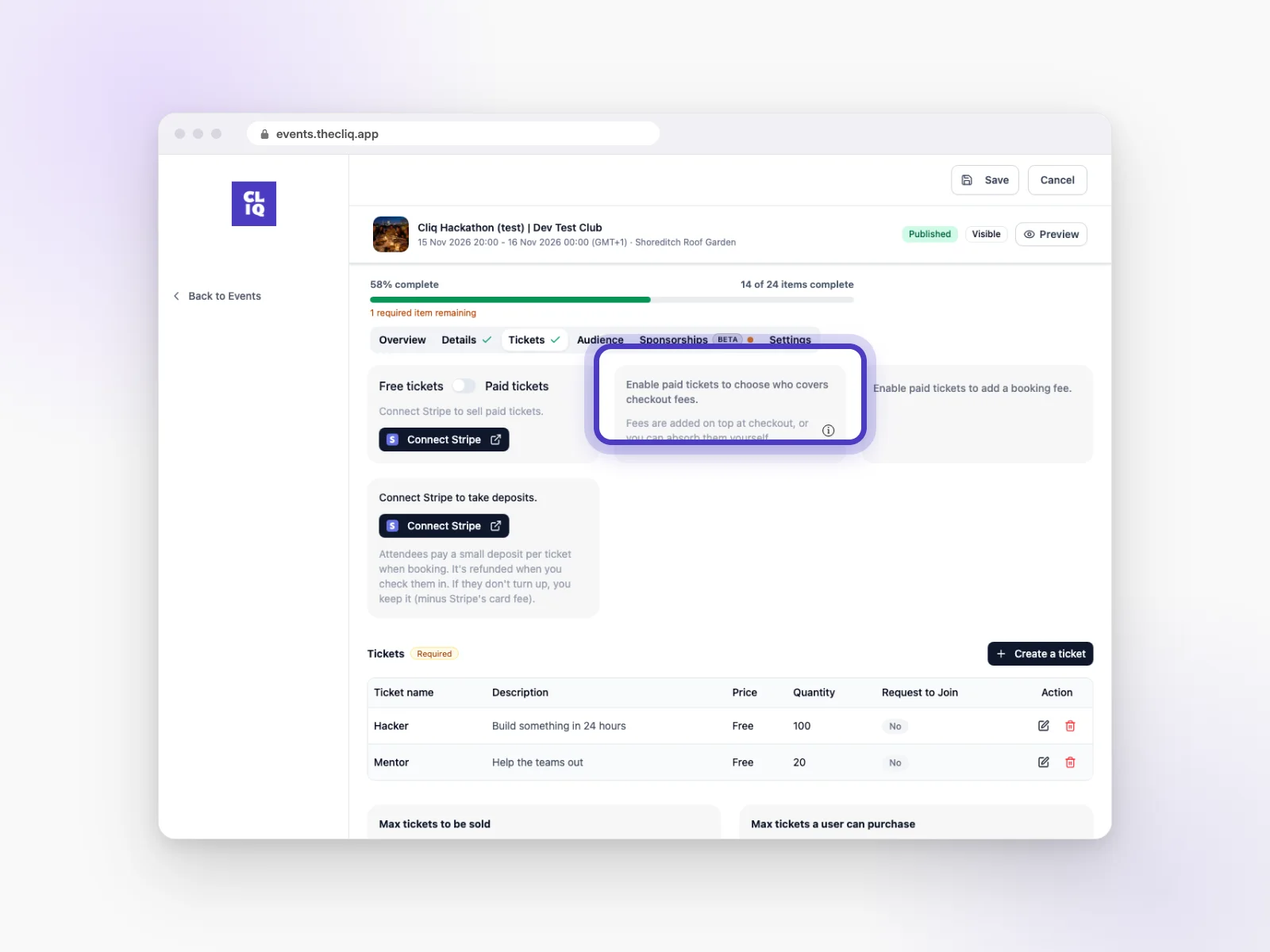
Stripe still needs some details from you. Click Finish Stripe setup at the top of your events list and complete the steps. Until then you can’t sell paid tickets.
Link to this answerShould I pay the booking fee, or should my guests?
Your choice. Once paid tickets are on, you can add fees on top at checkout (guests pay them), or absorb them yourself so guests see one simple price.
Link to this answerWhere do I see my payouts?
Open your profile, then the Dashboard menu, and tap View Payouts.
Link to this answerBrand deals for hosts
Brands can support your events with things like free drinks, samples or goodie bags.
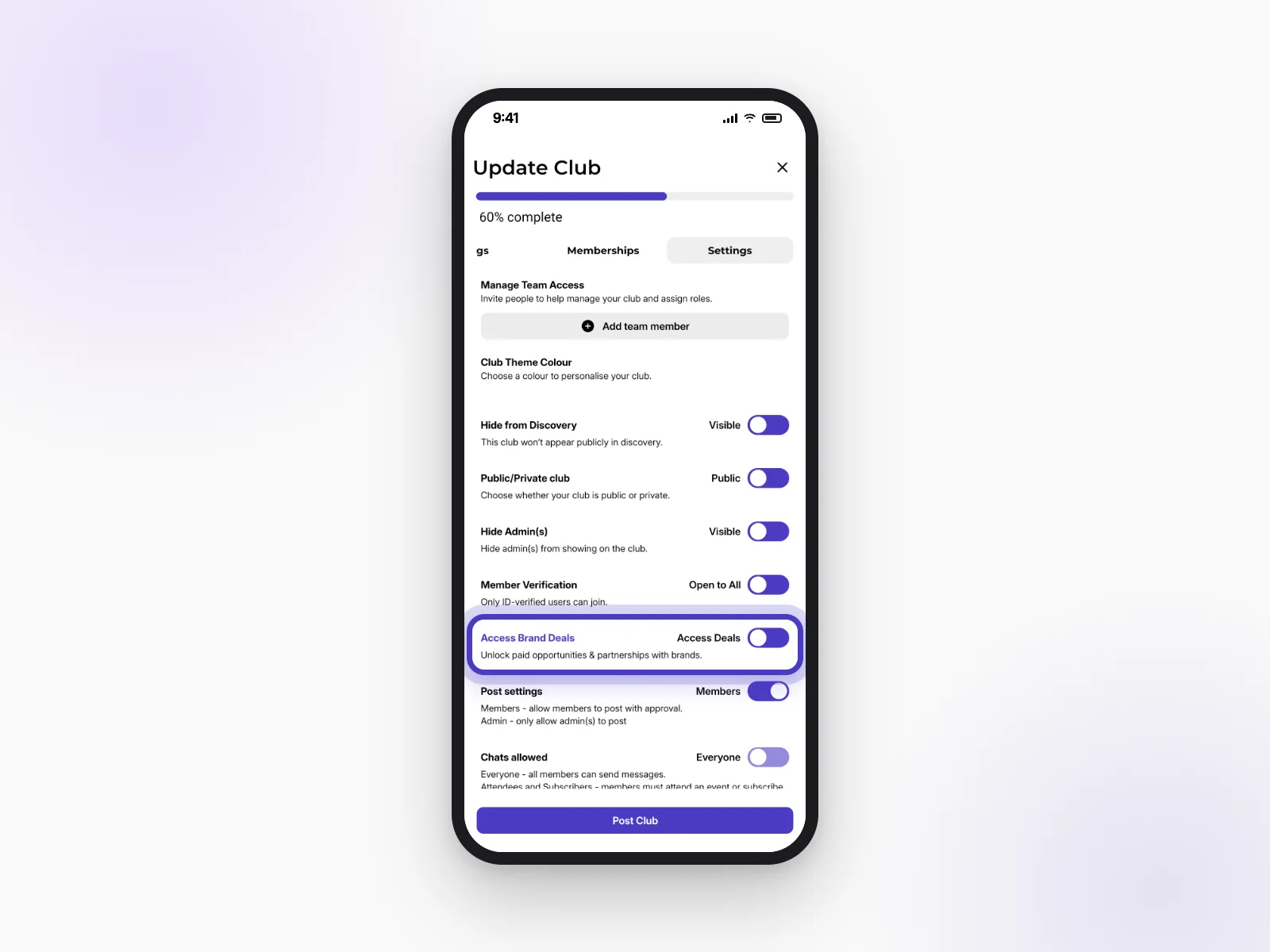
How do I let brands support my club?
In Update Club → Settings, turn on Access Brand Deals. This makes your events eligible for brand support.
Link to this answerHow do I ask for brand support on an event?
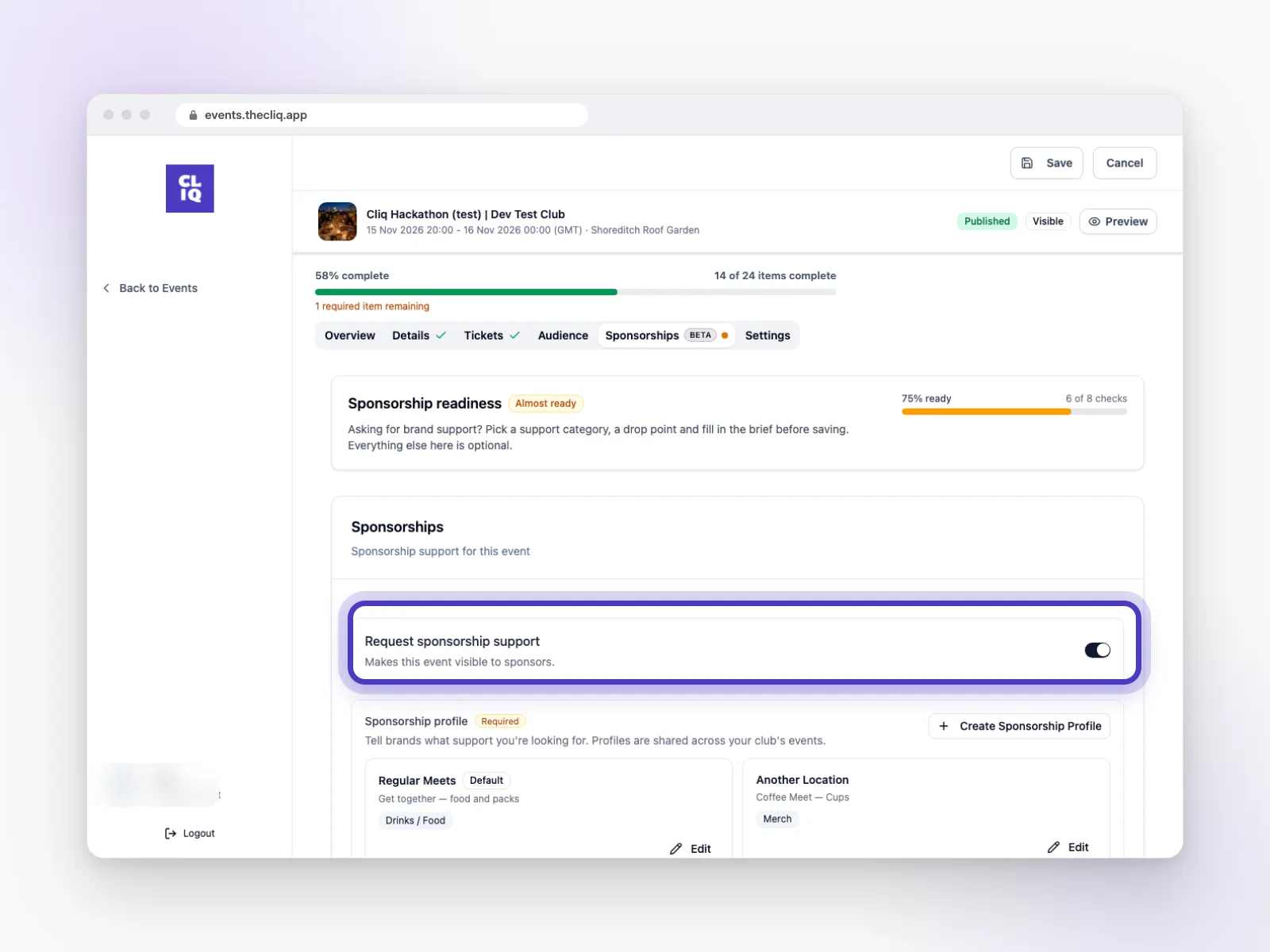
On CLIQ on the web, open your event’s Sponsorships tab and turn on Request sponsorship support. Pick a support category, a drop point and fill in a short brief, then save. This only shows when your event is connected to a club with brand deals turned on.
Link to this answerA brand offered a deal. How do I agree or decline?
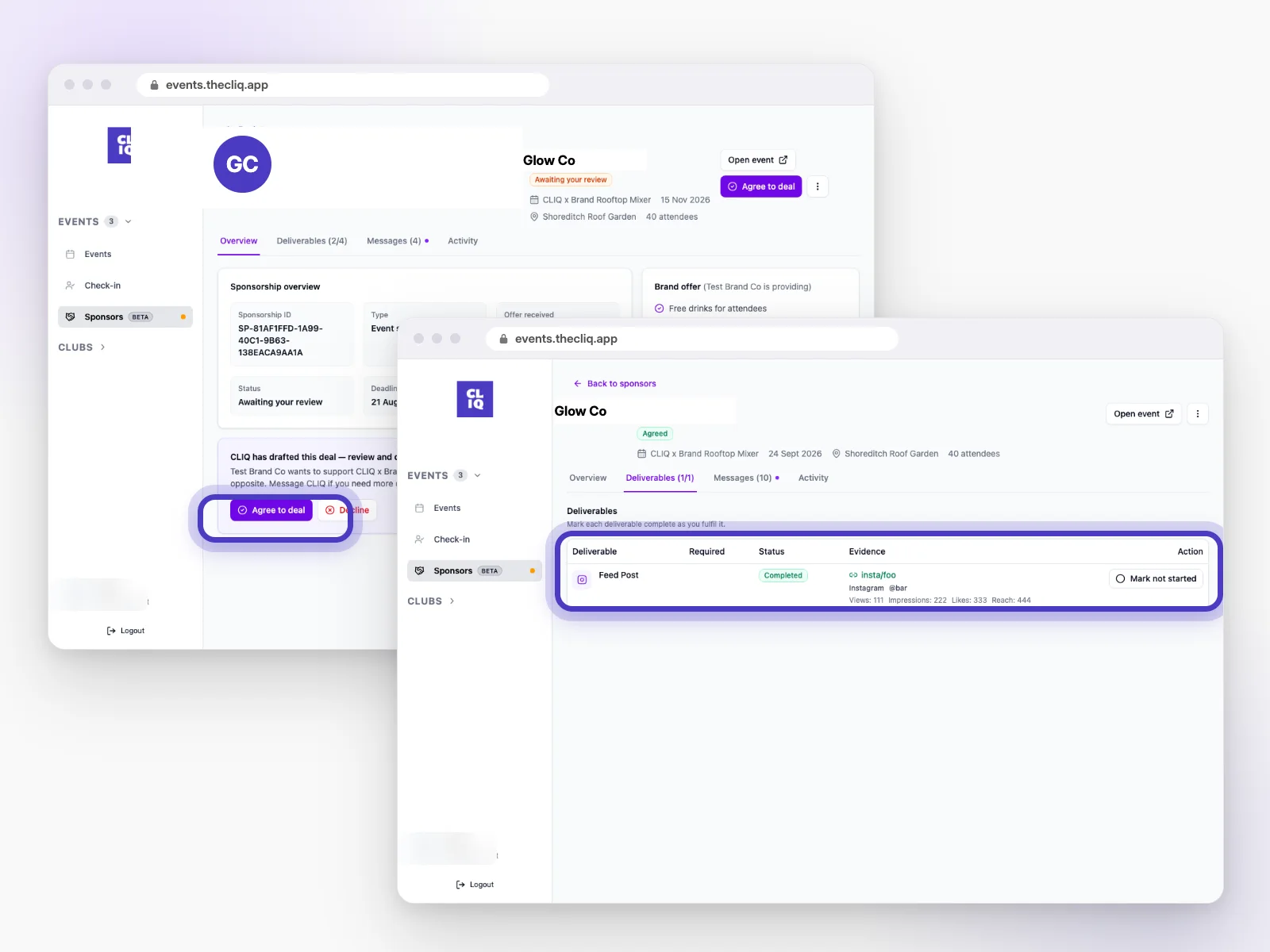
Go to Sponsors on CLIQ on the web and open the deal. Read what the brand is offering and what they’d like in return, then click Agree to deal or Decline.
Link to this answerHow do I show I've done what I agreed with a brand?
Open the deal’s Deliverables tab (it unlocks once you’ve agreed). Mark each task complete and add a link to the post, story or video as proof.
Link to this answerHow do I message CLIQ about a deal?
Open the deal and use the Messages tab. The Activity tab shows everything that’s happened so far.
Link to this answerHow do I see who claimed a club gift?
Open your club dashboard in the app and tap Brand Activations. You can download the list from there.
Link to this answerFor brands
The brand portal at brands.thecliq.app is where invited brands find and support communities.
How can my brand work with CLIQ?
See our brands page and get in touch. We’ll set you up with access to the brand portal.
Link to this answerWho can use the brand portal?
It’s invitation only. If you see “This email is not approved”, your email hasn’t been set up yet. Contact us at info@thecliq.app.
Link to this answerHow do I log in? There's no password.
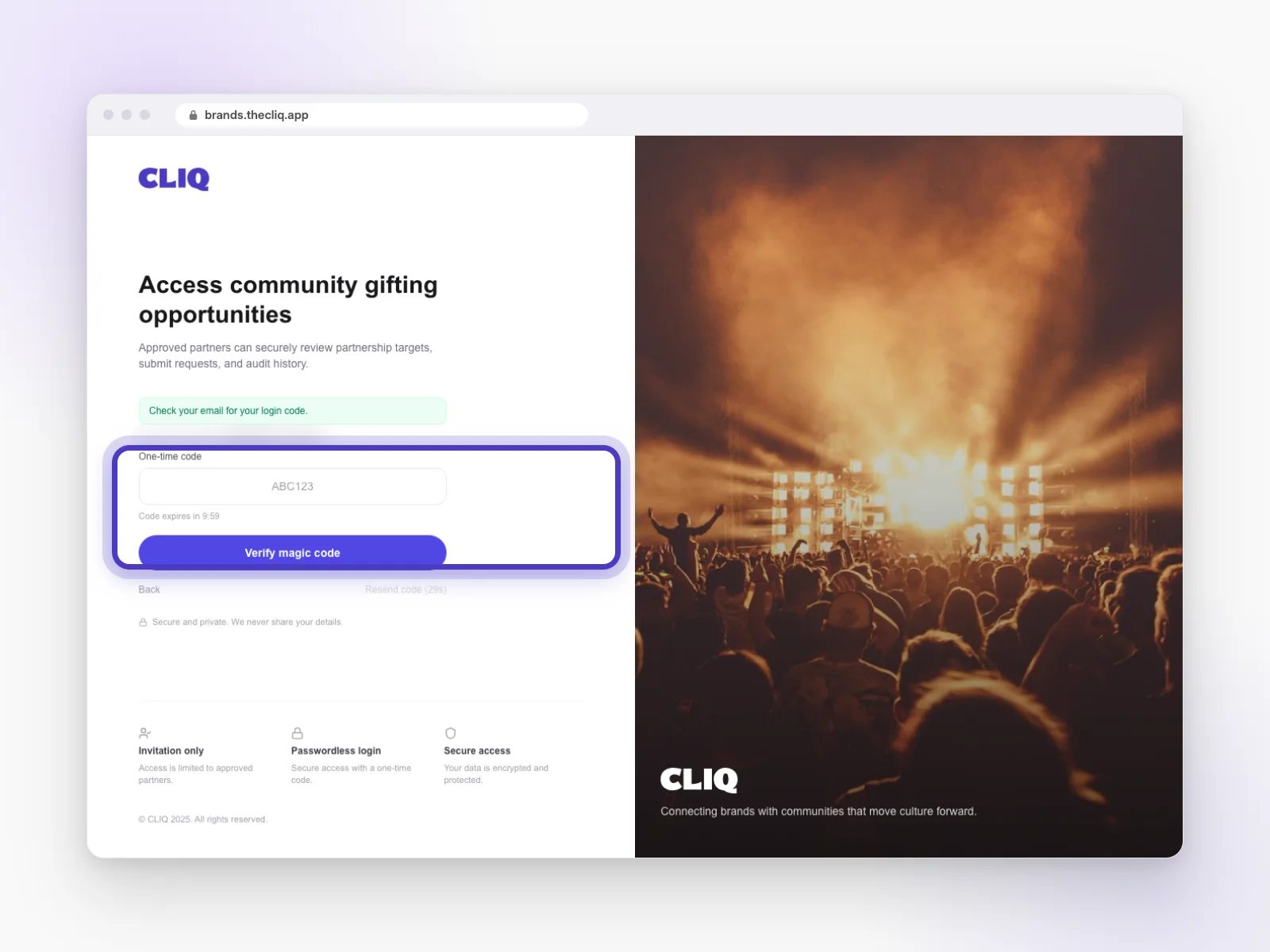
Go to brands.thecliq.app, enter your work email and click Send magic code. Type in the code from your email and click Verify magic code.
Link to this answerMy login code expired or never arrived.
Codes only last a few minutes. Check your spam folder for “Your CLIQ brand portal login code”, then use Resend code to get a new one.
Link to this answerHow do I find events to support?
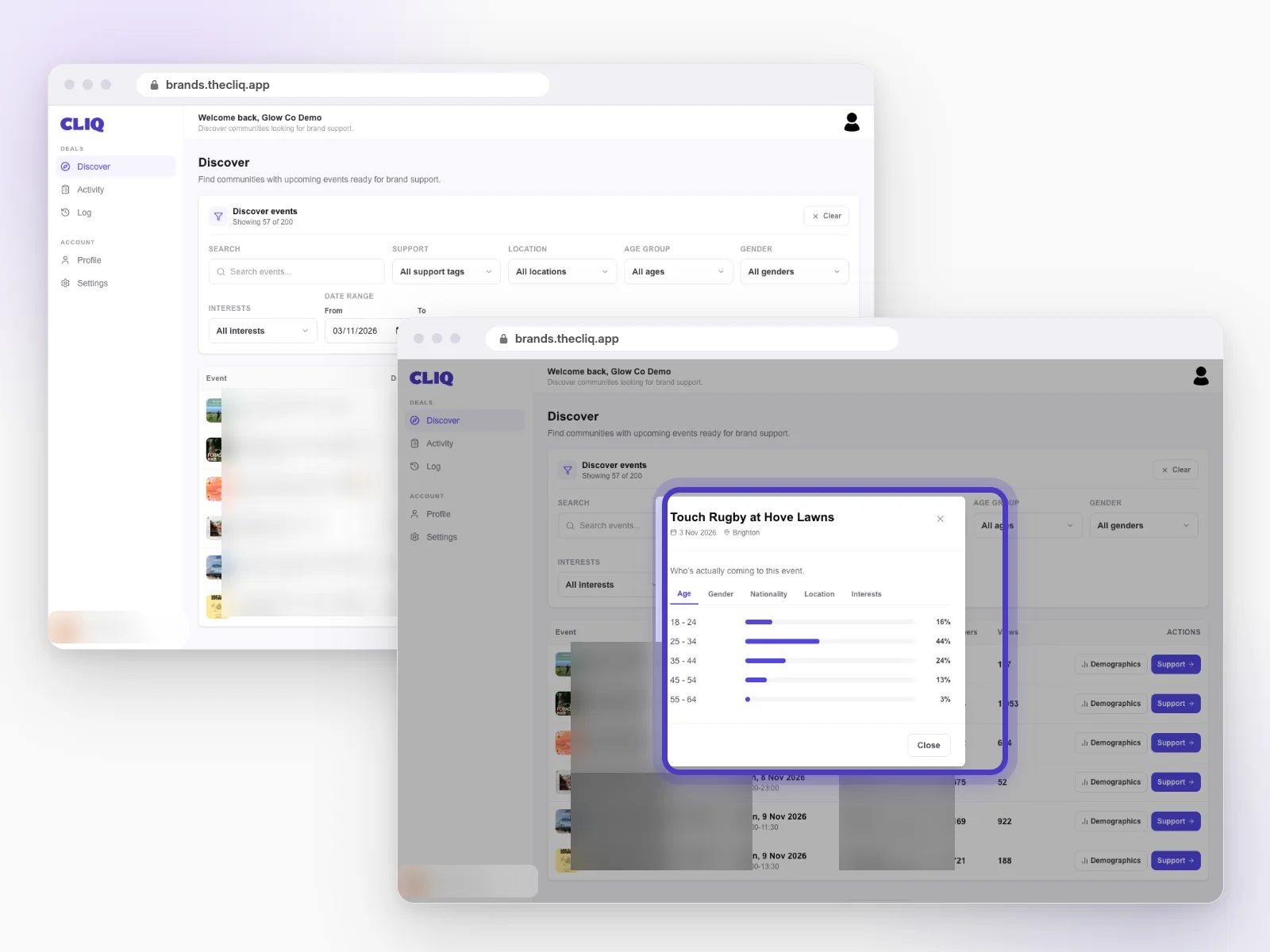
Open Discover. Filter by support type, location, age group, gender, interests or dates. Each event shows its community, members and views.
Link to this answerHow can I see who goes to an event?
Click Demographics on any event. You’ll see who’s actually coming, by age, gender, nationality, location and interests, based on CLIQ members who’ve booked.
Link to this answerHow do I offer support? What can I ask for in return?
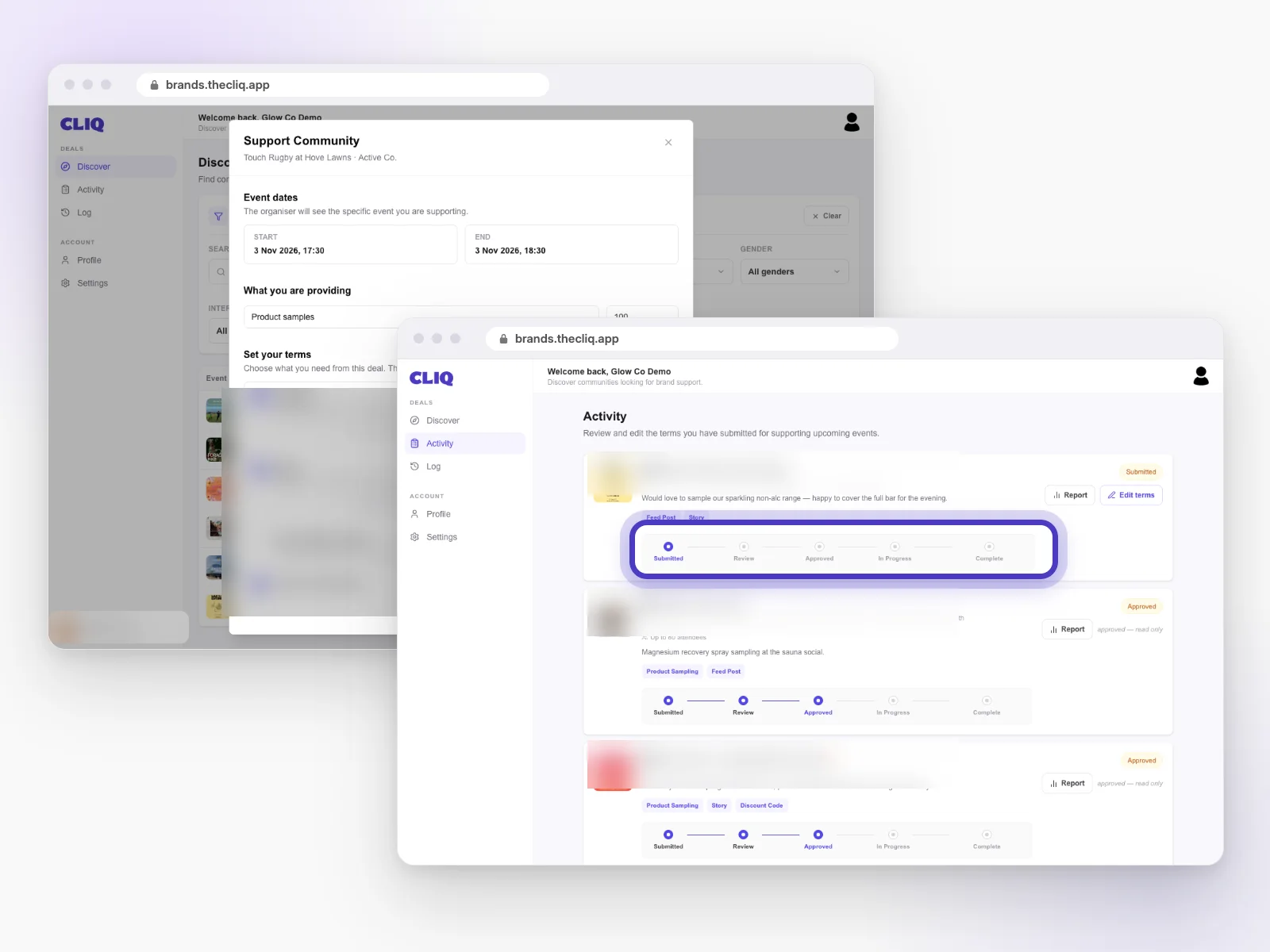
Click Support on an event. Add what you’re providing (for example product samples) and how many. Then set your terms: what you’d like in return, such as a feed post, stories, a short video or your logo on the event listing. Click Submit Terms.
Link to this answerWhat happens after I submit? What do the statuses mean?
Track it in Activity: Submitted → Review (CLIQ checks it) → Approved (the club agrees) → In Progress → Complete.
Link to this answerCan I edit my terms after submitting?
Yes, while it’s still Submitted, click Edit terms. Once it’s approved, it becomes read-only.
Link to this answerHow do I get a report for a deal?
Click Report on any request in Activity.
Link to this answerWhere's the full history of a deal?
Open Log in the menu to see everything that’s happened across your requests.
Link to this answerWhat if the event is deleted after I’ve supported it?
Your request stays in Activity so you have a record, but it becomes read-only.
Link to this answerHow do I update my profile and the support we offer?
Open Profile to update your brand details, and Settings to choose which emails you get.
Link to this answerEmails and alerts
Here’s what we’ll send you, and how to choose what you get.
What emails does CLIQ send?
All our emails come from info@thecliq.app. You might get:
- sign-up and login codes
- booking confirmations (with a calendar invite)
- newsletters from clubs you’ve joined
- updates on brand deals (hosts and brands)
I'm not getting your emails.
Check your spam or junk folder, and add info@thecliq.app to your contacts. Make sure the email on your account is right. Still nothing? Email info@thecliq.app.
Link to this answerHow do I unsubscribe from newsletters?
Use the unsubscribe link at the bottom of the email.
Link to this answerHow do I change which phone alerts I get?
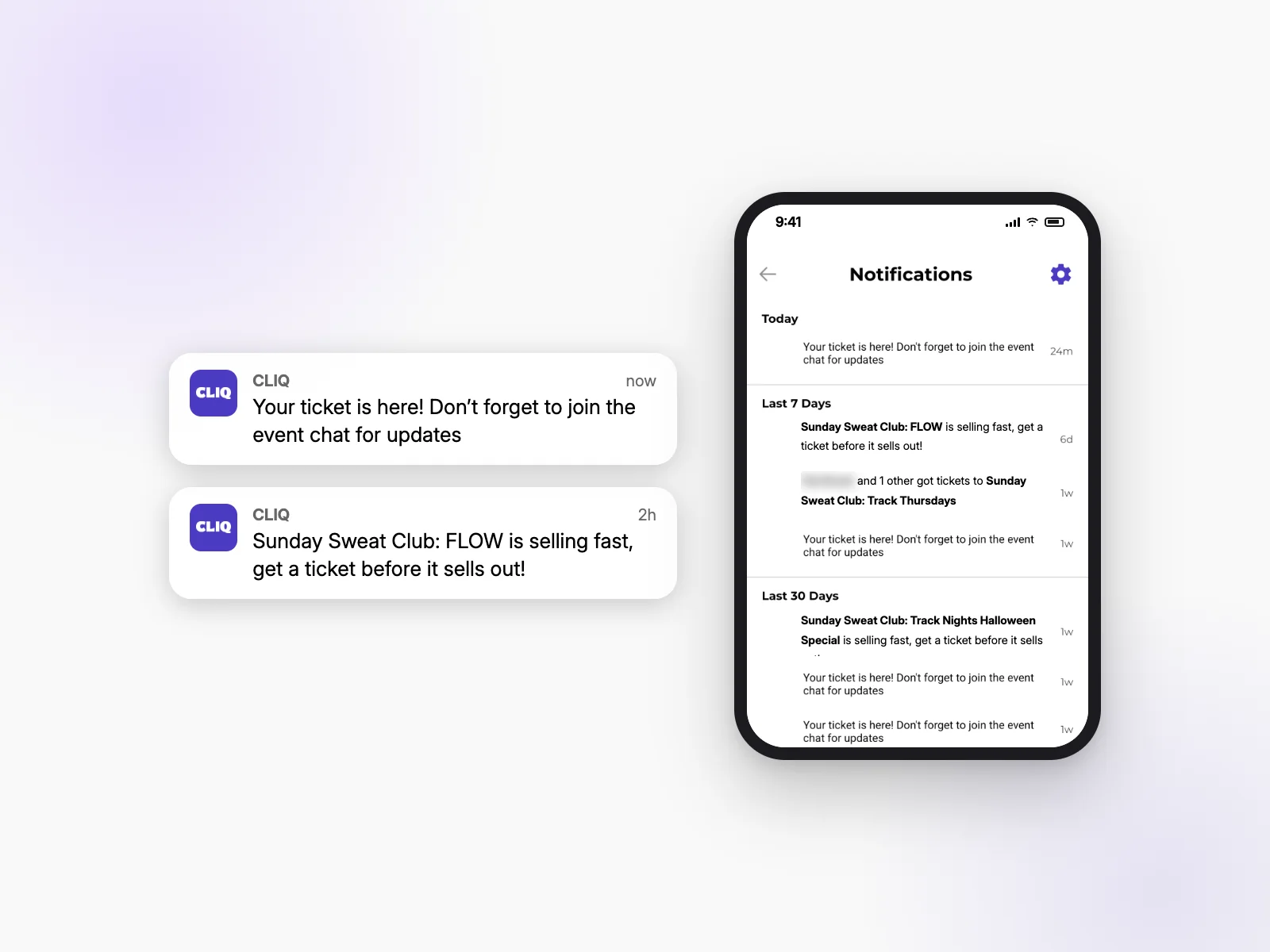
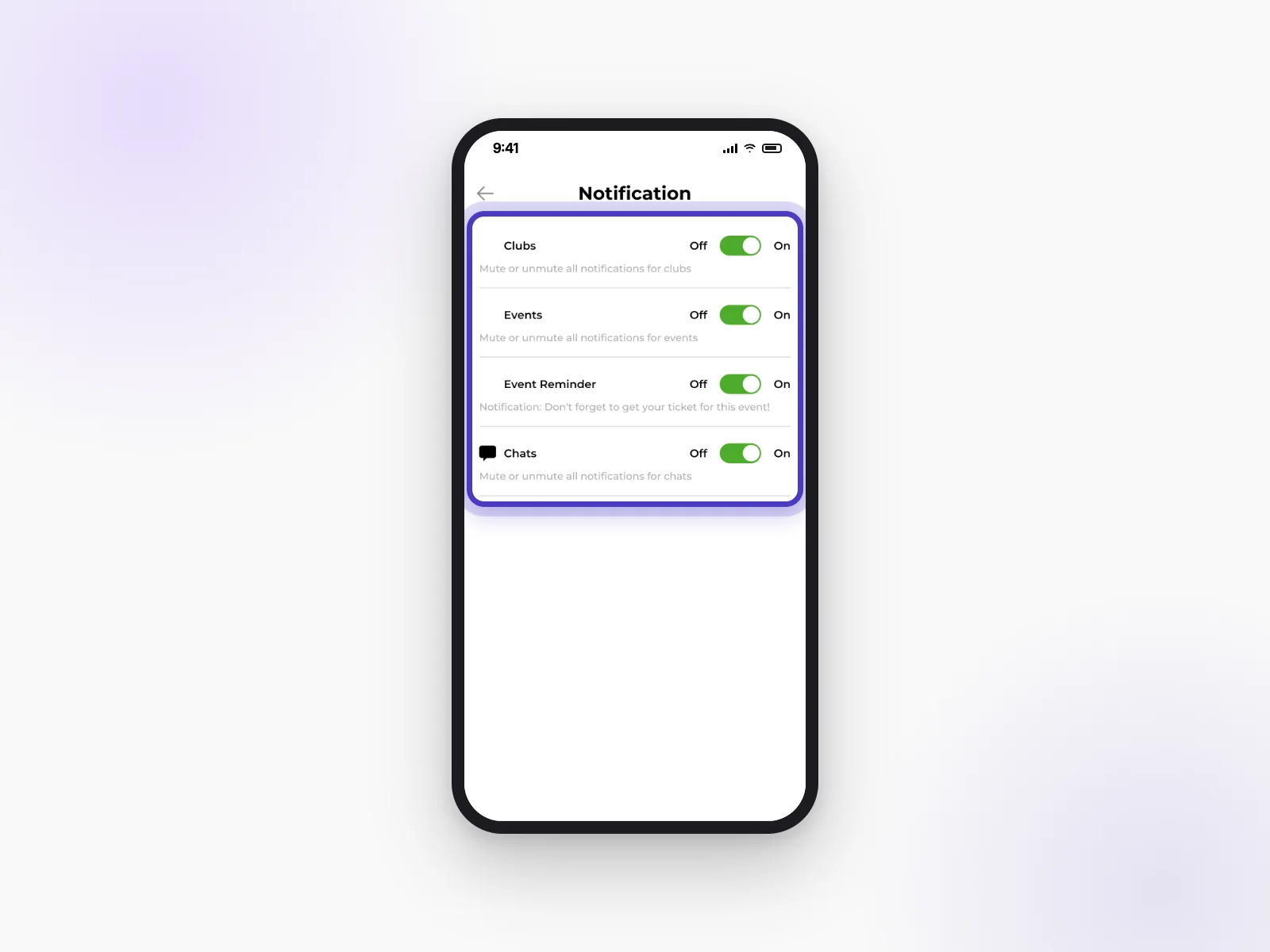
Open Notifications (the bell icon) and tap the gear in the top corner. Turn Clubs, Events, Event Reminder and Chats on or off.
Link to this answerYour privacy and your account
You’re in control of what others see, and of your account.
What data does CLIQ collect, and why?
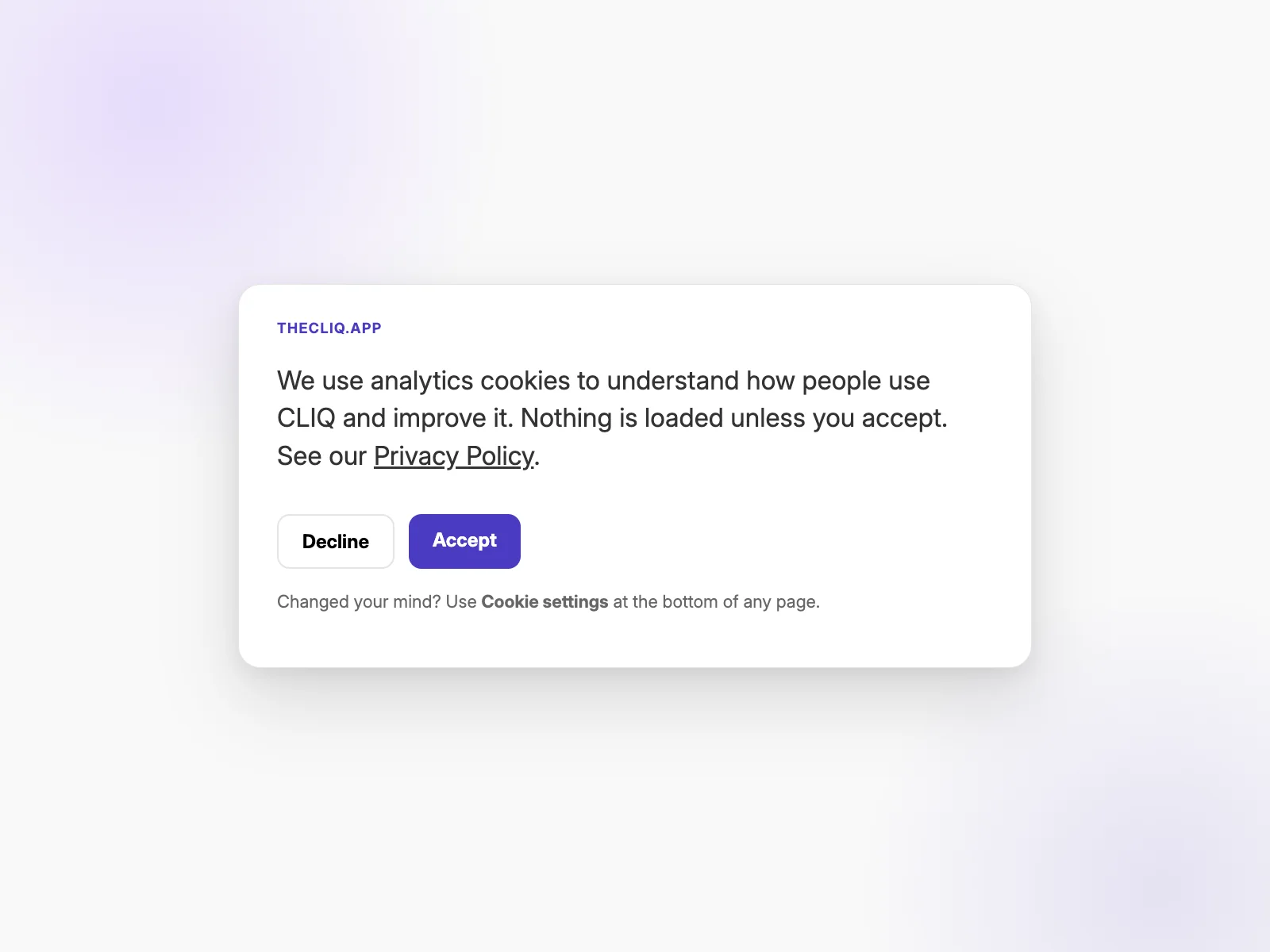
Our Privacy Policy explains what we collect, why, and your rights.
Link to this answerWho can see my profile, my age and the events I go to?
By default other members can see your profile. In Edit Profile → Settings you can hide your profile from browsing, hide your age, hide your events, and limit who can follow and message you.
Link to this answerHow do I delete my account?
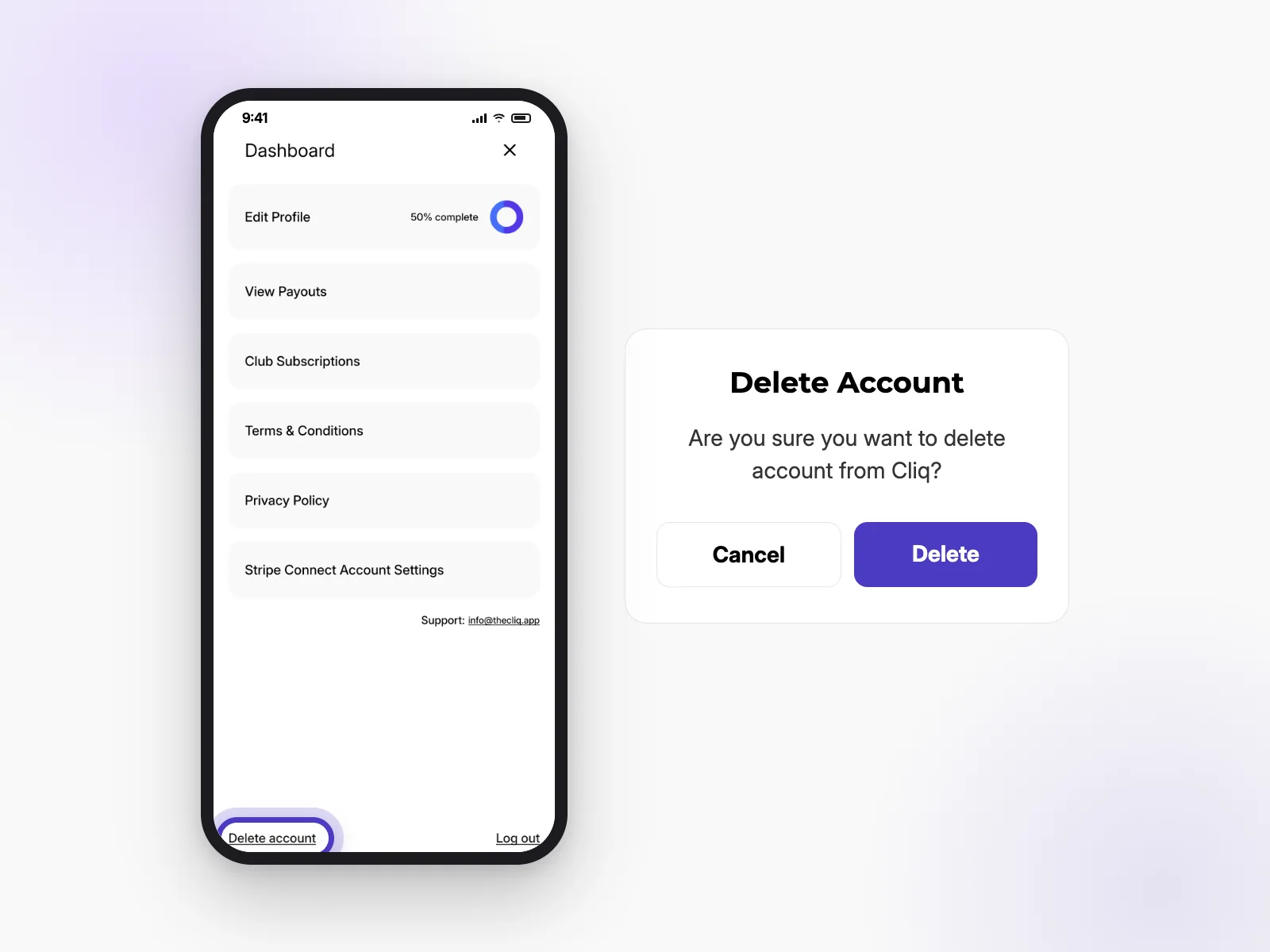
- Open your profile and the Dashboard menu.
- Tap Delete account at the bottom.
- Tap Delete to confirm.
Still stuck?
Email us at info@thecliq.app. Tell us your username and the event or club you’re asking about, and we’ll get back to you.

Find your CLIQ
Download on iPhone and Android

